Irregular Wave
R2026bIrregular Wave block
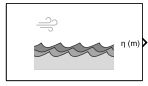
To add a block to a model, double-click the canvas and start typing the block name. Then, select the block from the list.
Libraries:
Aerospace Blockset Maritime Applications Library /
Environment
Description
Add-On Required: This feature requires the Aerospace Blockset Maritime Applications Library add-on.
The Irregular Wave block generates ocean surface heightmaps using one of these irregular wave spectrum models:
Bretschneider
JONSWAP
Scott
Ochi-Hubble bimodal
TMA spectrum
The Irregular Wave block uses Seed values to create spatially and statistically irregular wave fields that enable the simulation of realistic sea states for maritime modeling and validation. The block does not create a single, repeating wave pattern. Instead, it creates irregular waves that combine multiple regular waves with different amplitudes and phases, creating a seemingly random pattern.
Ports
Input
Water depth, specified as a scalar double in the specified units.
Dependencies
To enable this port, set Spectral form to
TMA spectrum.
Data Types: double
Output
Parameters
To edit block parameters interactively, use the Property Inspector. From the Simulink® Toolstrip, on the Simulation tab, in the Prepare gallery, select Property Inspector.
Main
Parameter and port units, specified as one of these values:
| Units | Surface Size | Wave Height | Wind Speed | Resolution |
|---|---|---|---|---|
| meters | m | m/s | m |
| feet | ft | ft/s | ft |
Programmatic Use
To set the block parameter value programmatically, use
the set_param function.
To get the block parameter value
programmatically, use the get_param function.
| Parameter: | units |
| Values: | Metric
(MKS) (default) | English |
Example: set_param(gcb,"units","Metric
(MKS)")
Surface size of the generated water surface, specified as an 2-element row vector of
finite positive integers greater than or equal to 2,
where:
N — Number of rows of the heightmap.
M — Number of columns of the heightmap.
Programmatic Use
To set the block parameter value programmatically, use
the set_param function.
To get the block parameter value
programmatically, use the get_param function.
| Parameter: | gridSize |
| Values: | [100 100] (default) | 2-element row vector | finite positive integers greater than or equal to
2 |
| Data Types: | double |
Example: set_param(gcb,"gridSize","[100
100]")
Distance between each grid point, specified as a finite positive scalar.
Programmatic Use
To set the block parameter value programmatically, use
the set_param function.
To get the block parameter value
programmatically, use the get_param function.
| Parameter: | resolution |
| Values: | 1 (default) | finite positive scalar |
| Data Types: | double |
Example: set_param(gcb,"resolution","1")
Range of frequency samples, specified as a finite positive or zero, 2-element row vector [umin umax], where umin must be less than umax.
Programmatic Use
To set the block parameter value programmatically, use
the set_param function.
To get the block parameter value
programmatically, use the get_param function.
| Parameter: | omegaRange |
| Values: | [0.2 1.2] (default) | finite positive or zero, 2-element row vector |
| Data Types: | double |
Example: set_param(gcb,"omegaRange","[0.2
1.2]")
Number of frequencies at which the spectrum is sampled, specified as a finite positive
scalar or 0.
Programmatic Use
To set the block parameter value programmatically, use
the set_param function.
To get the block parameter value
programmatically, use the get_param function.
| Parameter: | nOmega |
| Values: | 16 (default) | finite positive scalar or 0 |
| Data Types: | double |
Example: set_param(gcb,"nOmega","16")
Seed value, specified as a finite scalar integer greater than or equal to
0.
Programmatic Use
To set the block parameter value programmatically, use
the set_param function.
To get the block parameter value
programmatically, use the get_param function.
| Parameter: | seed |
| Values: | 1 (default) | finite scalar integer greater than or equal to
0 |
| Data Types: | double |
Example: set_param(gcb,"seed","1")
Spectrum
Spectral forms, specified as one of these values:
Bretschneider— Model a fully developed sea.JONSWAP— Joint North Sea Wave Project. Model a fetch‑limited (developing) sea.Scott— Model for idealized conditions.Ochi-Hubble bimodal— Model seas with two dominant (bimodal) wave systems.TMA spectrum— Model waves in finite or shallow water.
Programmatic Use
To set the block parameter value programmatically, use
the set_param function.
To get the block parameter value
programmatically, use the get_param function.
| Parameter: | spectralForm |
| Values: | Bretschneider (default) | JONSWAP | Scott | Ochi-Hubble bimodal | TMA spectrum |
Example: set_param(gcb,"spectralForm","Bretschneider")
Bretschneider spectrum model, specified as one of these values:
Single parameter Pierson-Moskowitz— Fully developed sea using a one-parameter Pierson–Moskowitz (PM) formulation.Two parameter Pierson-Moskowitz— Modified PM/Bretschneider formulation defined by two sea-state parameters.ITTC— International Towing Tank Conference (ITTC) standard wave spectrum used in marine model testing.ISSC— Bretschneider spectrum, also known as modified Pierson–Moskowitz.
Dependencies
To enable this parameter, set Spectral form
to Bretschneider.
Programmatic Use
To set the block parameter value programmatically, use
the set_param function.
To get the block parameter value
programmatically, use the get_param function.
| Parameter: | gpmSpectrumModel |
| Values: | Single parameter
Pierson-Moskowitz (default) | Two parameter
Pierson-Moskowitz | ITTC | ISSC |
Example: set_param(gcb,"gpmSpectrumModel","Single
parameter Pierson-Moskowitz")
Model spectrum input, specified as one of these values:
Significant wave height— Average height of the highest one-third of waves in a sea state.Wind speed— Wind velocity referenced at a 10 meters above the sea surface.Peak frequency— Frequency at which the wave spectrum reaches its maximum spectral density.
The block uses this input to define the wave spectrum model.
Dependencies
To enable this parameter:
Set Spectral form to
BretschneiderorTMA spectrum.
or
Set Spectrum model for Bretschneider form to
Single parameter Pierson-Moskowitz.Set Select spectrum input parameter to
Wind speed.
Programmatic Use
To set the block parameter value programmatically, use
the set_param function.
To get the block parameter value
programmatically, use the get_param function.
| Parameter: | spectralParameter |
| Values: | Significant wave
height (default) | Wind speed | Peak frequency |
Example: set_param(gcb,"spectralParameter","Significant
wave height")
Average height of highest one-third of waves, specified as a finite
positive scalar or 0.
Dependencies
To enable this parameter:
Set Spectral form to
Bretschneider.Set Spectrum model for Bretschneider form to
Single parameter Pierson-Moskowitz,Two parameter Pierson-Moskowitz,ITTC, orISSC.
or
Set Spectral form to
ScottorOchi-Hubble bimodal.
Programmatic Use
To set the block parameter value programmatically, use
the set_param function.
To get the block parameter value
programmatically, use the get_param function.
| Parameter: | waveHeight |
| Values: | 1 (default) | finite positive scalar |
| Data Types: | double |
Example: set_param(gcb,"waveHeight","1")
Wind speed, specified as a finite real positive scalar greater than or equal to 0.
Dependencies
To enable this parameter:
Set Spectral form to
JONSWAPorTMA spectrum.
or
Set Spectral form to
Bretschneider.Set Spectral model for Bretschneider form to
Single parameter Pierson-Moskowitz.Set Select spectral input parameter to
Wind speed.
Programmatic Use
To set the block parameter value programmatically, use
the set_param function.
To get the block parameter value
programmatically, use the get_param function.
| Parameter: | windSpeed |
| Values: | 10 (default) | finite real positive scalar greater than or equal to
0 |
| Data Types: | double |
Example: set_param(gcb,"windSpeed","10")
JONSWAP spectral peak sharpness, specified as a finite real positive scalar greater than or equal to 0.
Dependencies
To enable this parameter:
Set Spectral form to
Bretschneider.Set Spectrum model for Bretschneider form to
Two parameter Pierson-MoskowitzorITTC.
or
Set Spectral form to
Bretschneider.Set Spectrum model for Bretschneider form to
Single parameter Pierson-Moskowitz.Set Select spectrum input parameter to
Peak frequency.
or
Set Spectral form to
Scott.
Programmatic Use
To set the block parameter value programmatically, use
the set_param function.
To get the block parameter value
programmatically, use the get_param function.
| Parameter: | peakFrequency |
| Values: | 1 (default) | finite real positive scalar greater than or equal to
0 |
| Data Types: | double |
Example: set_param(gcb,"peakFrequency","1")
Horizontal distance over which the wind blows in a consistent direction and speed across a body of water, finite positive scalar.
Dependencies
To enable this parameter, set Spectral form
to JONSWAP or TMA
spectrum.
Programmatic Use
To set the block parameter value programmatically, use
the set_param function.
To get the block parameter value
programmatically, use the get_param function.
| Parameter: | fetch |
| Values: | 100 (default) | finite positive scalar |
| Data Types: | double |
Example: set_param(gcb,"fetch","100")
Peak enhancement factor, specified as a finite positive scalar between
1 and 7, noninclusive.
Dependencies
To enable this parameter, set Spectral form to
JONSWAP or TMA
spectrum.
Programmatic Use
To set the block parameter value programmatically, use
the set_param function.
To get the block parameter value
programmatically, use the get_param function.
| Parameter: | gamma |
| Values: | 3.3 (default) | finite positive scalar between 1 and
7, noninclusive |
| Data Types: | double |
Example: set_param(gcb,"gamma","3.3")
Spectral mean frequency, specified as a finite positive scalar or
0.
Dependencies
To enable this parameter:
Set Spectral form to
Bretschneider.Set Spectrum model for Bretschneider form to
ISSC.
Programmatic Use
To set the block parameter value programmatically, use
the set_param function.
To get the block parameter value
programmatically, use the get_param function.
| Parameter: | meanFrequency |
| Values: | 1 (default) | finite positive scalar |
| Data Types: | double |
Example: set_param(gcb,"meanFrequency","1")
Direction
Unit system for angular parameters, specified as
Degrees or
Radians.
Programmatic Use
To set the block parameter value programmatically, use
the set_param function.
To get the block parameter value
programmatically, use the get_param function.
| Parameter: | angleUnits |
| Values: | Degrees (default) | Radians |
Example: set_param(gcb,"angleUnits","Degrees")
Mean wave direction, specified as a finite positive scalar between 0 and 360, inclusive.
Programmatic Use
To set the block parameter value programmatically, use
the set_param function.
To get the block parameter value
programmatically, use the get_param function.
| Parameter: | meanWaveDirection |
| Values: | 0 (default) | finite positive scalar between 0 and 360,
inclusive |
| Data Types: | double |
Example: set_param(gcb,"meanWaveDirection","0")
To enable the multidirectional spreading function, which defines the randomness in direction, select this parameter. Otherwise, clear this parameter.
Programmatic Use
To set the block parameter value programmatically, use
the set_param function.
To get the block parameter value
programmatically, use the get_param function.
| Parameter: | enableDirectionalSpreading |
| Values: | off (default) | on |
Example: set_param(gcb,"enableDirectionalSpreading","off")
Mathematical function to distribute wave spectrum,
D(ω, θ), a
function of frequency and direction, specified as
Cosine-squared or
Cosine-2s.
Dependencies
To enable this parameter, select the Enable directional spreading parameter.
Programmatic Use
To set the block parameter value programmatically, use
the set_param function.
To get the block parameter value
programmatically, use the get_param function.
| Parameter: | directionalSpreadingFunction |
| Values: | Cosine-squared (default) | Cosine-2s |
Example: set_param(gcb,"directionalSpreadingFunction","Cosine-squared")
Number of direction samples, specified as a finite positive scalar integer.
Dependencies
To enable this parameter select the Enable directional spreading parameter.
Programmatic Use
To set the block parameter value programmatically, use
the set_param function.
To get the block parameter value
programmatically, use the get_param function.
| Parameter: | nTheta |
| Values: | 4 (default) | finite positive scalar integer |
| Data Types: | double |
Example: set_param(gcb,"nTheta","4")
Spreading function, specified as a finite positive scalar integer.
Dependencies
To enable this parameter:
Select the Enable directional spreading parameter.
Set the Directional spreading function to
Cosine-2s.
Programmatic Use
To set the block parameter value programmatically, use
the set_param function.
To get the block parameter value
programmatically, use the get_param function.
| Parameter: | spreadingFactor |
| Values: | 1 (default) | finite positive scalar integer |
| Data Types: | double |
Example: set_param(gcb,"spreadingFactor","1")
Version History
Introduced in R2026b
See Also
MATLAB Command
You clicked a link that corresponds to this MATLAB command:
Run the command by entering it in the MATLAB Command Window. Web browsers do not support MATLAB commands.


Seleziona un sito web
Seleziona un sito web per visualizzare contenuto tradotto dove disponibile e vedere eventi e offerte locali. In base alla tua area geografica, ti consigliamo di selezionare: .
Puoi anche selezionare un sito web dal seguente elenco:
Come ottenere le migliori prestazioni del sito
Per ottenere le migliori prestazioni del sito, seleziona il sito cinese (in cinese o in inglese). I siti MathWorks per gli altri paesi non sono ottimizzati per essere visitati dalla tua area geografica.
Americhe
- América Latina (Español)
- Canada (English)
- United States (English)
Europa
- Belgium (English)
- Denmark (English)
- Deutschland (Deutsch)
- España (Español)
- Finland (English)
- France (Français)
- Ireland (English)
- Italia (Italiano)
- Luxembourg (English)
- Netherlands (English)
- Norway (English)
- Österreich (Deutsch)
- Portugal (English)
- Sweden (English)
- Switzerland
- United Kingdom (English)