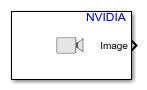
Video Read
Libraries:
NVIDIA Jetson and NVIDIA DRIVE /
Audio and Video
Description
Add-On Required: This feature requires the MATLAB Coder Support Package for NVIDIA Jetson and NVIDIA DRIVE Platforms add-on.
Ports
Output
Color image or video frame, returned as an M-by-N-by-P array. M and N are the number of rows and columns in each image. P is the number of color channels in each image.
Dependencies
To enable this port, set the Image signal parameter to
One multidimensional signal.
Data Types: single | double | int8 | int16 | int32 | uint8 | uint16 | uint32 | Simulink.ImageType
Red color component of the image or video frame, returned as an M-by-N matrix. M and N are the number of rows and columns in the image.
Dependencies
To enable this port, set the Image signal parameter to
Separate color signal.
Data Types: single | double | int8 | int16 | int32 | uint8 | uint16 | uint32
Green color component of the image or video frame, returned as an M-by-N matrix. M and N are the number of rows and columns in the image.
Dependencies
To enable this port, set the Image signal parameter to
Separate color signal.
Data Types: single | double | int8 | int16 | int32 | uint8 | uint16 | uint32
Blue color component of the image or video frame, returned as an M-by-N matrix. M and N are the number of rows and columns in the image.
Dependencies
To enable this port, set the Image signal parameter to
Separate color signal.
Data Types: single | double | int8 | int16 | int32 | uint8 | uint16 | uint32
End-of-file indicator, returned as a logical scalar for each video frame. The
end-of-file indicator is 1 when the block outputs the final video
frame from the file, and is 0 otherwise.
Dependencies
To enable this port, select the Output end-of-file indicator parameter.
Data Types: Boolean
Parameters
To edit block parameters interactively, use the Property Inspector. From the Simulink® Toolstrip, on the Simulation tab, in the Prepare gallery, select Property Inspector.
General Parameters
Name of the multimedia file on the target for the block to read.
Programmatic Use
To set the block parameter value programmatically, use
the set_param (Simulink) function.
To get the block parameter value
programmatically, use the get_param (Simulink) function.
| Parameter: | FileName |
| Values: | ' ' (default) | character vector |
Video Parameters
Resolution of the image or video frame, in pixels.
Programmatic Use
To set the block parameter value programmatically, use
the set_param (Simulink) function.
To get the block parameter value
programmatically, use the get_param (Simulink) function.
| Parameter: | ImageSize |
| Values: | '[640, 480]' (default) | [width, height] |
How the block outputs the RGB color video. If you select One
multidimensional signal, the block outputs the video data using only the
Image port. If you select Separate color
signal, the block outputs the video data using three separate color
channels, divided across the R, G, and
B ports.
Programmatic Use
To set the block parameter value programmatically, use
the set_param (Simulink) function.
To get the block parameter value
programmatically, use the get_param (Simulink) function.
| Parameter: | ImageSignal |
| Values: | 'One multidimensional signal' (default) | 'Separate color signal' |
Select this parameter to enable the EOF port, which indicates whether the output frame or sample is the final video frame in the multimedia file.
Programmatic Use
To set the block parameter value programmatically, use
the set_param (Simulink) function.
To get the block parameter value
programmatically, use the get_param (Simulink) function.
| Parameter: | OutputEOFIndicator |
| Values: | 'off' (default) | 'on' |
Version History
Introduced in R2024a
See Also
Blocks
MATLAB Command
You clicked a link that corresponds to this MATLAB command:
Run the command by entering it in the MATLAB Command Window. Web browsers do not support MATLAB commands.
Seleziona un sito web
Seleziona un sito web per visualizzare contenuto tradotto dove disponibile e vedere eventi e offerte locali. In base alla tua area geografica, ti consigliamo di selezionare: .
Puoi anche selezionare un sito web dal seguente elenco:
Come ottenere le migliori prestazioni del sito
Per ottenere le migliori prestazioni del sito, seleziona il sito cinese (in cinese o in inglese). I siti MathWorks per gli altri paesi non sono ottimizzati per essere visitati dalla tua area geografica.
Americhe
- América Latina (Español)
- Canada (English)
- United States (English)
Europa
- Belgium (English)
- Denmark (English)
- Deutschland (Deutsch)
- España (Español)
- Finland (English)
- France (Français)
- Ireland (English)
- Italia (Italiano)
- Luxembourg (English)
- Netherlands (English)
- Norway (English)
- Österreich (Deutsch)
- Portugal (English)
- Sweden (English)
- Switzerland
- United Kingdom (English)