Set up CMSIS and CMSIS-DSP
R2026bEmbedded Coder® Support Package for ARM® Cortex®-M Processors installs and configures a supported version of the Cortex microcontroller software interface standard (CMSIS) and CMSIS-DSP packages during hardware setup. You can use different versions of CMSIS and CMSIS-DSP packages other than the current versions installed with the support package.
To install different versions of CMSIS and CMSIS-DSP packages, follow these steps:
To open the CMSIS package update setup, enter the following command at MATLAB® command prompt.
cmsisToolsObj = arm_cmsis_crl.cmsis.ui.CMSISToolsSetupWorkflow;
launch(cmsisToolsObj)
Select the CMSIS packages to update, and then click Next.

To register a different CMSIS package version than the one provided with the installed support package, download the required version of CMSIS package using the link provided in the setup screen.
Select Use CMSIS package downloaded and installed with support package, to use the CMSIS package version installed with the support package.

Click Next to proceed.
Click Browse and locate the downloaded CMSIS package folder. Click Validate to verify the CMSIS package.

Once the validation is complete, click Next.
To register a different CMSIS-DSP version than the one provided with the installed support package, download the required version of CMSIS package using the link provided in the setup screen.
Select Use CMSIS-DSP package downloaded and installed with support package to use the CMSIS-DSP package version installed with the support package..
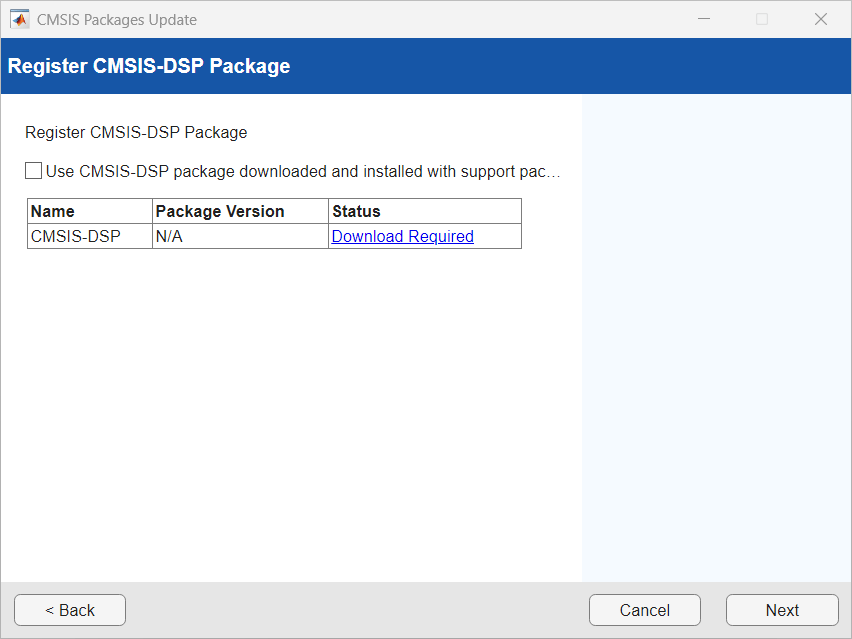
Click Next to proceed.
Click Browse and locate the downloaded CMSIS-DSP package folder. Click Validate to verify the CMSIS-DSP package.
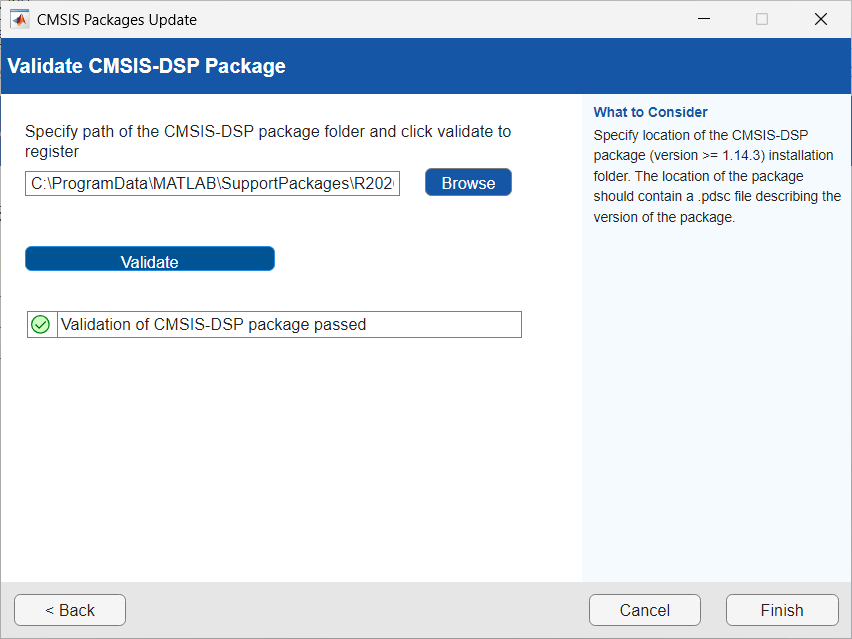
Once the validation is complete, click Finish to complete the setup.
See Also
Install Embedded Coder Support Package for ARM Cortex-M Processors | Hardware Setup for Embedded Coder Support Package for ARM Cortex-M Processors

