UDP Receive
R2026bReceive UDP packets over IP network
UDP Receive block
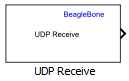
To add a block to a model, double-click the canvas and start typing the block name. Then, select the block from the list.
Libraries:
Embedded Coder Support Package for BeagleBone Black Hardware
Description
Add-On Required: This feature requires the Embedded Coder Support Package for BeagleBone Black Hardware add-on.
The UDP Receive block receives UDP packets from an IP network port and saves them to its buffer. With each sample, the block output emits the contents of a single UDP packet as a data vector.
Note
Your antivirus software or firewall might block UDP traffic. Configure the software to allow traffic from a specific IP port number.
Ports
Output
Data received by the UDP Receive block, returned as a one-dimensional vector of the data type specified in Data type for Message. If you select Message is complex, the block treats the received message as complex data.
If the packet gets dropped during transmission and the receiver does not receive the packet, the data received output is empty.
This port is unnamed until you clear the Output variable-size signal parameter.
Data Types: single | double | int8 | int16 | int32 | uint8 | uint16 | uint32 | Boolean
Complex Number Support: Yes
Length of the data packet received, returned as a scalar. This value is determined by the value of the Maximum length for Message parameter.
Dependencies
To enable this port, clear the Output variable-size signal parameter.
Data Types: uint16
Parameters
Specify the IP port number on which to receive UDP packets. This parameter is tunable in the generated code but is not tunable during simulation.
On Linux®, to set the IP port number below 1024, run MATLAB® with root privileges. For example, at the Linux command line, enter sudo matlab.
Specify the IP address from which to accept UDP packets. Specify a specific IP
address to block UDP packets from other addresses. To accept packets from any IP
address, specify '0.0.0.0'.
Specify the size of the buffer, in bytes, that receives the UDP packets. Make the buffer large enough to avoid data loss caused by buffer overflows.
Specify the maximum length, in vector elements, of the data output vector. Set this parameter to a value equal to or greater than the data size of a UDP packet. The system truncates data that exceeds this length.
If you disable Output variable-size signal, the block output is the length specified by this parameter.
Specify the data type of the vector elements in the message output. Match the data type to the data input used to create the UDP packets.
Specify whether the block receives a message as complex data. Select this parameter to receive a message as complex data. Clear this parameter if a received message is real data.
Specify whether your model supports signals of varying length. If your model supports signals of varying length, select this parameter. In that case:
The output vector varies in length, depending on the amount of data in the UDP packet.
The block emits the data vector from a single unlabeled output.
If your model does not support signals of varying length, clear this parameter. In that case:
The block emits a fixed-length output that is the same length as specified by Maximum length for Message.
If the UDP packet contains less data than the fixed-length output, the difference contains invalid data.
The block emits the data vector from the Message output.
The block emits the length of the valid data from the Length output.
If you disable this parameter, the block emits output that is the length specified by Maximum length for Message.
Specify the duration of wait time for a UDP packet at each sample before returning control to the scheduler.
Specify the frequency at which the scheduler calls the UDP Receive block, in seconds. Enter a value greater than zero. In real-time operation, setting this parameter to a smaller value reduces the likelihood of dropped UDP messages.
Extended Capabilities
C/C++ Code Generation
Generate C and C++ code using Simulink® Coder™.
Version History
Introduced in R2014b
See Also
MATLAB Command
You clicked a link that corresponds to this MATLAB command:
Run the command by entering it in the MATLAB Command Window. Web browsers do not support MATLAB commands.
Seleziona un sito web
Seleziona un sito web per visualizzare contenuto tradotto dove disponibile e vedere eventi e offerte locali. In base alla tua area geografica, ti consigliamo di selezionare: .
Puoi anche selezionare un sito web dal seguente elenco:
Come ottenere le migliori prestazioni del sito
Per ottenere le migliori prestazioni del sito, seleziona il sito cinese (in cinese o in inglese). I siti MathWorks per gli altri paesi non sono ottimizzati per essere visitati dalla tua area geografica.
Americhe
- América Latina (Español)
- Canada (English)
- United States (English)
Europa
- Belgium (English)
- Denmark (English)
- Deutschland (Deutsch)
- España (Español)
- Finland (English)
- France (Français)
- Ireland (English)
- Italia (Italiano)
- Luxembourg (English)
- Netherlands (English)
- Norway (English)
- Österreich (Deutsch)
- Portugal (English)
- Sweden (English)
- Switzerland
- United Kingdom (English)