Serial Peripheral Configuration
R2026bDescription
Add-On Required: This feature requires the Embedded Coder Support Package for Infineon AURIX TC4x Microcontrollers add-on.
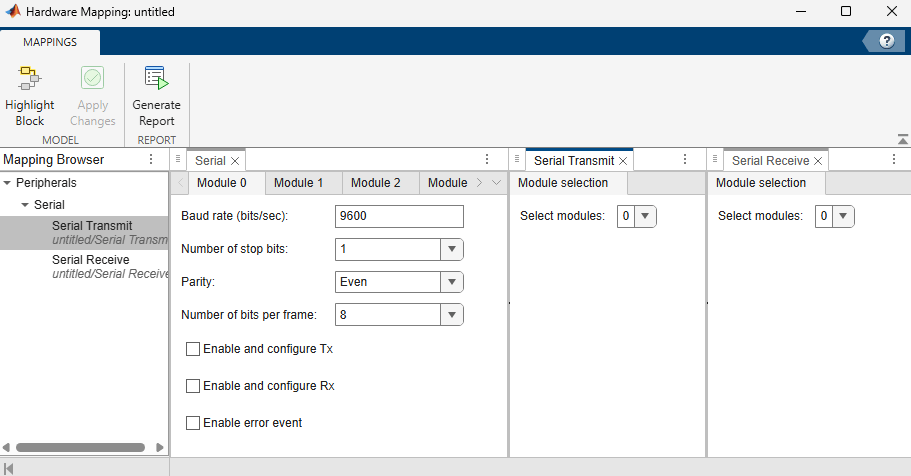
Configure the serial block peripherals and map them to the corresponding peripheral registers on the Infineon® AURIX™ Microcontroller board.
This mapping ensures that the generated code uses the intended hardware resources for serial communication and helps identify peripheral configuration conflicts before deployment.
Open the Serial Peripheral Configuration
Follow these steps to configure serial peripherals in the Hardware Mapping tool.
To access the configuration parameters, in the model, on the Modeling tab, click Model Settings. In the Hardware Implementation pane, set Hardware board to
Infineon AURIX TC4x.To open the Hardware Mapping tool, in the Simulink editor, on the Hardware tab, click Hardware Mapping.

In the Mapping Browser pane:
To configure the serial peripherals, navigate to Peripherals > Serial.
To configure the serial transmit modules, navigate to Peripherals > Serial > Serial Transmit.
To configure the serial receive modules, navigate to Peripherals > Serial > Serial Receive.
Parameters
Version History
Introduced in R2026b

