GRT (optimized for
                            fixed/floating-point)
R2026bUpdate active configuration parameters of parent model for GRT fixed-point or floating-point code generation
GRT (optimized for fixed/floating-point) block
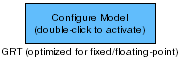
To add a block to a model, double-click the canvas and start typing the block name. Then, select the block from the list.
Libraries:
Embedded Coder /
Configuration Wizards
Description
When you add a GRT(optimized for fixed-point) block to your Simulink® model and double-click it, a predefined MATLAB® script executes and optimally configures the model parameters for fixed-point or floating-point code generation with the GRT target. Set a block parameter to invoke the build process after configuring the model.
After you double-click the block, open the Configuration Parameters dialog box to see that the model parameter values have changed.
Note
To provide a quick way to switch between configurations, you can include more than one Configuration Wizard block in your model.
Parameters
Programmatic Use: Add Block
To add the block programmatically, use the add_block function with one of these library block paths as the source.
"rtweclib/Configuration Wizards/GRT (optimized for fixed//floating-point)"
Example: add_block("rtweclib/Configuration Wizards/GRT (optimized for fixed//floating-point)","myModel/myBlock",MakeNameUnique="on")
Version History
Introduced in R2006b

