Verifica
R2026bUtilizzare l'esecuzione Software-In-the-Loop (SIL) e Processor-In-the-Loop (PIL) per verificare il comportamento numerico del codice generato dalle funzioni di MATLAB. Un'esecuzione Software-In-the-Loop (SIL) compila il codice sorgente generato ed esegue il codice come processo separato sul computer di sviluppo. Un'esecuzione PIL, che richiede una configurazione di connettività del dispositivo di destinazione, esegue la cross-compilazione del codice sorgente generato, quindi scarica ed esegue il codice oggetto sull'hardware target. È possibile verificare il comportamento numerico confrontando i risultati dell'esecuzione SIL o PIL con quelli delle funzioni originali di MATLAB.
È possibile generare codice tracciabile, che consente di verificare l'assenza di funzionalità indesiderate, comprendere in che modo il codice generato implementa l'algoritmo e valutare la qualità del codice stesso.
Oggetti
Funzioni
Argomenti
Test SIL e PIL
- Code Verification Through Software-in-the-Loop and Processor-in-the-Loop Execution
A workflow that uses SIL and PIL execution to verify the numerical behavior of generated MATLAB code. - Software-in-the-Loop Execution with the MATLAB Coder App
Use the MATLAB Coder app to verify the numerical behavior of generated C/C++ code. - Software-in-the-Loop Execution from Command Line
Use MATLAB commands to verify the numerical behavior of generated C/C++ code. - Software-in-the-Loop Execution for MATLAB Function with Multiple Signatures
Generate a SIL MEX file for multiple signatures. - Debug Generated Code During SIL or PIL Execution
Use a debugger to understand the behavior of generated code. - Create PIL Target Connectivity Configuration for MATLAB
Customize PIL execution for your target environment. - Host-Target Communication for MATLAB PIL Execution
Use thertiostreamAPI for communication between your development computer and target during PIL execution. - Specify Hardware Timer for MATLAB
Specify a hardware timer using the Code Replacement Tool. - Custom Toolchain Directives Required for Code Execution Profiling
Specify compiler directives for building PIL application that supports code execution profiling. - Processor-in-the-Loop Execution with the MATLAB Coder App
Use the MATLAB Coder app to verify the numerical behavior of cross-compiled object code. - Processor-in-the-Loop Execution from Command Line
Use MATLAB commands to verify the numerical behavior of cross-compiled object code. - PIL Execution with ARM Cortex-A at the Command Line
This example shows how to set up a PIL execution to verify generated code at the command line. - PIL Execution with ARM Cortex-A by Using the MATLAB Coder App
PIL Execution with App. - Verification of Code Generation Assumptions
PIL execution checks Hardware tab settings. - Speed Up SIL/PIL Execution by Disabling Constant Input Checking and Global Data Synchronization
Configure code generation parameters to turn off constant input checking or global data synchronization for SIL or PIL executions. - SIL/PIL Execution Support and Limitations
SIL and PIL execution support for code generation features.
Tracciamento del codice
- Interactively Trace Between MATLAB Code and Generated C/C++ Code
Visualize the mapping between the MATLAB code and the generated C/C++ code. - Include Comments in Generated C/C++ Code
Include MATLAB source code as comments in the generated code. Include function help text and function signature in function banner.
Verifica Polyspace
- Polyspace Verification of C/C++ Code Generated by MATLAB Coder
Check for run-time errors or defects in generated C/C++ code.
Generazione di report
- Highlight Potential Data Type Issues in a Report
Highlight MATLAB code that results in double-precision, single-precision, or expensive fixed-point operations. - Find Potential Data Type Issues in Generated Code
Highlight potential data type issues in report.
Esempi in primo piano
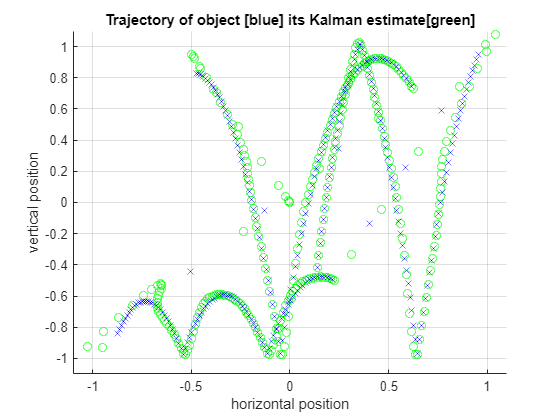
SIL and PIL Verification for Deployment on Raspberry Pi
Verify the generated code by using the software-in-the-loop (SIL) and processor-in-the-loop (PIL) executions

