OPC UA Write
R2026bOPC UA Write block
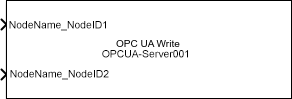
To add a block to a model, double-click the canvas and start typing the block name. Then, select the block from the list.
Libraries:
Industrial Communication Toolbox /
OPC Unified Architecture
Description
The OPC UA Write block writes data to one or more nodes on an OPC Unified Architecture (UA) server. The write operation takes place synchronously at a specified sample time.
Each input port writes data to a corresponding node in the Nodes list of the OPC UA Write block. Each node can accept data of different data types.
Note
You must connect at least one OPC UA server to use the OPC UA Write block. You can create an OPC UA client using the OPC Configuration pane in the Configuration Parameters dialog box of the model. You must add at least one OPC UA Read or OPC UA Write block in the model to enable this pane. For more information, see Configure OPC UA Client in Simulink.
Examples
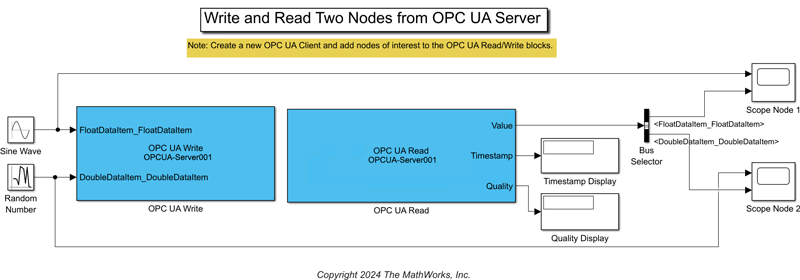
Get Started with OPC UA in Simulink
Read and write data to nodes available on an OPC Unified Architecture (UA) server using Simulink® blocks from Industrial Communication Toolbox™. You can connect to the server using a Simulink model that acts as an OPC UA client. You can perform read and write operations in the model using the OPC UA Read and OPC UA Write blocks.
- Since R2024a
- Open Live Script
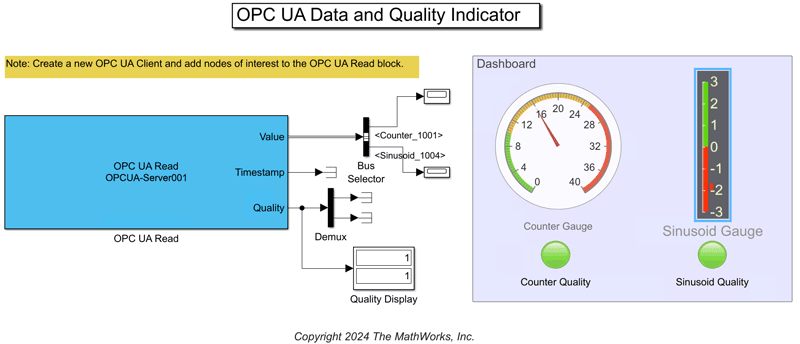
Monitor Data Value and Quality of OPC UA Nodes in Simulink
Implement a dashboard showing instantaneous values and quality metrics related to specific OPC Unified Architecture (UA) nodes using Simulink® blocks from Industrial Communication Toolbox™.
- Since R2024a
- Open Live Script
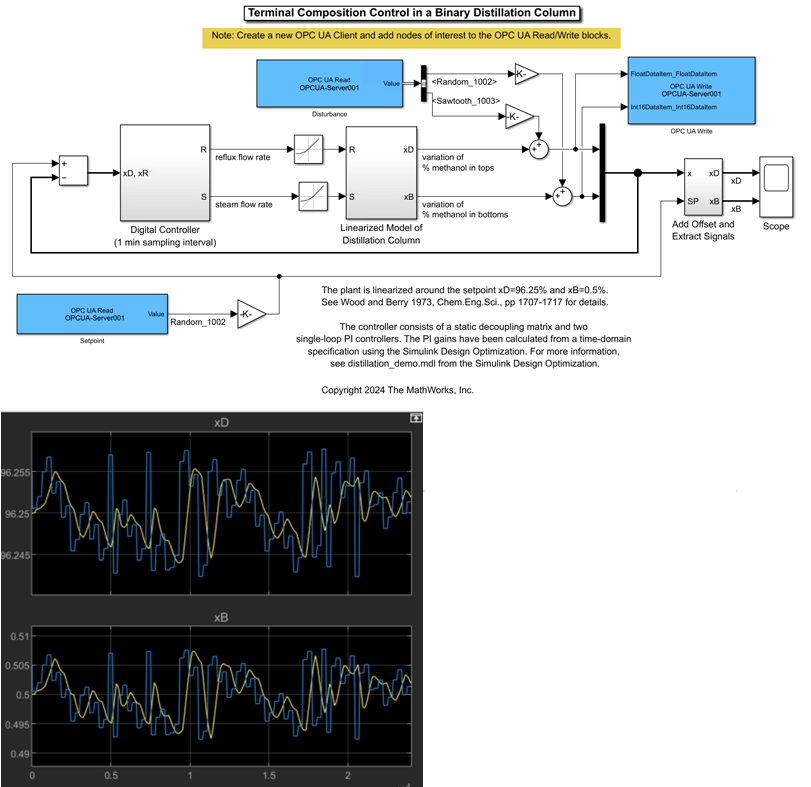
Use OPC UA Data to Test Binary Distillation Column Plant Model
Use data from an OPC UA server to test composition control of a binary distillation column model.
- Since R2024a
- Open Live Script
Ports
Input
Values to write to OPC UA server nodes. The number of input ports corresponds to the number of nodes you select in the Nodes parameter.
For more information on the data types supported at the Value port, see OPC UA Server Data Types.
Dependencies
To enable this port, specify one or more nodes in the Nodes parameter.
Data Types: Boolean | single | double | datetime | int8 | int16 | int32 | int64 | uint8 | uint8 vector | uint16 | uint32 | uint64 | struct | char vector
Parameters
Select the OPC UA client to associate with the block.
To add the required clients using the OPC configuration pane, click Configure servers. For more information, see Configure OPC UA Client in Simulink.
To update the block to the latest OPC configuration, click Refresh.
Programmatic Use
Block Parameter:
ServerList |
Type:
string | character
vector |
Select nodes to write to the specified server.
To add variable type nodes, click Add. This action opens the Browse Namespace dialog box for the selected OPC UA server. Using this browser, you can select the nodes that you want to add to the Nodes list.
To delete selected nodes, click Delete.
To change the order of the selected nodes in the list, click Move Up or Move Down. The serial number of the nodes determines the order in which the block accepts signals at the input ports.
Programmatic Use
Block Parameter:
NodeList |
Type:
string | character
vector |
Since R2026b
Simulation action on write failure, specified as Error
and stop, Warn and continue,
or Ignore and continue.
Programmatic Use
Block Parameter:
OnWriteFailure |
Type:
string | character
vector |
Values:
"Error and stop" | "Warn
and continue" | "Ignore and
continue" |
Default:
"Error and stop" |
Define the sample time of the block in seconds. The block writes
the data to the server synchronously at the specified sample
time. You can specify 0 for continuous mode,
or -1 to inherit the sample time of the block
connected to the input of the OPC UA Write block.
For more information, see Specify Sample Time (Simulink).
Programmatic Use
Block Parameter:
SampleTime |
Type:
string | character
vector |
Values:
'-1' | nonnegative
scalar |
Default:
'-1' |
Version History
Introduced in R2024aThe MATLAB® OPC UA client now automatically recovers disrupted sessions. The client reconnects and resumes operations without manual intervention. Simulation continues to run during temporary network interruptions.
The OPC UA Write block now provides an On write
failure parameter for specifying behavior when the write
operation fails. The default setting is Error and stop,
which was the only behavior of the block in previous releases.
MATLAB Command
You clicked a link that corresponds to this MATLAB command:
Run the command by entering it in the MATLAB Command Window. Web browsers do not support MATLAB commands.
Seleziona un sito web
Seleziona un sito web per visualizzare contenuto tradotto dove disponibile e vedere eventi e offerte locali. In base alla tua area geografica, ti consigliamo di selezionare: .
Puoi anche selezionare un sito web dal seguente elenco:
Come ottenere le migliori prestazioni del sito
Per ottenere le migliori prestazioni del sito, seleziona il sito cinese (in cinese o in inglese). I siti MathWorks per gli altri paesi non sono ottimizzati per essere visitati dalla tua area geografica.
Americhe
- América Latina (Español)
- Canada (English)
- United States (English)
Europa
- Belgium (English)
- Denmark (English)
- Deutschland (Deutsch)
- España (Español)
- Finland (English)
- France (Français)
- Ireland (English)
- Italia (Italiano)
- Luxembourg (English)
- Netherlands (English)
- Norway (English)
- Österreich (Deutsch)
- Portugal (English)
- Sweden (English)
- Switzerland
- United Kingdom (English)


