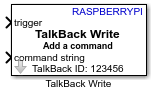
TalkBack Write
Libraries:
Raspberry Pi Blockset /
Internet Of Things
Description
The TalkBack Write block writes command(s) to a TalkBack ID on the ThingSpeak TalkBack server. The block writes commands to the TalkBack queue in the first-in first-out (FIFO) order and are removed from the queue once executed.
Note
To generate code C/C++ code for this block, you must have an Embedded Coder® license.
Examples
Control LED Status Using ThingSpeak TalkBack on Raspberry Pi
Use Raspberry Pi® Blockset to fetch and execute commands from a ThingSpeak™ TalkBack queue and use them to change the status of an LED onboard a Raspberry Pi hardware board.
Ports
Input
Input to the TalkBack queue or delete all commands in the TalkBack queue.
Data Types: Boolean | Numeric
String command to be added by the block specified as a scalar.
Dependencies
To enable this port, set Command type to
String and TalkBack
API to Add a command.
Data Types: string
ASCII command to be added by the block, specified as a vector.
Dependencies
To enable this port, set Command type to
ASCII vector and TalkBack
API to Add a command.
Data Types: uint8
Position of the TalkBack command in the TalkBack queue. Any previous commands at or after this position are shifted down in the queue, if you do not specify a position. The block adds the command to the end of the queue with the highest position.
Dependencies
To enable this port, set the TalkBack API
parameter to Add a command and select the Specify position parameter.
Data Types: uint16
Parameters
Select the type of operation you want to perform on the TalkBack queue.
Add a command— Add a command to the TalkBack queueDelete all commands— Delete all commands from the TalkBack queue
Enter the identification number of the TalkBack app. This identification number is autogenerated by the TalkBack server. To find the TalkBack ID for your TalkBack channel:
On the ThingSpeak website, select Apps > TalkBack.
Click New TalkBack.
Add a new command to the TalkBack queue and copy the TalkBack ID.
Open the TalkBack Write block in your Simulink® model and paste the value in the TalkBack ID parameter.
Click Enter securely to enter a 16-digit API key for the specific instance of TalkBack that allows you to write to a TalkBack channel. This API key is autogenerated by the TalkBack server. To find the API key for your TalkBack channel:
On the ThingSpeak website, select Apps > TalkBack.
Click New TalkBack.
Add a new command to the TalkBack queue and copy the 16-digit API key.
Open the TalkBack Write block in your Simulink model and paste the value in the API key parameter.
Select the type of TalkBack command you want the block to add to the TalkBack queue.
String— TalkBack command in string format.ASCII vector— TalkBack command in ASCII format.
Dependencies
To enable this port, set the TalkBack API
parameter to Add a command.
Select the option to enable the position input port of the block.
Dependencies
To enable this port, select the TalkBack API
parameter to Add a command.
Select this parameter to save the response from the TalkBack server to a log file
for each read request. Identify this request with a header named
TALKBACK_DIAG_MSG:. The name of the log file has the format
<model_name>.log.
Extended Capabilities
To generate code C/C++ code for this block, you must have an Embedded Coder license. For more information on selecting the right product stack according to your development goals, see Product Stack for Raspberry Pi Blockset.
Version History
Introduced in R2021b
MATLAB Command
You clicked a link that corresponds to this MATLAB command:
Run the command by entering it in the MATLAB Command Window. Web browsers do not support MATLAB commands.
Seleziona un sito web
Seleziona un sito web per visualizzare contenuto tradotto dove disponibile e vedere eventi e offerte locali. In base alla tua area geografica, ti consigliamo di selezionare: .
Puoi anche selezionare un sito web dal seguente elenco:
Come ottenere le migliori prestazioni del sito
Per ottenere le migliori prestazioni del sito, seleziona il sito cinese (in cinese o in inglese). I siti MathWorks per gli altri paesi non sono ottimizzati per essere visitati dalla tua area geografica.
Americhe
- América Latina (Español)
- Canada (English)
- United States (English)
Europa
- Belgium (English)
- Denmark (English)
- Deutschland (Deutsch)
- España (Español)
- Finland (English)
- France (Français)
- Ireland (English)
- Italia (Italiano)
- Luxembourg (English)
- Netherlands (English)
- Norway (English)
- Österreich (Deutsch)
- Portugal (English)
- Sweden (English)
- Switzerland
- United Kingdom (English)