Resolve Analysis Issues
R2026bOccasionally, Simulink® Design Verifier™ analysis results are incomplete due to issues such as unsupported Simulink software features, including certain MATLAB Function block and Stateflow® features. You can avoid these issues by constraining data types and leveraging the techniques of Simulink Design Verifier to reduce complexity, such as identifying irrelevant model portions, discovering internal relationships, and reusing intermediate results.
When a model is sufficiently large and complex, an analysis of the model can be slow or incomplete. For best results with large or complex models, use a bottom-up approach to analyze smaller components first. This enables faster iteration and helps isolate issues such as unreachable components in the analysis. If your model uses timers and counters, you might encounter issues such as state explosion or delayed response, so use workarounds to address these complexities. Replace blocks that are not supported for analysis with Simulink Design Verifier functions and customize test vector generation as needed. If the analysis is undecided for certain objectives, apply troubleshooting techniques to understand and resolve the causes.
Functions
Topics
Analysis Limitations
- Unsupported Simulink Blocks in Analysis
Review Simulink blocks that Simulink Design Verifier does and does not support. - Limitations of Simulink Design Verifier for Simulink Software Features
Review Simulink software features that Simulink Design Verifier does not support. - Analysis Limitations and Considerations for Model Blocks
Review Simulink Design Verifier limitations for the Model block. - Limitations of Simulink Design Verifier with Stateflow Features
Lists the Stateflow software features that the Simulink Design Verifier and Fixed-Point Designer™ software does not support. - Simulink Design Verifier Limitations for MATLAB for Code Generation
Review limitations associated with Simulink Design Verifier software support for MATLAB® for code generation. - Simulink Design Verifier Limitations and Considerations for S-Functions and C/C++ Code
Lists limitations and considerations of S-functions and Generated Code in Simulink Design Verifier.
Resolve Incomplete Results
- Manage Model Data to Simplify the Analysis
Simplify your model to simplify the Simulink Design Verifier analysis. - Perform Analysis on Large and Complex Models
Use techniques for analyzing a large model.
- Understanding Result Approximations
Simulink Design Verifier identifies and reports approximation during analysis. - Perform Analysis Using Block Replacement
Block replacements allows you to define your own libraries of replacement blocks and custom block replacement rules. - Analyze and Resolve Undecided Objective Statuses
Address undecided objectives obtained after Simulink Design Verifier analysis.
- Address Undecided due to Runtime Error in Simulink Design Verifier Analysis
Resolve run-time errors in a model. - Review and Address Long Counterexample Objective Status
Review long counterexample objective status due to integer overflow error.
Featured Examples

Prove Properties in Large Models
Use Simulink Design Verifier workflows and best practices for proving properties in large models.
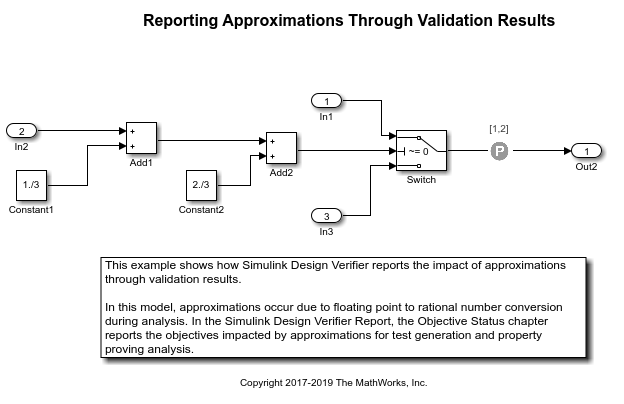
Run Additional Analysis to Reduce Instances of Rational Approximation
Reduce the instances of rational approximations during the analysis.
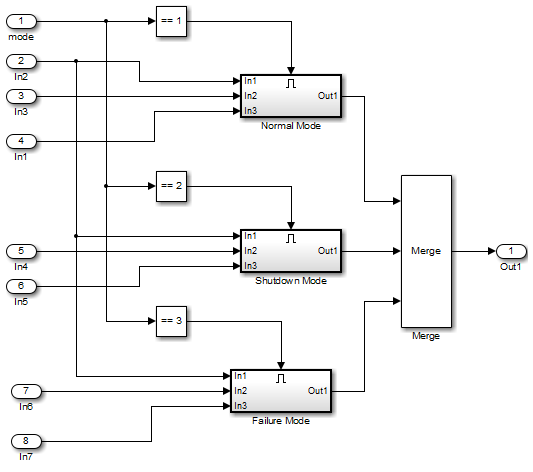
Partition Model Inputs for Incremental Test Generation
Partition model inputs into constrained to sets of constants using the Test Condition block and perform test generation analysis.
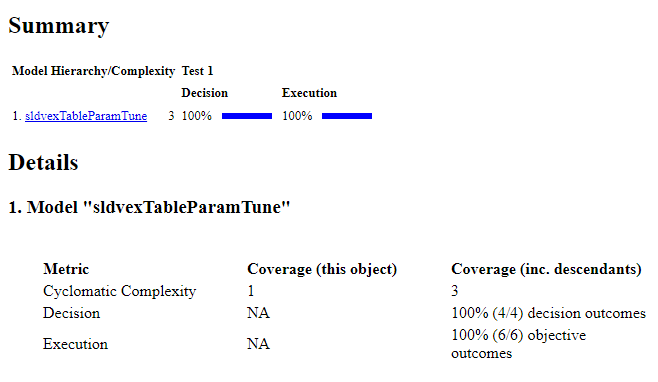
Tune Lookup Table Data Using Planar Approximations
Tune lookup table data using planar approximations in Simulink Design Verifier.
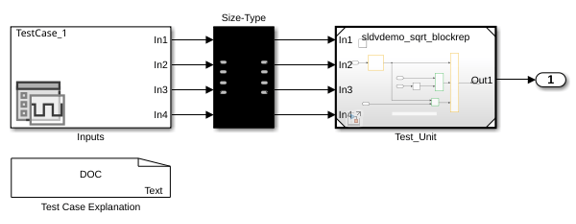
Replace Unsupported Blocks Using Block Replacements
Replace blocks unsupported by Simulink Design Verifier.

