Contenuto principale

IEEE 1588 Read Parameter

Output Precision Time Protocol (PTP) status parameter values

  • IEEE 1588 Read Parameter block

Libraries:
Simulink Real-Time / PTP

Description

The IEEE 1588 Read Parameter block reads a selected parameter and outputs its value. Examples of readable parameters include the target computer system time, calendar time, and network delays. The block automatically updates its label based on the selected parameter. You can use this block to read the Speedgoat® target computer system time, even when a Precision Time Protocol (PTP) process is not running.

The IEEE 1588 Read Parameter block updates the system time every 1 millisecond. This output is independent of the block's sample time and the nanosecond precision of the block output. For more information, see clock_gettime() in the Linux Manpages [Debian].

Examples
Ports

Output

expand all

The value of the currently selected parameter to read.

Parameters

expand all

Specify the parameter to read.

  • System time (nanosecond) — Current SLRT system time number of nanoseconds, counting from the current epoch, specified as a uint64.

  • Calendar time (time_t) — Current SLRT calendar time, specified as int32 vector.

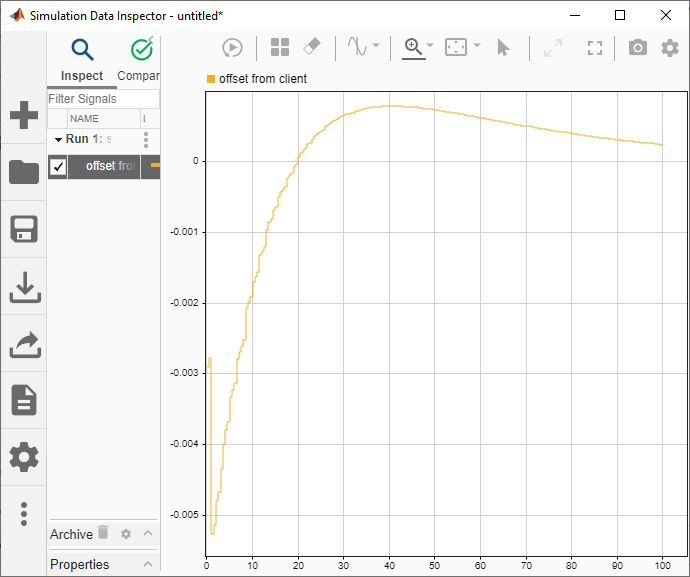
  • Offset from Client — Time offset in seconds, specified as a double.

  • Client to Server Delay — Time delay from client to server in seconds, specified as a double.

  • Server to Client Delay — Time delay from server to client in seconds, specified as a double.

  • One Way Delay — One-way time delay in seconds, specified as a double.

Note

For target computers that use the Linux®-based RTOS, these parameter options generate an error message during model build: Client to Server Delay, Server to Client Delay, and One Way Delay.

The parameter Calendar time (time_t) contains the following components:

  • Seconds after the minute — 0 to 61 (before C99) and 0 to 60 (since C99)

  • Minutes after the hour — 0 to 59

  • Hours since midnight — 0 to 23

  • Day of the month — 1 to 31

  • Months since January — 0 to 11

  • Years since 1900

  • Days since Sunday — 0 to 6

  • Days since January 1 — 0 to 365

  • Daylight Saving Time (DST) flag. The value is positive if DST is in effect, zero if not, and negative if no information is available

Programmatic Use

To set the block parameter value programmatically, use the set_param function.

To get the block parameter value programmatically, use the get_param function.

Parameter: param
Values: '1. System time (nanosecond)' (default) | '2. Calendar time (time_t)' | '3. Offset from Client' | '4. Client to Server Delay' | '5. Server to Client Delay' | '6. One Way Delay'

Example: set_param('modelName/IEEE 1588 Read Parameter','param','2. Calendar time (time_t)')

Enter the base sample time or a multiple of the base sample time.

Programmatic Use

To set the block parameter value programmatically, use the set_param function.

To get the block parameter value programmatically, use the get_param function.

Parameter: sample_time
Values: '-1' (default) | numeric

Example: set_param('modelName/IEEE 1588 Read Parameter','sample_time',1)

Extended Capabilities

expand all

C/C++ Code Generation
Generate C and C++ code using Simulink® Coder™.

Version History

Introduced in R2020b

See Also

External Websites