Modem Control
Control state of RTS and DTR output lines on serial port
Libraries:
Simulink Real-Time /
RS232 /
Mainboard
Description
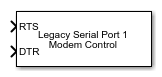
The Modem Control block controls the state of either or both of the Request To Send (RTS) and Data Terminal Ready (DTR) output lines of the serial port on the Speedgoat® target computer. To choose which output lines to control, select the RTS and DTR parameters.
Examples
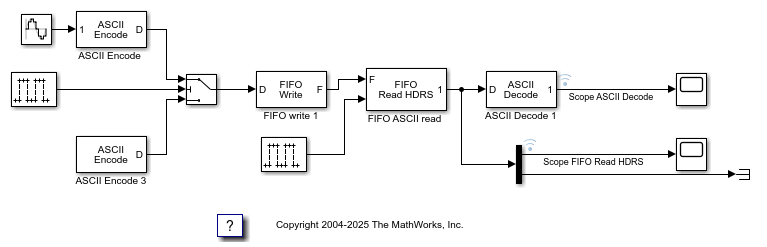
ASCII Encoding/Decoding Resync Loopback Test
Use the ability of the FIFO Read HDRS block to resynchronize after being repeatedly disabled and apply this ability to resolve errors such as when a message is only partially complete at the time the read is attempted.
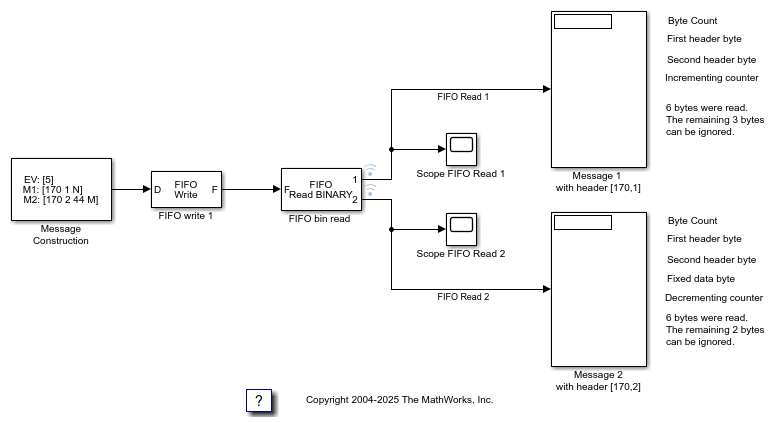
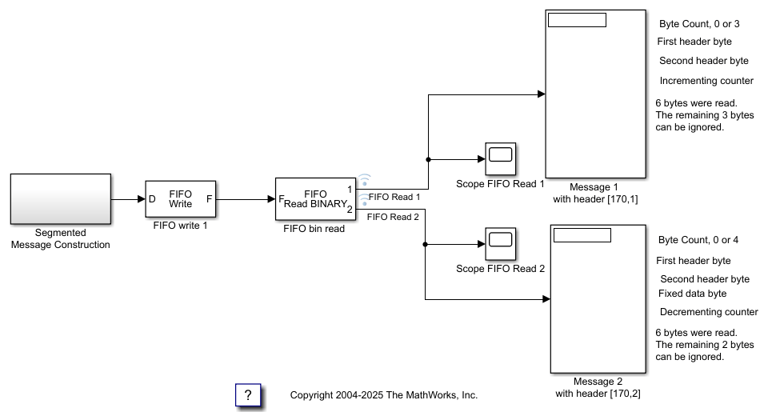
Binary Encoding/Decoding Resync Loopback Test
Use the ability of the FIFO Read BINARY block to handle messages that are interrupted and only partially complete.
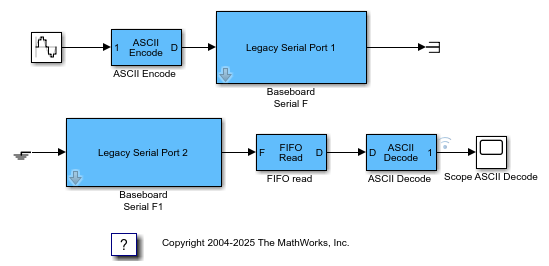
Simple ASCII Encoding/Decoding Loopback Test (with Baseboard Blocks)
Convert a single floating point number to ASCII and transmit the value over a serial link.
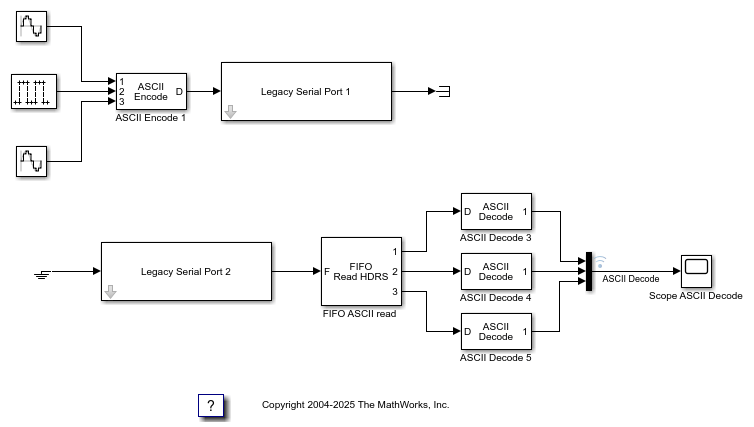
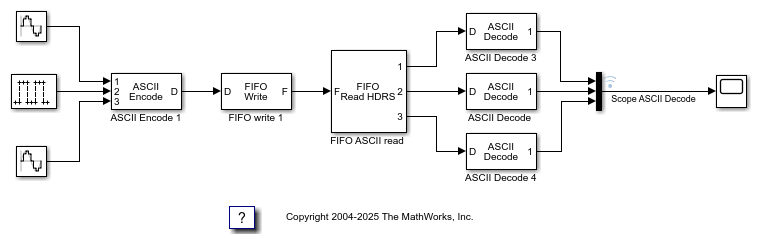
ASCII Encoding/Decoding Loopback Test (with Baseboard Blocks)
Send ASCII data over a serial link.
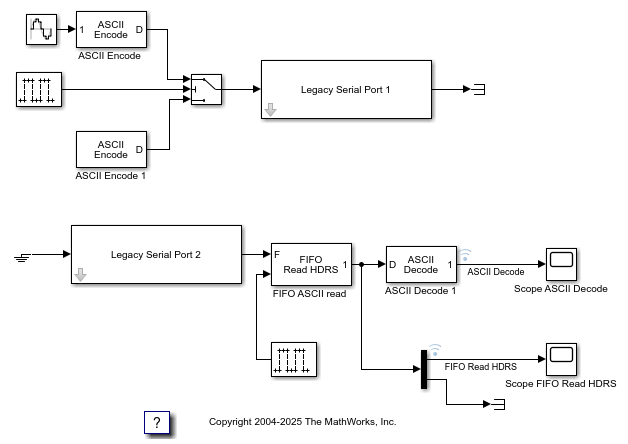
ASCII Encoding/Decoding Resync Loopback Test (with Baseboard Blocks)
Use the ability of the FIFO Read HDRS block to resynchronize after being repeatedly disabled and apply this ability to resolve errors such as when a message is only partially complete at the time the read is attempted.
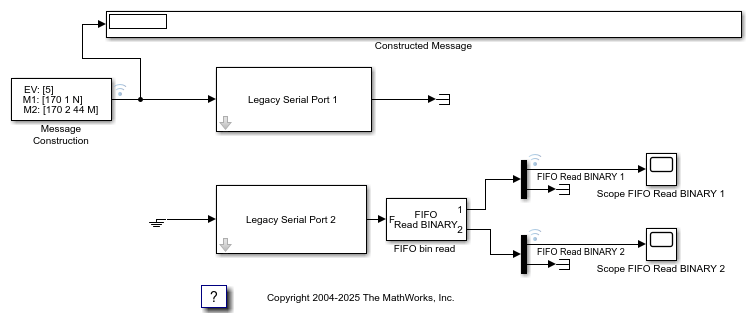
Binary Encoding/Decoding Loopback Test (with Baseboard Blocks)
Send Binary data over a serial link.
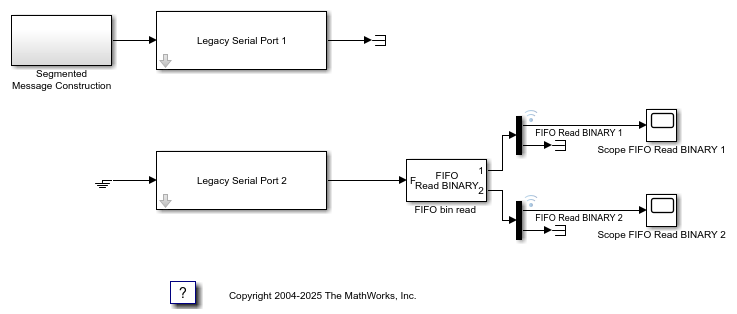
Binary Encoding/Decoding Resync Loopback Test (with Baseboard Blocks)
Use the ability of the FIFO Read BINARY block to handle messages that are interrupted and only partially complete.
Ports
Input
The behavior of the block is:
RTS > 0.5— The block asserts the RTS control bit totrue. The output goes to a positive voltage.RTS ≤ 0.5— The block asserts the RTS control bit tofalse. The output goes to a negative voltage.
Dependency
If the RTS parameter is
off, this input has
no
effect.
The behavior of the block is:
DTR > 0.5— The block asserts the DTR control bit totrue. The output goes to a positive voltage.DTR ≤ 0.5— The block asserts the DTR control bit tofalse. The output goes to a negative voltage.
Dependency
If the DTR parameter is
off, this input has
no
effect.
Parameters
Select this check box to control the RTS line for this board.
Programmatic Use
Block Parameter:
rts |
Select this check box to control the DTR line for this board.
Programmatic Use
Block Parameter:
dtr |
Specify the serial port type for communications. Choose Legacy Serial
Port or USB Serial Port to specify the type
of port used. Or, choose Specify to manually specify the path
of the port used. For more information about serial ports, see RS-232 Serial Communication.
Dependencies
Setting Serial port type to Legacy Serial
Port or USB Serial Port displays the
Serial port number parameter in which you can specify the
port number.
Setting Serial port type to
Specify displays the Serial port
parameter in which you can specify the port path.
Programmatic Use
Block Parameter:
portType |
Specify the serial port number for communications.
If using USB-to-serial adapters, the target computer detects these adapters as
ttySUSB0, ttySUSB1, and so on in the order
that the adapters are connected to the serial devices.
The order of port assignment is retained through the power cycle of the target computer or serial device if there is no change in the connections to the ports.
Dependencies
This parameter is visible if Serial port type is set to
Legacy Serial Port or USB Serial
Port.
Programmatic Use
Block Parameter:
portNum |
Specify the serial port device path for communications. The path can be the device path of a Legacy Serial Port or USB Serial Port.
Dependencies
This parameter is visible if Serial port type is set to Specify.
Programmatic Use
Block Parameter: nodePath |
Extended Capabilities
C/C++ Code Generation
Generate C and C++ code using Simulink® Coder™.
Version History
Introduced in R2020b
MATLAB Command
You clicked a link that corresponds to this MATLAB command:
Run the command by entering it in the MATLAB Command Window. Web browsers do not support MATLAB commands.
Seleziona un sito web
Seleziona un sito web per visualizzare contenuto tradotto dove disponibile e vedere eventi e offerte locali. In base alla tua area geografica, ti consigliamo di selezionare: .
Puoi anche selezionare un sito web dal seguente elenco:
Come ottenere le migliori prestazioni del sito
Per ottenere le migliori prestazioni del sito, seleziona il sito cinese (in cinese o in inglese). I siti MathWorks per gli altri paesi non sono ottimizzati per essere visitati dalla tua area geografica.
Americhe
- América Latina (Español)
- Canada (English)
- United States (English)
Europa
- Belgium (English)
- Denmark (English)
- Deutschland (Deutsch)
- España (Español)
- Finland (English)
- France (Français)
- Ireland (English)
- Italia (Italiano)
- Luxembourg (English)
- Netherlands (English)
- Norway (English)
- Österreich (Deutsch)
- Portugal (English)
- Sweden (English)
- Switzerland
- United Kingdom (English)