Contenuto principale

Analog to Digital Converter

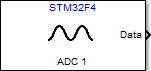
Convert analog signal on ADC input pin to digital signal

  • Analog to Digital Converter block

Libraries:
STM32 Microcontroller Blockset / STM32F1xx Based Boards
STM32 Microcontroller Blockset / STM32F2xx Based Boards
STM32 Microcontroller Blockset / STM32F3xx Based Boards
STM32 Microcontroller Blockset / STM32F4xx Based Boards
STM32 Microcontroller Blockset / STM32F7xx Based Boards
STM32 Microcontroller Blockset / STM32G0xx Based Boards
STM32 Microcontroller Blockset / STM32G4xx Based Boards
STM32 Microcontroller Blockset / STM32H5xx Based Boards
STM32 Microcontroller Blockset / STM32H7xx Based Boards
STM32 Microcontroller Blockset / STM32L4xx Based Boards
STM32 Microcontroller Blockset / STM32L5xx Based Boards
STM32 Microcontroller Blockset / STM32U5xx Based Boards
STM32 Microcontroller Blockset / STM32WBxx Based Boards

Description

Measure the voltage of an analog pin relative to the analog input reference voltage on the STM32F4-Discovery™ board. The block output emits analog voltage in varying ranges based on the conversion resolution selected for the ADC in Configuration parameters > Hardware Implementation > Hardware board > Target hardware resources > ADCx > Conversion resolution.

Note

The conversion time for ADC channels is configured based on the ADC resolution and sample time specified in Configuration parameters > Hardware Implementation > Hardware board > Target hardware resources > ADCx.

For example: When you select 12-bits as resolution for ADC1, the block output emits the analog voltage ranging from 0 to 4095. If the measured voltage equals the ground voltage, the block output emits 0. If the measured voltage equals the analog reference voltage, the block output emits 4095.

You can read up to 16 channels of analog signals from ADC1, ADC2, or ADC3 modules in single, continuous, scan, or discontinuous modes.

The table shows the analog pins corresponding to the channels of the ADC modules that can use these pins to measure the voltage.

For example, ADC modules 1, 2, and 3 that corresponds to channel 12 can use the PC2 pin to measure the voltage. Here, PC2 refers to pin 2 on port C.

ADC pin mapping

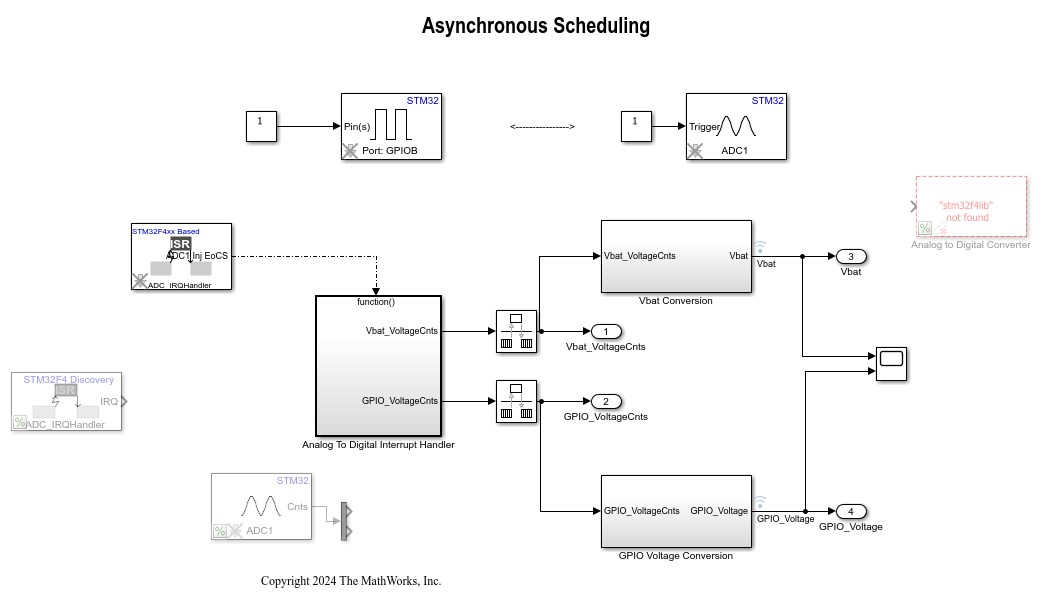
Examples

Ports

Input

expand all

Convert analog signal on ADC input pin to digital signal.

Dependencies

To enable this port, set the Block action parameter to Trigger via input port.

Data Types: single | double | int8 | int16 | int32 | uint8 | uint16 | uint32 | Boolean | fixed point | enumerated | bus

Output

expand all

The block outputs converted digital data of analog channel.

Dependencies

To enable this port, set the Block action parameter to Trigger, wait and read results.

Data Types: uint16

Parameters

expand all

The Analog to Digital Converter dialog box contains three tabs:

  • Configuration — Identify the configuration settings for the block.

  • Channel Selection — Specify the channel details for conversion.

  • Interrupts and Status flags — Set the interrupt and the flag status.

Configuration

Select an ADC module for conversion.

Programmatic Use

Block Parameter: module

Select one of the following options for conversion.

  • Injected group — You can convert up to 4 analog signals. In this mode, you can ‘inject’ the ADC conversion during the conversion of regular group channels.

  • Regular group — You can convert up to 16 analog signals.

Programmatic Use

Block Parameter: adc_group

Select one of the following options for conversion.

  • Software start of conversion – Select this option to start the ADC conversion based on the software request.

  • External start of conversion – Select this option to start the ADC conversion based on the external event.

  • Trigger start of conversion after regular group (JAUTO) – Select this option to start the injected group conversion after completion of the regular group channels. This option is available only when you select Injected group in ADC conversion group.

  • Only read results — In this mode, the block output emits the analog to digital conversion result for the selected analog channel only. The block does not configure the selected ADC module.

Programmatic Use

Block Parameter: block_config

Select the option to trigger the ADC conversion for ‘Software start of conversion’ option in ‘Block configuration’ parameter.

  • Trigger, wait and read results — Select this option to trigger ADC conversion every sample time. The block output waits until the conversion is completed and emits the results. This option is enabled when you select ‘Software start of conversion’ in ‘Block configuration’ parameter.

  • Trigger via input port — Select this option to trigger ADC conversion on input 'Trigger'. The ADC conversion is triggered when input is true. As the ADC block does not emit the conversion result, use another ADC block with 'Only read results' for ‘Block configuration’ parameter. This option helps to read the ADC conversion results in triggered or enabled subsystems.

Programmatic Use

Block Parameter: block_action

The ADC is configured for continuous conversion mode. This option is available only when you select Regular group for ADC conversion group.

Programmatic Use

Block Parameter: continuous_conv

The option that you select to indicate the end of conversion after each channel conversion. This option is available only when you select Regular group for ADC conversion group.

Programmatic Use

Block Parameter: enable_eocs

Select the polarity of the external event based on which the ADC is triggered.

Programmatic Use

Block Parameter: extern_trigger

Specify how often this block reads the pin value, in seconds. Enter a value greater than zero.

Programmatic Use

Block Parameter: sample_time

Channel Selection

Select the number of channels for conversion.

Programmatic Use

Block Parameter: nb_channels

Select the channel for the first conversion.

Programmatic Use

Block Parameter: conv_chl_1

Select the channel for the second conversion. You can select an ADC channel for second conversion, if the Number of channels to be converted is more than 1.

Programmatic Use

Block Parameter: conv_chl_2

Select the channel for the nth conversion where n = 4 for the Injected group and n = 16 for the Regular group. You can select an ADC channel for nth conversion if the Number of channels to be converted is more than 1.

Programmatic Use

Block Parameter: conv_chl_1
conv_chl_2
conv_chl_3
conv_chl_4
conv_chl_5
conv_chl_6
conv_chl_7
conv_chl_8
conv_chl_9
conv_chl_10
conv_chl_11
conv_chl_12
conv_chl_13
conv_chl_14
conv_chl_15
conv_chl_16
conv_chl_1_inj
conv_chl_2_inj
conv_chl_3_inj
conv_chl_4_inj

Interrupts and Status flags

Select the option to emit the overrun status in the block output.

Programmatic Use

Block Parameter: overrun_ie

Select the option to emit the watchdog interrupt.

Programmatic Use

Block Parameter: watchdog_ie

Select the option to emit the end of conversion interrupt.

Programmatic Use

Block Parameter: eoc_ie

Select the option to emit the over run status.

Programmatic Use

Block Parameter: out_overrun

Select the option to emit the status about the conversion being out of the watchdog thresholds.

Programmatic Use

Block Parameter: out_watchdog

Select the option to emit the status about the start of conversion.

Programmatic Use

Block Parameter: out_start

Select the option to emit the status about the end of conversion.

Programmatic Use

Block Parameter: out_end

Extended Capabilities

expand all

C/C++ Code Generation
Generate C and C++ code using Simulink® Coder™.

Version History

Introduced in R2013b