LSM6DS3 IMU Sensor
R2026bMeasure linear acceleration, angular rate, and temperature from LSM6DS3 sensor
Since R2025a
LSM6DS3 IMU Sensor block

To add a block to a model, double-click the canvas and start typing the block name. Then, select the block from the list.
Libraries:
STM32 Microcontroller Blockset /
Sensors /
IMU Sensors
Description
The LSM6DS3 IMU Sensor block measures linear acceleration and angular rate along the X, Y, and Z axis using the LSM6DS3 Inertial Measurement Unit (IMU) sensor interfaced with the STM32 Processors. This 6-Degree of Freedom (DoF) IMU sensor comprises of an accelerometer and gyroscope used to measure linear acceleration and angular rate, respectively. The block also measures the temperature from the embedded temperature sensor in LSM6DS3 Sensor.
You can also use the analog filter and composite filter options in the block for the accelerometer values, and use the high pass filter option for gyroscope values.
Examples
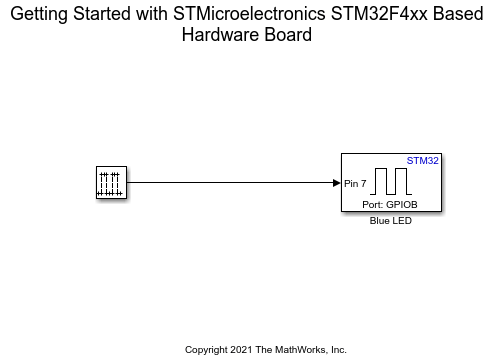
Get Started with STMicroelectronics STM32 Processor Based Boards
Run a Simulink model on STM32 processor.
Ports
Output
The block outputs acceleration as a n-by-3
vector, where n is the value for samples per frame.
Each value represents the measurement of acceleration in
m/s^2 along the X, Y, and Z axes.
Dependencies
This output port appears only if you select the Acceleration (m/s2) parameter.
Data Types: double
The block outputs angular velocity as a n-by-3
vector, where n is the value for samples per frame.
Each value represents the measurement of angular velocity in radians per second
(rad/s) along the X, Y, and Z axes.
Dependencies
This output port appears only if you select the Angular Velocity (rad/s) parameter.
Data Types: double
Temperature (in ℃) measured by LSM6DS3 sensor connected to STM32 Processors.
Dependencies
This output port appears only if you select the Temperature (℃) parameter.
Data Types: double
Status of acceleration, angular velocity and temperature measurements,
specified as a 1-by-3 vector. 0 indicates that the data read
is new, 1 indicates that the data read is not new, and
-1 indicates that the corresponding output is not
selected.
Dependencies
This output port appears only if you select the Status parameter.
Data Types: int8
Timestamp (in seconds) at which data is read from the sensor, returned as
n-by-1 matrix, where n
is the value for samples per frame.
Dependencies
This output port appears only if you select the Timestamp parameter.
Data Types: double
Parameters
Main
Specify the I2C module on the STM32 Processors to communicate with sensor peripherals.
Programmatic Use
Block Parameter:
I2CModule |
The peripheral addresses to communicate with the accelerometer and gyroscope peripherals on the LSM6DS3 sensor are decided by the state of the SDO/SA0 pin on the sensor board. This table provides the peripheral addresses corresponding to the pin and their state.
| Pin Name | Pin State | Peripheral Address |
|---|---|---|
| SDO/SA0 | 0 | 0x6A |
| 1 | 0x6B |
Programmatic Use
Block Parameter:
I2CAddress |
Select this parameter to set Acceleration as one of the output ports.
Programmatic Use
Block Parameter:
IsActiveAcceleration |
Select this parameter to set Angular Velocity as one of the output ports.
Programmatic Use
Block Parameter:
IsActiveAngularVelocity |
Select this parameter to set Temperature as one of the output ports.
Programmatic Use
Block Parameter:
IsActiveTemperature |
Select this parameter to set Status as one of the output ports.
Programmatic Use
Block Parameter:
IsActiveStatus |
Select this parameter to set Timestamp as one of the output ports.
Programmatic Use
Block Parameter:
IsActiveTimeStamp |
Specify how often this block reads the data from the LSM6DS3 sensor. When
you set this parameter to -1, Simulink determines the best sample time for the
block based on the block context within the model. The output sample time is
the product of Sample time that you specify.
Programmatic Use
Block Parameter:
SampleTime |
Advanced
Accelerometer
Select the full scale for measuring linear acceleration (the range of acceleration that the sensor needs to measure).
Programmatic Use
Block Parameter:
AccelerometerRange |
Select the output data rate at which accelerometer data is sampled, which also determines the bandwidth.
Programmatic Use
Block Parameter:
GyroscopeODR |
Select this parameter to configure the bandwidth of analog low-pass filter used in the filtering chain of the accelerometer values.
Programmatic Use
Block Parameter:
SelectAnalogBW |
Select the required bandwidth of the low-pass analog filter.
Dependencies
This parameter appears only if you select the Configure analog filter bandwidth parameter.
Programmatic Use
Block Parameter:
AccelLPF1BW |
Select the type of composite filter used in the filtering chain for reading accelerometer values.
Programmatic Use
Block Parameter:
AccelSelectCompositeFilter |
Select the required bandwidth of the high pass filter in the composite filter used in the filtering chain.
Dependencies
This parameter appears only if you select High pass
filter in the Select composite filter
parameter.
Programmatic Use
Block Parameter:
GyroHPFBW |
Select the required bandwidth of the low pass filter in the composite filter used in the filtering chain.
Dependencies
This parameter appears only if you select Low pass
filter in the Select composite filter
parameter.
Programmatic Use
Block Parameter:
AccelLPF2BW |
Gyroscope
Select the full scale for measuring angular velocity (the range of angular velocity that the sensor needs to measure).
Programmatic Use
Block Parameter:
AccelerometerRange |
Select the output data rate at which gyroscope data is sampled, which also determines the bandwidth.
Programmatic Use
Block Parameter:
GyroscopeODR |
Enable the high pass filter for reading gyroscope values.
Programmatic Use
Block Parameter:
SelectGyroscopeHPF |
Select the required bandwidth of the high pass filter for reading gyroscope values.
Dependencies
This parameter appears only if you select the Enable high pass filter parameter.
Programmatic Use
Block Parameter:
GyroHPFBW |
Extended Capabilities
C/C++ Code Generation
Generate C and C++ code using Simulink® Coder™.
Version History
Introduced in R2025a
MATLAB Command
You clicked a link that corresponds to this MATLAB command:
Run the command by entering it in the MATLAB Command Window. Web browsers do not support MATLAB commands.


Seleziona un sito web
Seleziona un sito web per visualizzare contenuto tradotto dove disponibile e vedere eventi e offerte locali. In base alla tua area geografica, ti consigliamo di selezionare: .
Puoi anche selezionare un sito web dal seguente elenco:
Come ottenere le migliori prestazioni del sito
Per ottenere le migliori prestazioni del sito, seleziona il sito cinese (in cinese o in inglese). I siti MathWorks per gli altri paesi non sono ottimizzati per essere visitati dalla tua area geografica.
Americhe
- América Latina (Español)
- Canada (English)
- United States (English)
Europa
- Belgium (English)
- Denmark (English)
- Deutschland (Deutsch)
- España (Español)
- Finland (English)
- France (Français)
- Ireland (English)
- Italia (Italiano)
- Luxembourg (English)
- Netherlands (English)
- Norway (English)
- Österreich (Deutsch)
- Portugal (English)
- Sweden (English)
- Switzerland
- United Kingdom (English)