Register GNU Tools for STM32 Code Generation
R2026bRegister and use a different version or a custom GNU toolchain with STM32™ Microcontroller Blockset for code generation. GNU Tools for STM32 provide the compiler and build utilities required to generate executable code from Simulink® models. Toolchain registration makes a specific GNU Tools installation available to Simulink and enables selection of that version during code generation.
To register the GNU Tools for STM32 Microcontroller Blockset code generation, follow the hardware setup instructions.
Enter the following command at MATLAB command prompt to open hardware setup window.
stm32cube.tools.launchToolchainSetup
In the Install GNU Tools for STM32 window, clear the Use GNU Tools for STM32 downloaded and installed from STM32 Microcontroller Blockset to use a different version other than the current version provided with the installed STM32 Microcontroller Blockset.
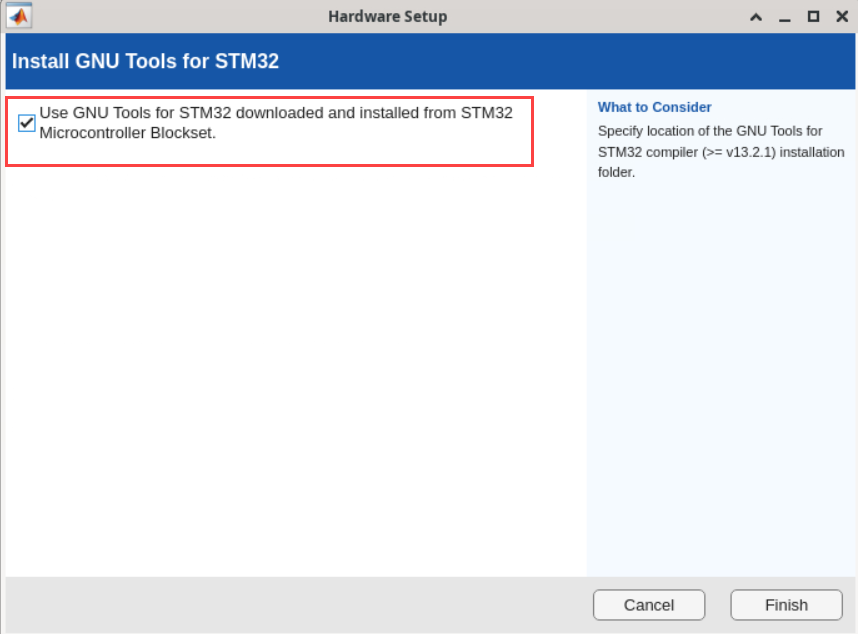
Click Browse and locate the GNU Tools for STM32 installation folder path.

Click Validate.
Click Finish If the validation of GNU Tools for STM32 Microcontroller Blockset is successful.

