Automate Calibrated Image Measurement Using Shape Matching
R2026bThis example shows how to combine camera calibration, shape-based matching, and caliper tools to perform subpixel measurement of objects using a known reference fixture common across images. This technique is commonly known as gauging in machine vision.
Load Camera Calibration Data
The mathworksCalibratedImageMeasurementDataset data set (~110 MB) contains checkerboard images for camera calibration and plastic card images captured in various 2-D poses. Download the data set from the MathWorks® website using the downloadSupportFile function. The function returns the path to the downloaded zip file, which you then extract into the current working directory.
zipFile = matlab.internal.examples.downloadSupportFile("visualinspection","data/mathworksCalibratedImageMeasurementDataset.zip");
unzip(zipFile,pwd)
Load the saved camera parameters. The camera parameters were generated by the Camera Calibrator app.
s = load(fullfile("mathworksCalibratedImageMeasurementDataset","cameraParams.mat"));
Store the path to the checkerboard calibration images in calibrationImageDir.
calibrationImageDir = fullfile("mathworksCalibratedImageMeasurementDataset","calibrationImages");
Determine Camera Pose Relative to Imaging Plane
Industrial cameras often introduce minor projective distortion because they are not perfectly orthogonal to the imaging plane. Estimate the camera pose to correct this distortion.
imOrig = imread(fullfile(calibrationImageDir,"01.png"));
[imagePoints,~] = detectCheckerboardPoints(imOrig);
camExtrinsics = estimateExtrinsics(imagePoints, s.cameraParams.WorldPoints, s.cameraParams.Intrinsics);
Use the imageToWorldPlane function to rectify the input image, correcting both lens and projective distortion.
[calibrationImageRectified,Rout] = imageToWorldPlane(imOrig,s.cameraParams.Intrinsics,camExtrinsics);
imageshow(calibrationImageRectified)
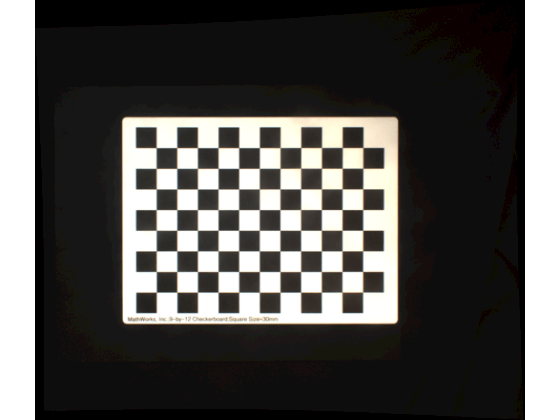
The function also returns a spatial referencing object that maps the rectified image to world coordinates. The output is sampled uniformly in world units (millimeters), determined by the 30 mm square size on the calibration checkerboard.
disp(Rout)
  imref2d with properties:

           XWorldLimits: [-179.6684 537.4190]
           YWorldLimits: [-218.3819 396.8786]
              ImageSize: [2290 2669]
    PixelExtentInWorldX: 0.2687
    PixelExtentInWorldY: 0.2687
    ImageExtentInWorldX: 717.0875
    ImageExtentInWorldY: 615.2605
       XIntrinsicLimits: [0.5000 2.6695e+03]
       YIntrinsicLimits: [0.5000 2.2905e+03]
Because the camera pose and intrinsics remain constant across images, precompute a displacement field to rectify images more efficiently.
rectifyImageMap = imageToWorldPlaneMapping(s.cameraParams.Intrinsics,camExtrinsics);
Build Shape Model for Gauging
This example measures credit card dimensions. A standard credit card (ISO/IEC 7810) is 85.6-by-53.98 mm with a tolerance of ±0.08 mm. Display the template card image.
groundTruthWidthInMM = 85.6;
exampleCard = imread(fullfile("mathworksCalibratedImageMeasurementDataset","plasticCards","cardTemplate.png"));
exampleCard = imwarp(exampleCard,rectifyImageMap);
imageshow(exampleCard);
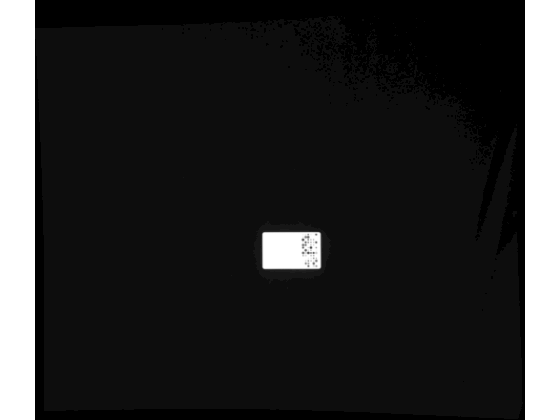
To automate measurement across images, select a reference fixture — a consistent image feature guaranteed to appear in every image. The fixture should be independent of the dimension you are measuring. Here, use the circular logo pattern, which appears on all cards regardless of side length variation. Mask the image so that only the circular pattern region remains, ensuring the shape model includes only edge features from the fixture.
logoRowRange = 1270:1465;
logoColRange = 1450:1553;
modelTemplate = 255*ones(size(exampleCard),"like",exampleCard);
modelTemplate(logoRowRange,logoColRange) = exampleCard(logoRowRange,logoColRange);
imageshow(modelTemplate);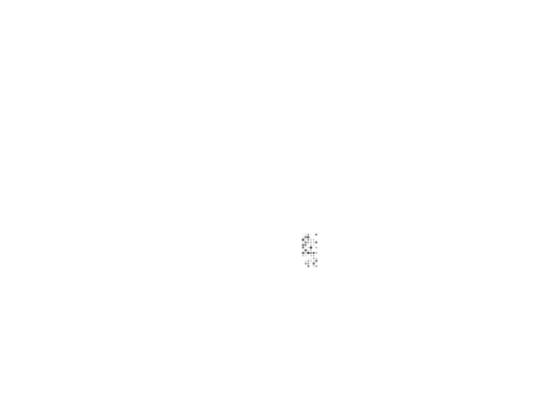
logoModel = shapemodel(modelTemplate,NumPyramidLevels=3);
show(logoModel,DisplayMarkers=false);

Define Reference Measurements in Template Image
Define a reference measurement that you want to repeat across images. Use the uicaliper function to measure the side lengths of the template card.
hImMeasurementExample = imageshow(exampleCard,Transformation=Rout);
hImMeasurementExample.Parent.SpatialUnits = "mm";
caliperPosition = [149 164; 253 163];
hCalWidth = uicaliper(hImMeasurementExample,Position=caliperPosition);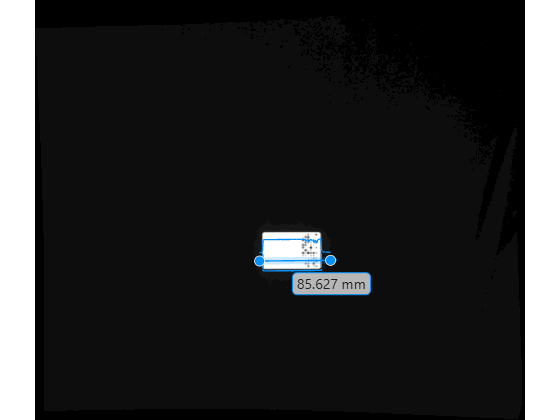
disp(hCalWidth.IntraEdgeDistance)
85.6272
Store the caliper position relative to the shape model origin. This relative position allows you to reposition the caliper in new search images based on the detected model pose.
[modelOriginInWorldX,modelOriginInWorldY] = intrinsicToWorld(Rout,logoModel.ModelOrigin(1),logoModel.ModelOrigin(2));
modelOriginInWorld = [modelOriginInWorldX,modelOriginInWorldY];
caliperPositionRelativeToModelOrigin = caliperPosition - modelOriginInWorld;
Automate Measurements Across New Search Images
Use the matchshape function of the shapemodel object to locate the reference fixture in a new search image.
searchImage = imread(fullfile("mathworksCalibratedImageMeasurementDataset","plasticCards","cardSearch1.png"));
searchImage = imwarp(searchImage,rectifyImageMap);
matches = matchshape(logoModel,searchImage,ScoreThreshold=0.8);
showmatches(logoModel,matches,searchImage)
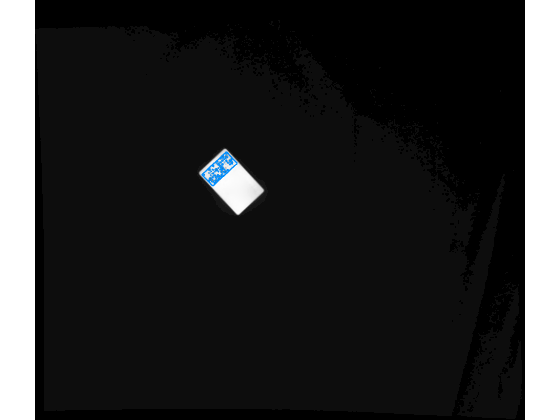
Use transformPointsForward to reposition the caliper based on the detected pose to make a subpixel-accurate measurement of the card width.
tform = matches.ModelOriginTransformation;
[tform.Translation(1),tform.Translation(2)] = intrinsicToWorld(Rout,tform.Translation(1),tform.Translation(2));
caliperNewPosition = transformPointsForward(tform,caliperPositionRelativeToModelOrigin);
hSearchImage = imageshow(searchImage,Transformation=Rout);
hSearchImage.Parent.SpatialUnits = "mm";
uicaliper(hSearchImage,Position=caliperNewPosition);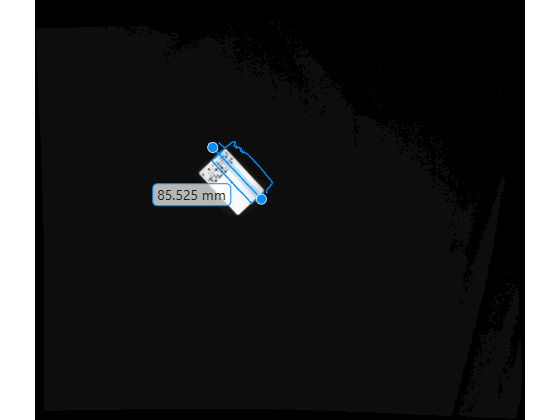
Automate Measurements Across a Set of Images
Define a helper function that implements the gauging measurement for a single image. You can deploy this function using MATLAB® Coder™, GPU Coder™, or MATLAB Compiler™. To acquire images from an industrial camera, use Image Acquisition Toolbox™.
function sideLength = makeCardLengthMeasurement(imToMeasure,calibrationMapping,Rout,logoModel,referenceMeasurement)
    % Perspective and lens distortion correct image.
    distortionCorrectedImage = imwarp(imToMeasure,calibrationMapping);

    % Find logo fixture in scene.
    matches = matchshape(logoModel,distortionCorrectedImage,MaxMatches=1,ScoreThreshold=0.7,EdgeMagnitudeThreshold=1e-5);

    if ~isempty(matches)
        % Find equivalent position of caliper tool in search image given
        % fixture pattern location.
        tform = matches.ModelOriginTransformation;
        [tform.Translation(1),tform.Translation(2)] = intrinsicToWorld(Rout,tform.Translation(1),tform.Translation(2));
        caliperPosForMatch = transformPointsForward(tform,referenceMeasurement);

        % Use caliper to automate length measurements without graphics
        % front end.
        measurementData = caliper(distortionCorrectedImage,caliperPosForMatch,Transformation=Rout);
        sideLength = measurementData.IntraEdgeDistance;

        else
            sideLength = nan;
    end
end
Construct an image datastore of search images.
folder = fullfile("mathworksCalibratedImageMeasurementDataset","plasticCards");
pattern = "cardSearch*.png";
files = dir(fullfile(folder,pattern));
fullPaths = fullfile(folder,{files.name});
searchImageDatastore = imageDatastore(fullPaths);
Loop through the search images and measure the side length of each card.
lengths = [];

while hasdata(searchImageDatastore)
    img = read(searchImageDatastore);
    lengths(end+1) = makeCardLengthMeasurement(img,rectifyImageMap,Rout,logoModel,caliperPositionRelativeToModelOrigin);
end
Compare the measured side lengths to the known ground truth.
measurementErrorInMM = abs(lengths-groundTruthWidthInMM)
measurementErrorInMM = 1×2

    0.0747    0.2392

