Getting Started with NI myDAQ
Versione 1.0.0.1 (5,24 KB) da
MathWorks Data Acquisition Toolbox Team
Code example for acquiring data into MATLAB using myDAQ hardware
MATLAB supports NI myDAQ hardware through the Data Acquisition Toolbox. This simple example shows how to setup a DAQ session with myDAQ hardware.
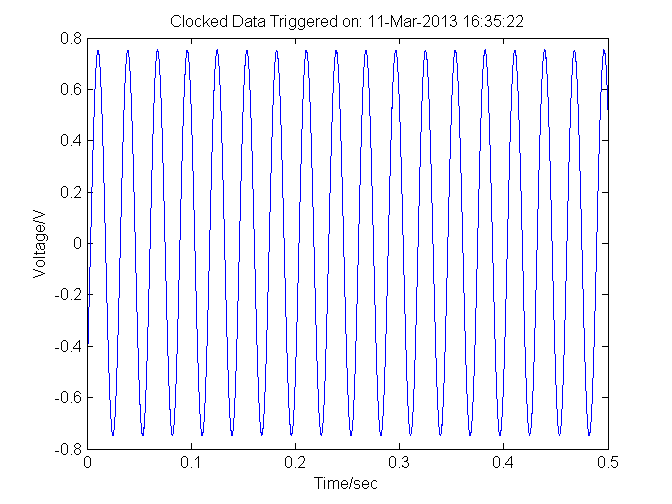
Specifically, the example illustrates how to discover the device, establish a connection with the device, change the sampling rate, change the voltage range and acquire and plot data.
For more information about Data Acquisition Toobox:
www.mathworks.com/products/daq
Cita come
MathWorks Data Acquisition Toolbox Team (2026). Getting Started with NI myDAQ (https://it.mathworks.com/matlabcentral/fileexchange/40749-getting-started-with-ni-mydaq), MATLAB Central File Exchange. Recuperato .
Compatibilità della release di MATLAB
Creato con
R2013a
Compatibile con qualsiasi release
Compatibilità della piattaforma
Windows macOS LinuxCategorie
- Test and Measurement > Data Acquisition Toolbox >
- Test and Measurement > Instrument Control Toolbox > Instrument Control Toolbox Supported Hardware >
- Test and Measurement > Data Acquisition Toolbox > Hardware Discovery and Setup >
- Test and Measurement > Data Acquisition Toolbox > Analog Input and Output >
- Test and Measurement > Data Acquisition Toolbox > Digital Input and Output >
Scopri di più su Data Acquisition Toolbox in Help Center e MATLAB Answers
Tag
Scopri Live Editor
Crea script con codice, output e testo formattato in un unico documento eseguibile.
