triangulation
R2026bDescription
Add-On Required: This feature requires the 3D Asset Processing Library for MATLAB add-on.
Examples
Define a simple pyramid with 5 vertices and 6 triangular faces.
vertices = [0 0 0; 1 0 0; 1 1 0; 0 1 0; 0.5 0.5 1];
faces = [1 2 5; 2 3 5; 3 4 5; 4 1 5; 1 3 4; 1 2 3];
Create a mesh with per-face color.
faceColors = uint8([230 50  50;    % red - front
                    50  180 50;    % green - right
                    50  100 230;   % blue - back
                    230 180 25;    % yellow - left
                    150 75  200;   % purple - bottom 1
                    25  200 200]); % cyan - bottom 2
pyramidMesh = asset3d.Mesh(vertices,faces,FaceColors=faceColors);
Create a triangulation object from mesh.
tr = triangulation(pyramidMesh);
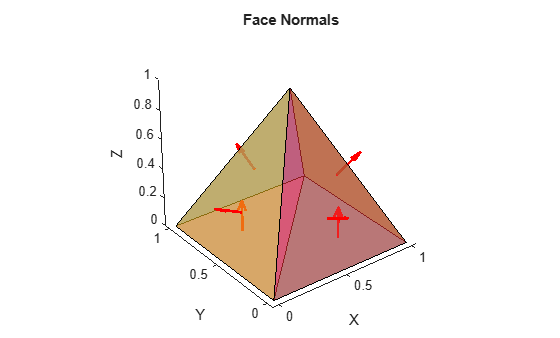
Compute and visualize face normals.
centers = incenter(tr);
normals = faceNormal(tr);
figure
patch(pyramidMesh,EdgeColor="k",FaceAlpha=0.6)
hold on
quiver3(centers(:,1),centers(:,2),centers(:,3), ...
    normals(:,1),normals(:,2),normals(:,3),0.5,"r",LineWidth=2)
axis equal
title("Face Normals")
Input Arguments
Output Arguments
Version History
Introduced in R2026b

