getCosts
R2026bGet cost value of cells in vehicle costmap
Description
Examples
Create a 5-by-10 meter vehicle costmap. Cells have side length 1, in the world units of meters. Set the inflation radius to 1. Plot the costmap, and get the default cost matrix.
costmap = vehicleCostmap(5,10);
costmap.CollisionChecker.InflationRadius = 1;
plot(costmap)
title('Default Costmap')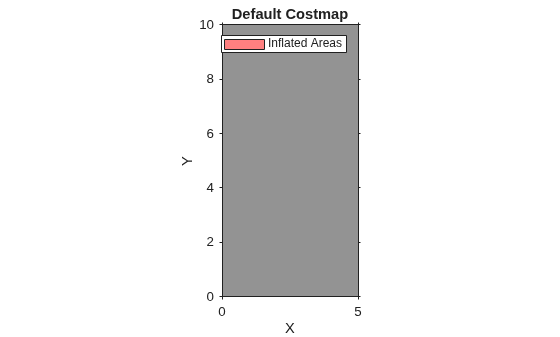
getCosts(costmap)
ans = 10×5

    0.4250    0.4250    0.4250    0.4250    0.4250
    0.4250    0.4250    0.4250    0.4250    0.4250
    0.4250    0.4250    0.4250    0.4250    0.4250
    0.4250    0.4250    0.4250    0.4250    0.4250
    0.4250    0.4250    0.4250    0.4250    0.4250
    0.4250    0.4250    0.4250    0.4250    0.4250
    0.4250    0.4250    0.4250    0.4250    0.4250
    0.4250    0.4250    0.4250    0.4250    0.4250
    0.4250    0.4250    0.4250    0.4250    0.4250
    0.4250    0.4250    0.4250    0.4250    0.4250
Mark an obstacle at the (x,y) coordinate (3,4) by increasing the cost of that cell.
setCosts(costmap,[3,4],0.8);
plot(costmap)
title('Costmap with Obstacle at (3,4)')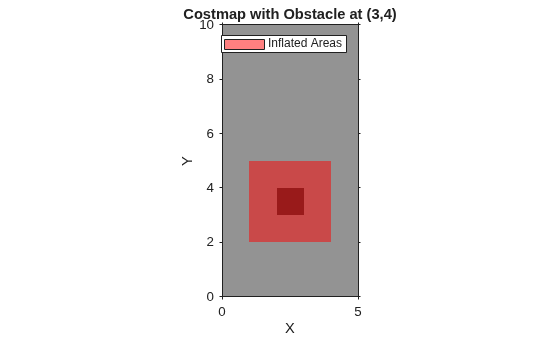
Get the cost of three cells: the cell with the obstacle, a cell adjacent to the obstacle, and a cell outside the inflation radius of the obstacle.
costVal = getCosts(costmap,[3 4;2 4;4 7])
costVal = 3×1

    0.8000
    0.4250
    0.4250
Although the plot of the costmap displays the cell with the obstacle and its adjacent cells in shades of red, only the cell with the obstacle has a higher cost value of 0.8. The other cells still have the default cost value of 0.425.
Input Arguments
Output Arguments
Extended Capabilities
Version History
Introduced in R2018a

