Contenuto principale

CAN Transmit

R2026b

Transmit message to CAN network

Since R2026b

  • CAN Transmit block

Libraries:
Embedded Coder Support Package for Real-Time Linux / SocketCAN

Description

Add-On Required: This feature requires the Embedded Coder Support Package For Real-Time Linux add-on.

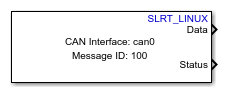
The CAN Transmit block transmits messages to the CAN network. This block uses SocketCAN which is a device-independent driver for implementing the CAN interface supporting all CAN shields.

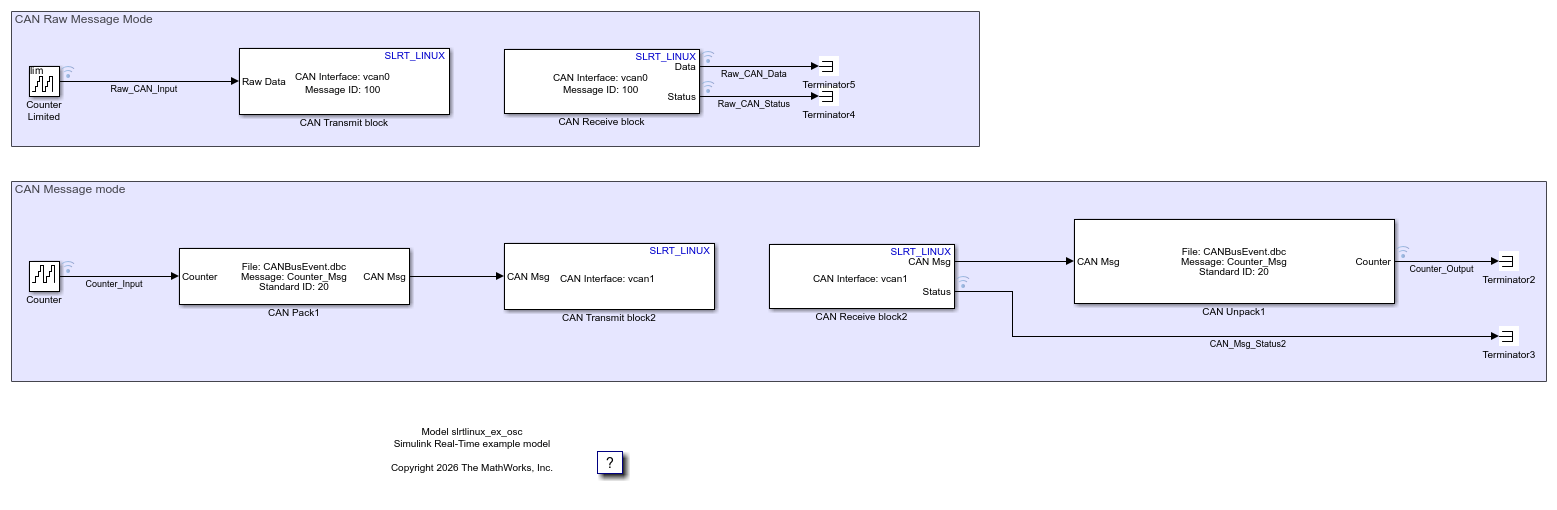
The CAN Transmit block supports Raw data and CAN Msg as input types. To use the bus mode, create a CAN_MESSAGE_BUS type in the base workspace. See canMessageBusType (Vehicle Network Toolbox) function. To use a CANdb (CAN database) file or to specify signals manually, use CAN Msg input type and the CAN Pack (Simulink Real-Time) block.

You can use CAN Transmit block to interact with a real or virtual CAN interface. To bring up the CAN interface with your target Linux device, refer to the user guide of your CAN shield. For more information on how to set up a virtual CAN interface, see Transmit and Receive CAN Raw Data and Messages on Virtual Linux Target Device.

Note

To generate code C/C++ code for this block, you must have an Embedded Coder® license.

Examples
Ports

Input

expand all

The block accepts messages in Raw data and CAN Msg formats.

  • Raw data — To accept the message as a uint8 vector array, set Data is input as to Raw data.

  • CAN Msg — To accept the message in CAN message format, set Data is input as to CAN Msg.

Data Types: uint8 | CAN Msg

Output

expand all

Output port to display status of data transmission.

Dependencies

To enable this port, select the Output Status parameter.

Parameters

expand all

Enter the name of the real or virtual CAN interface. To find the name of the CAN interface, in the target Linux device terminal, execute the ifconfig command. To configure the CAN interface, see the target Linux device documentation.

Programmatic Use

Block Parameter: DeviceID

Data input type used for transmitting messages.

  • Raw data — To accept the message as a uint8 vector array, set Data input type as Raw data.

  • CAN Msg — To accept the message in CAN message format, set Data input type as CAN Msg and then perform these steps:

    • Add a CAN Pack (Simulink Real-Time) block to your Simulink® model.

    • Connect the output of the CAN Pack (Simulink Real-Time) block to the input port of the CAN Transmit block.

    • Using the options in the Data input type list of the CAN Pack (Simulink Real-Time) block, specify if you want to create your messages or you want to upload a CAN database file. If you choose to upload a CAN database file, the CAN Pack (Simulink Real-Time) inherits the message properties from the uploaded file.

Programmatic Use

Block Parameter: InputDataType

When selected, the block waits for the time specified in the Time out in seconds parameter before transferring data.

  • on — When you select this parameter, the block operates in the Blocking mode. If the message received in the previous time step is sent, the block accepts message from the input port. If the send operation is in progress, the block waits for the time specified in the Time out in seconds parameter, and then it accepts message from the input port.

    A task overrun occurs if the target hardware is still waiting for the requested message to be sent when the next send operation is scheduled to begin. To fix overruns:

    • Increase the sample time of input message.

    • Reduce the length of message at the input port.

  • off — When you clear this parameter, the block operates in the Non-blocking mode. If the transmission of the message received in the previous time step is still in progress, the message at the input port at the given time step is dropped.

Programmatic Use

Block Parameter: BlockingMode_

Specify the wait time for sending the message. After the specified time, the block times out.

Dependencies

To enable this parameter, select Wait until data sent.

Programmatic Use

Block Parameter: BlockTimeout_

Select this option to indicate the status of message transfer. Status port outputs 0 for successful transmit and error codes in case of failure. Error codes are listed in this table.

0000ABTFMLOATXERRTXBOTXEPTXWAR
bit7bit6bit5bit4bit3bit2bit1bit0

ABTF: Message Aborted Flag bit

MLOA: Message Lost Arbitration bit

TXERR: Transmission Error Detected bit

TXBO: Bus-Off Error Flag bit

TXEP: Transmit Error-Passive Flag bit

TXWAR: Transmit Error Warning Flag bit

Programmatic Use

Block Parameter: OutputStatus

Message identifier type.

Dependencies

To enable this parameter, set Data is input as to Raw data.

Programmatic Use

Block Parameter: IdentifierType

Message identifier, which is 11 bits long for the standard frame or 29 bits long for the extended frame, specified in decimal, binary, or hex. For binary and hex formats, use bin2dec(' ') and hex2dec(' '), respectively, to convert the entry. The message identifier is coded into a message that is sent to the CAN bus.

Dependencies

To enable this parameter, set Data is input as to Raw data. For CAN Msg, the message identifier is inherited from the identifier specified in the CAN Pack (Simulink Real-Time) block.

Programmatic Use

Block Parameter: MessageId

The length of the message, in bytes.

Dependencies

To enable this parameter, set Data is input as to Raw data. For CAN Msg, the message length is inherited from the length of the CAN Pack (Simulink Real-Time) block.

Programmatic Use

Block Parameter: MsgLength

When you select this parameter, the remote frame of the message is set to 1 indicating that the block is requesting the transmission of a specific identifier.

Dependencies

To enable this parameter, set Data is input as to Raw data.

Programmatic Use

Block Parameter: RemoteFrame

Extended Capabilities

expand all

Version History

Introduced in R2026b