Convert Single Precision Lookup Table to Half Precision
R2026bThis example shows how to use half precision as the storage type for a single precision lookup table. Lookup table computations are performed using single precision. Converting the stored data to half precision halves the memory size of the Lookup Table block while maintaining the desired system performance.
Task 1: Simulate the Model to Create a Baseline
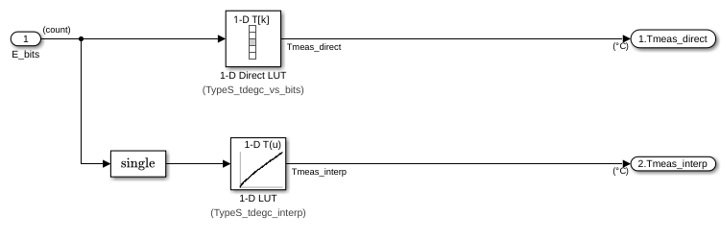
1. Open the Data Mapping subsystem in the sldemo_tc model. The subsystem contains a Lookup Table block with a single precision table and breakpoint data to be converted to half precision. The model implements a temperature measurement system using a Type S thermocouple.
load_system('sldemo_tc');
open_system('sldemo_tc/Data Mapping');
2. In MATLAB®, change your current folder to a writable folder.
3. Check that the table and breakpoints of the 1-D LUT block data types are set as single.
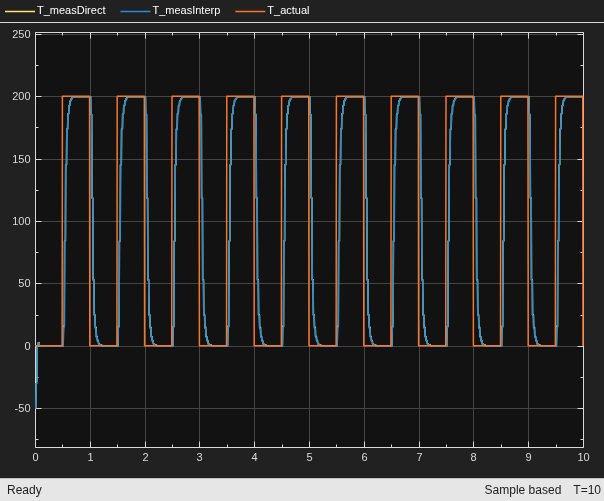
4. Mark the output signal for the 1-D LUT block for logging and simulate the model in normal mode and use the output of this run as a baseline.
Simulink.sdi.markSignalForStreaming("sldemo_tc/Data Mapping/1-D LUT",1,"on");
sim sldemo_tc;
Task 2: Analyze and Convert Data to Half
1. Get the table and breakpoint variable data from the model workspace for the Lookup Table block:
mdlWks = get_param('sldemo_tc','ModelWorkspace');
currentBlk = 'sldemo_tc/Data Mapping/1-D LUT';
2. Use the supporting function analyzeDataConvertToHalf to analyze the table data and convert it to half precision if it can fit in the range of half precision type [-65504, 65504].
numBytesSaved(1) = analyzeDataConvertToHalf(mdlWks, currentBlk, 'Table', ...
    AbsTol=0.5, RelTol=0.001);
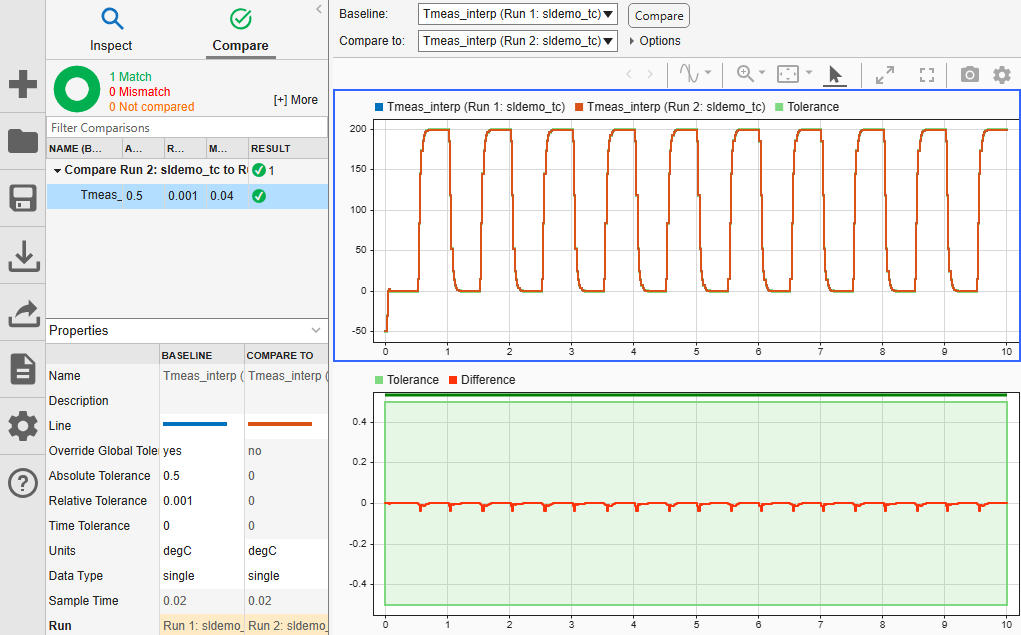
On the Simulation tab, under Review Results, click Data Inspector. From the Simulation Data Inspector, simulate the model and compare the logged output of the current block with the baseline. Verify that the output is within the specified absolute tolerance and relative tolerance.
3. Repeat Task 2 for the breakpoint data of the current block. The breakpoints data should remain monotonically increasing after converting from single to half precision.
numBytesSaved(2) = analyzeDataConvertToHalf(mdlWks, currentBlk, 'BreakpointsForDimension1', ...
    AbsTol=0.5, RelTol=0.001);
totalBytesSaved = sum(numBytesSaved);
Examine the total number of bytes saved for the table and breakpoints of the Lookup Table block.
totalBytesSaved
totalBytesSaved =

   332
Task 3: Simulate and Compare
Simulate the converted model with the half precision table and breakpoints.
Compare the temperature output signal with the baseline in the Simulation Data Inspector. Observe that the desired performance is still achieved.
Save the model with a different name in the writable folder.
Task 4: Generate Code and Verify the Memory Optimization
Generate code for the
Data Mappingsubsystem
set_param('sldemo_tc', 'GenCodeOnly', 'on');
set_param('sldemo_tc', 'RTWVerbose', 'off');
rtwbuild('sldemo_tc/Data Mapping');
### Searching for referenced models in model 'Data'.
### Total of 1 models to build.
### Starting top model code generation target build for: Data
### Successful completion of code generation for: Data

Build Summary

Top model targets:

Model  Build Reason                    Status           Build Duration
======================================================================
Data   Target (Data.c) did not exist.  Code generated.  0h 0m 11.672s

1 of 1 models built (0 models already up to date)
Build duration: 0h 0m 13.797s
In the
Data_grt_rtwfolder, examine the generated code files. Thehalf_type.hfile defines the half precision (real16_T) type, andData_data.ccontains the thereal16_Ttype table and breakpoint data.
Observe that 332 bytes have been saved by using half precision as the storage type for the table and breakpoints.
close_system('sldemo_tc',0);

