Generate Fixed-Point MATLAB Code for Multiple Entry-Point Functions
R2026bWhen your goal is to generate fixed-point C/C++ library functions, generating a single C/C++ library for more than one entry-point MATLAB® function allows you to:
Create C/C++ libraries containing multiple, compiled MATLAB files to integrate with larger C/C++ applications. Generating C/C++ code requires a MATLAB Coder™ license.
Share code efficiently between library functions.
Communicate between library functions using shared memory.
Note
If any of the entry-point functions in a project share memory (for example, persistent data), an error will occur. In this case, you should rewrite your code to avoid invoking functions with persistent data from multiple entry-points.
In this example, you convert two entry-point functions, ep1 and
ep2, to fixed point.
In a local writable folder, create the functions
ep1.mandep2.m.function y = ep1(u) %#codegen y = u; end
function y = ep2(u, v) %#codegen
y = u + v;
end
In the same folder, create a test file,
ep_tb.m, that calls both functions.% test file for ep1 and ep2 u = 1:100; v = 5:104; z = ep1(u); y = ep2(v,z);At the command line, create a
coder.FixPtConfigobject, and specify the test bench asep_tb.m.fixptcfg = coder.config('fixpt'); >> fixptcfg.TestBenchName = 'ep_tb';
Generate fixed-point code using the
fiaccelfunction. Include both entry-point functionsep1andep2.fiaccel -float2fixed fixptcfg ep1 ep2
In the command window, click View Report to open the Code Generation Report Viewer. The report lists the generated fixed-point code and wrapper files for both entry-point functions.
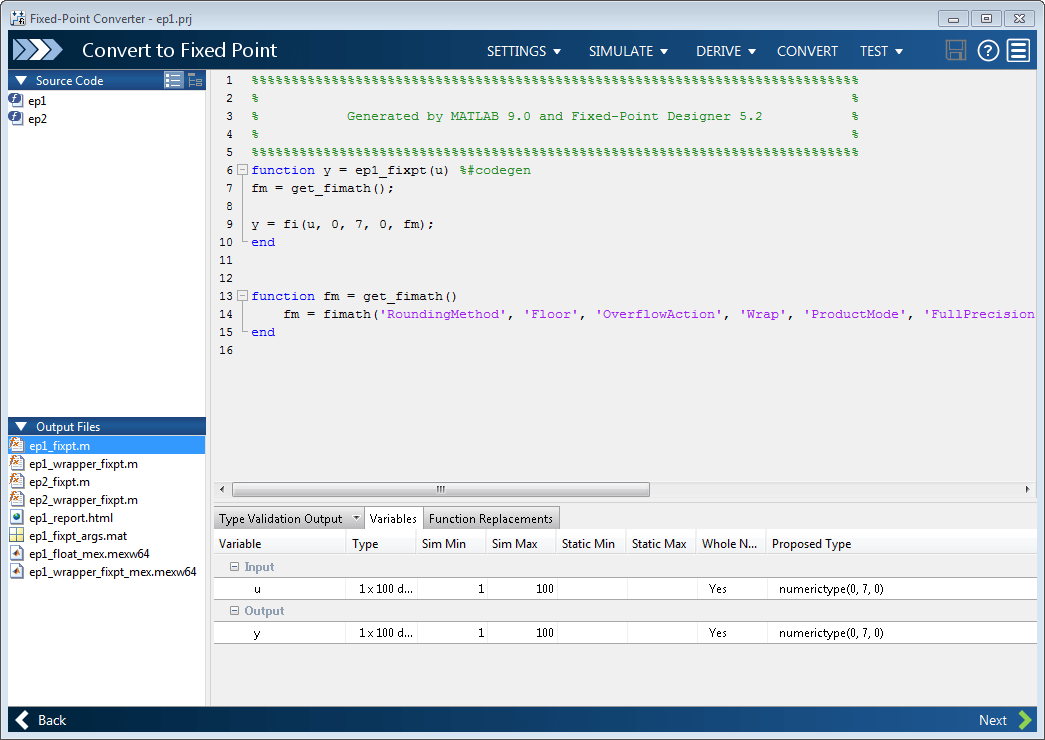
By default, the conversion process uses the name of the first entry-point function as the name of the project. The generated files are stored in the subfolder
codegen/ep1/fixpt.

