vision.labeler.loading.VideoSource Class
R2026bNamespace: vision.labeler.loading
Superclasses: vision.labeler.loading.MultiSignalSource
Description
The vision.labeler.loading.VideoSource class creates an interface for
loading signals from video data sources into the Multi-Sensor Labeler app. In the Add Signal dialog box of the app, when
Source Type is set to Video, this class
controls the parameters in that dialog box.
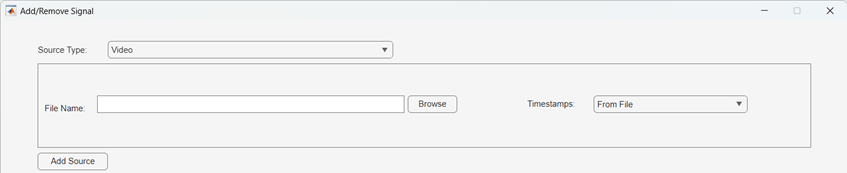
To access this dialog box, in the app, select Import > Add Signal.
The default implementation of this class loads the video formats accepted by the VideoReader object.
The vision.labeler.loading.VideoSource class is a handle class.
Creation
When you export labels from a Multi-Sensor Labeler app session that contains
video sources, the exported groundTruthMultiSensor object stores instances of this class in its
DataSource property.
To create a VideoSource object programmatically, such as when
programmatically creating a groundTruthMultiSensor object, use the
vision.labeler.loading.VideoSource function (described here).
Description
vidSource = vision.labeler.loading.VideoSourceVideoSource object for loading signals from video data sources.
To specify the data source and the parameters required to load the source, use the
loadSource method.
Properties
Methods
Examples
Create a video source from a video on the MATLAB® search path. Load the source name into the VideoSource object. The video has no source parameters needed to load it, so sourceParams is empty.
sourceName = 'caltech_cordova1.avi';
sourceParams = [];

vidSource = vision.labeler.loading.VideoSource;
loadSource(vidSource,sourceName,sourceParams);
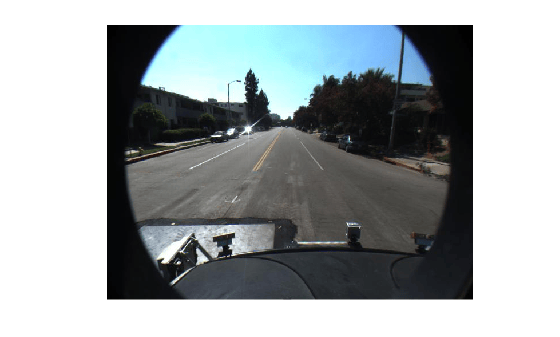
Read the first frame from the video. Display the frame.
signalName = vidSource.SignalName;
I = readFrame(vidSource,signalName,1);

figure
imshow(I)
Tips
You can this class as a starting point for creating a custom data source loading class. To view the source code for this class, use this command:
edit vision.labeler.loading.VideoSource
Version History
Introduced in R2026b

