setactiveconfigset
R2026bSet active configuration set for model object
Syntax
configsetObj =
setactiveconfigset(modelObj, 'NameValue')

configsetObj2 =
setactiveconfigset(modelObj, configsetObj1)
Description
configsetObj =
setactiveconfigset(modelObj, 'NameValue')NameValuemodel object
modelObjconfigsetObj
configsetObj2 =
setactiveconfigset(modelObj, configsetObj1)configset
configsetObj1configset for
modelObjconfigsetObj2configsetObj1configsetObj2configset object from one model object to another, use the
copyobj method.
The active configuration set contains the settings that are be used during a simulation. A default configuration set is attached to any new model.
Examples
Add a Configuration Set Object
This example shows how to add a configset object to a SimBiology model and set it up for simulation.
Load the sample radiodecay model m1, and add a Configset object to the model.
sbioloadproject radiodecay;
configsetObj = addconfigset(m1, 'myset');
Configure the simulation stop criteria by setting the StopTime property.
configsetObj.StopTime = 15;
Set the configset object to be active so that its settings are used during simulation.
setactiveconfigset(m1,configsetObj);
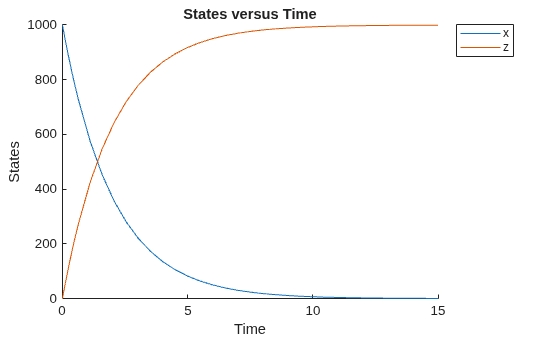
Simulate the model and plot results.
simdata = sbiosimulate(m1);
sbioplot(simdata);
See Also
Version History
Introduced in R2006a

