Open Block Library for STM32 Microcontroller Blockset
R2026bAfter installing STM32™ Microcontroller Blockset, you can open the block library for STM32 Microcontroller Blockset.
At the MATLAB® command prompt, enter stm32discoverylib to open the block library.

Alternately, from the Simulink Library Browser, locate, and select STM32 Microcontroller Blockset.

Note
Rapid Accelerator simulation is not supported by STM32 Microcontroller Blockset.
In the Simulink® Library Browser, click STM32 Microcontroller Blockset > STM32F4-Discovery.
The Simulink Library Browser displays the corresponding block library.
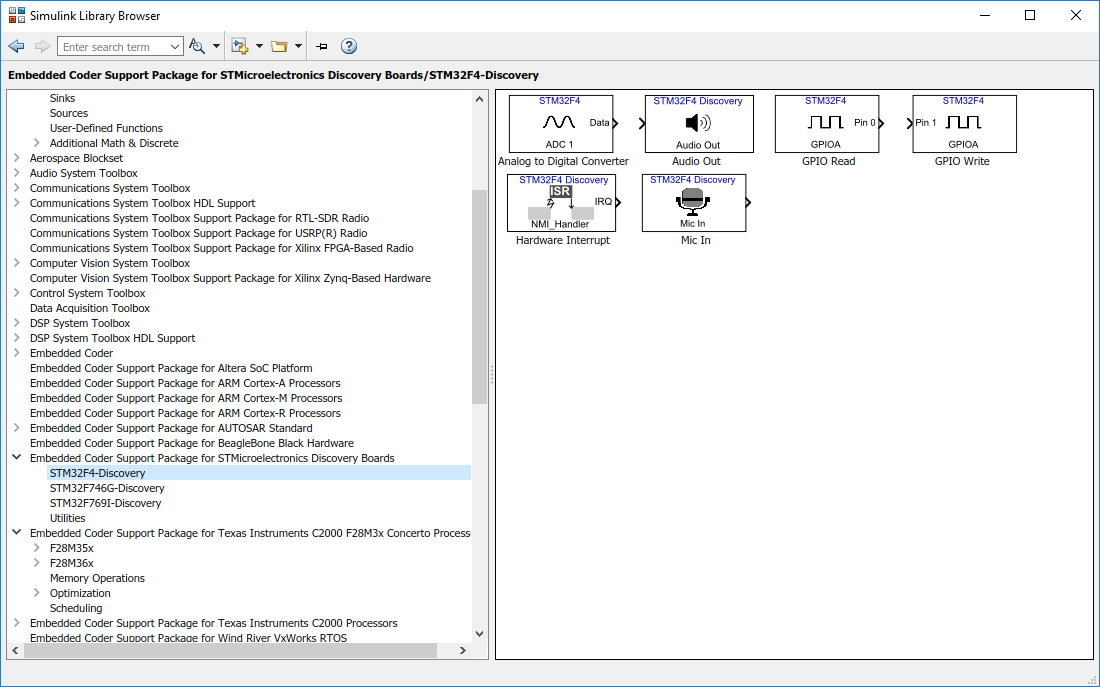
Similarly, click the other STMicroelectronics® Discovery boards to open its corresponding block library.

