Al momento, stai seguendo questo contributo
- Vedrai gli aggiornamenti nel tuo feed del contenuto seguito
- Potresti ricevere delle email a seconda delle tue preferenze per le comunicazioni
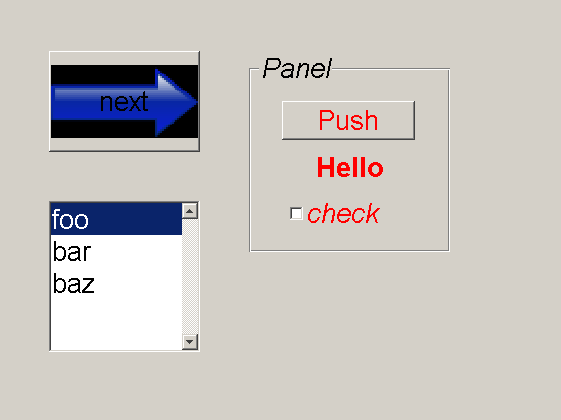
With MSS, you have easy control over the appearance of all your GUI's through a simple CSS file.
What can be styled with MSS?
The primary target for MSS are GUIs designed with GUIDE. But in fact, you could use it for plain figures or even any type of handle-enabled object.
What styles can be applied?
Any field of a handle-object can be set with MSS. Everywhere you would normally use set(handle,'myproperty',myvalue), you could use the MSS equivalent handle {myproperty: myvalue}.
Getting started
Download the project files and put them somewhere were matlab can find them: add the path with addpath('fill in the dir') and optionally save the path with savepath. Run classpath. To test things out, navigate to the 'sample' subdirectory and try styling the sample GUI with tylefig('sample.fig','default.css') or by running the m-file run.
more info: http://student.kuleuven.be/~s0170633/projects/MSS
Cita come
Joris Gillis (2026). Matlab CSS (MSS) (https://it.mathworks.com/matlabcentral/fileexchange/13546-matlab-css-mss), MATLAB Central File Exchange. Recuperato .
Riconoscimenti
Ispirato: SimCSS
Informazioni generali
- Versione 1.0.0.0 (111 KB)
Compatibilità della release di MATLAB
- Compatibile con qualsiasi release
Compatibilità della piattaforma
- Windows
- macOS
- Linux
| Versione | Pubblicato | Note della release | Action |
|---|---|---|---|
| 1.0.0.0 | getting started instructions missing |
