
Read abaqus input file to get the data, nodes or elements
This version extracts more data from abaqus input file like the nodes, elements, element types, as well as node sets, element sets.
Al momento, stai seguendo questo contributo
- Vedrai gli aggiornamenti nel tuo feed del contenuto seguito
- Potresti ricevere delle email a seconda delle tue preferenze per le comunicazioni
To this abaqusInpRead function, only the inp file name is the input argument. Optional output data is available compared with last version readinp. Examples like data structure output or [node, element, elementType] form can be obtained.
Example 1 One Output Variable
If one output variable is detected by the function, it will give a struct-class output argument. The structure field contains
Parts: [n×1 struct]
Nodes: [m×1 struct]
Elements: [p×1 struct]
Materials: [q×1 struct]
NodeSets: [r×1 struct]
ElementSets: [s×1 struct]
Some important information is extracted from the abaqus inp file. Also, to the author's ability, the systematic information has not been processed properly yet.
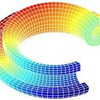
figure(1)
clf
fileName = 'myExamInpFile.inp';
data = abaqusInpRead(fileName);
% following only works for 3-node-tri or 4-node-quad element
node = data.Nodes.Coordinates;
for i = 1:1:numel(data.Elements)
element = data.Elements(i).NodeIDList;
patch('vertices',node,'faces',element,...
'facevertexCdata',node(:,1),'facecolor','interp','edgecolor','k');
hold on
end
colormap jet
axis off
axis equal
title('Two Element Types')

Example 2 Three Output Variables
This example gives a quite easy way to get the node, element and the element type information from your inp file. But, firstly you should set all the elements to only one element type when you generate your inp file in abaqus, because the program only output the first-read nodes and elements.
figure(2)
clf
fileName = 'myExamInpFile.inp';
[node, element, elementType] = abaqusInpRead(fileName);
% following only works for 3-node-tri or 4-node-quad element
patch('vertices',node,'faces',element,...
'facevertexCdata',node(:,1),'facecolor','interp','edgecolor','k');
colormap jet
axis off
axis equal
title('Only One Element Type')
'myExamInpFile.inp' has two element type, so example 2 output a figure that lacks 4 triangle elements.
Enjoy!
Cita come
Wan Ji (2026). Read abaqus input file to get the data, nodes or elements (https://it.mathworks.com/matlabcentral/fileexchange/95908-read-abaqus-input-file-to-get-the-data-nodes-or-elements), MATLAB Central File Exchange. Recuperato .
Riconoscimenti
Ispirato da: read abaqus input file to get the nodes and elements
Ispirato: read_mesh_abaqus
Informazioni generali
- Versione 1.0.1 (8,76 KB)
Compatibilità della release di MATLAB
- Compatibile con R2012a e release successive
Compatibilità della piattaforma
- Windows
- macOS
- Linux

