RTL-SDR Receiver
R2026bReceive data from RTL-SDR device
RTL-SDR Receiver block

To add a block to a model, double-click the canvas and start typing the block name. Then, select the block from the list.
Libraries:
Communications Toolbox Support Package for RTL-SDR Radio
Description
Add-On Required: This feature requires the Communications Toolbox Support Package for RTL-SDR Radio add-on.
The RTL-SDR Receiver block supports communication between Simulink® and the RTL-SDR device, enabling simulation and development for various software-defined radio (SDR) applications. The RTL-SDR Receiver block is a Simulink source that receives data from an RTL-SDR device and outputs a column vector signal of fixed length.
This diagram shows the conceptual overview of receiving radio signals in Simulink by using the Communications Toolbox™ Support Package for RTL-SDR Radio. Simulink interacts with the RTL-SDR Receiver block to receive signals from the radio.

When the host computer is not connected to the radio, you can still use the block to develop a model that propagates sample-time and data-type information. To propagate this information, you must update your model.
This icon shows all ports enabled, including optional ones.

Examples
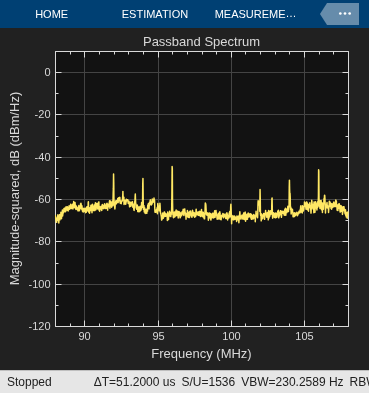
Spectrum Analysis of Signals
Perform spectral analysis of signals using either recorded data or real-time reception with RTL-SDR, ADALM-PLUTO, or USRP™ radios, tuning to specific bands and utilizing a spectrum analyzer for viewing and measurements.
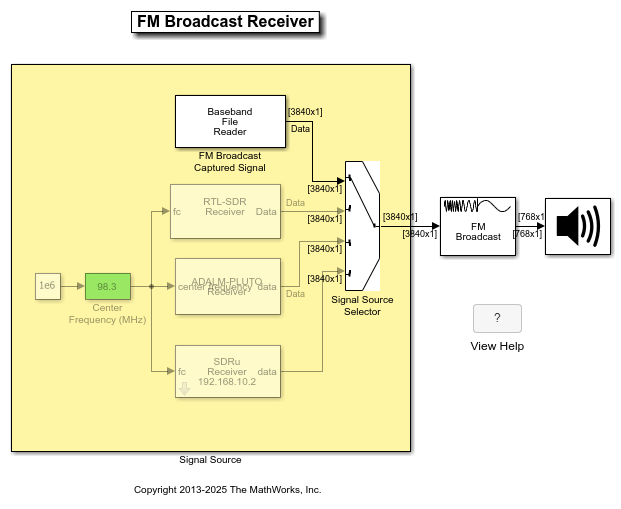
FM Broadcast Receiver in Simulink
Build an FM mono or stereo receiver using recorded data or real-time signals with an RTL-SDR, ADALM-PLUTO, or USRP radio.
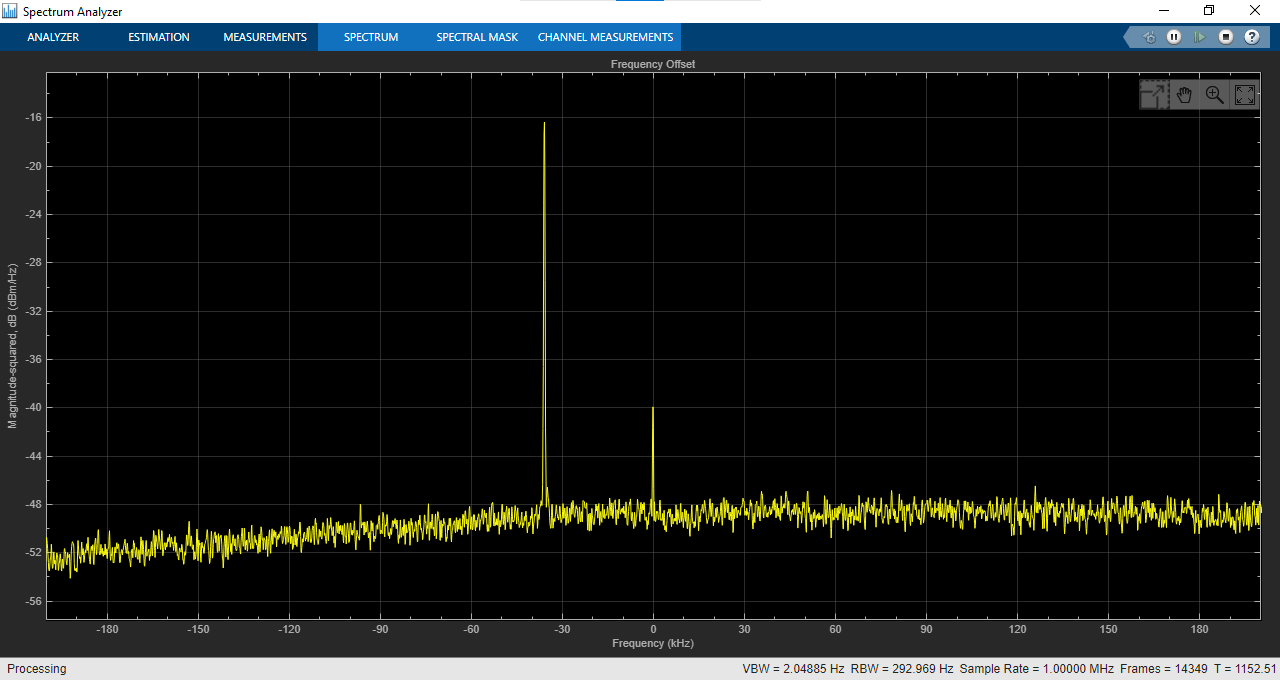
Frequency Offset Calibration for Receivers in Simulink
Measure and calibrate the frequency offset between a transmitter and receiver with options for using captured signals or real-time reception using an RTL-SDR radio.
Ports
Input
Output
Parameters
Radio Connection
Specify the USB address of the RTL-SDR device with which you want to communicate as a nonnegative integer. To update block parameters in the model that is associated with the device specified by Radio address, use the Info parameter to update.
USB Port Address Assignment
The assignment of USB port addresses can be counterintuitive. If an RTL-SDR device is plugged into the first USB port, it is at address 0. However, if an RTL-SDR device is plugged into any port after the first one, the address varies depending on whether a device is plugged into any of the previous ports. This figure shows how the USB port addresses are assigned when devices are added and then removed in first in, first out (FIFO) order.

This figure shows how the USB port addresses are assigned when devices are added and then removed from port 0. The radio address for the second RTL-SDR device changes based on whether the first port has an RTL-SDR device in it. To access a radio with the correct radio address, you must keep track of the plugged-in devices in order.

Click this parameter to update block parameters in the model that is
associated with the device specified by the Radio
address parameter. When you click
Info, a dialog box opens that displays information
and parameter settings associated with the device. Use this parameter to
check connectivity between the block and the radio and to synchronize radio
settings between them. If the block is not connected to the radio device,
click Info to return this message in the
RadioName field: 'Cannot find
radio'.
Radio Configuration
Select the source of the center frequency.
Dialog— Set the center frequency by using the Center frequency (Hz) parameter.Input port— Set the center frequency by using the fc input port.
Specify the center frequency in Hz as a positive scalar. The valid range of this parameter depends on the tuner chip of the RTL-SDR device. For a list of tuner chips and their frequency ranges, see [1].
Tunable: No
Dependencies
To enable this parameter, set the Source of center
frequency parameter to
Dialog.
Select the source of the gain.
Dialog— Set the gain by using the Tuner gain (dB) parameter.Input port— Set the gain by using the gain input port.AGC— The RTL-SDR device uses an internal automatic gain control (AGC) algorithm to optimize the receiver gain setting.
Tuner gain in dB, specified as a scalar.
Tunable: No
Dependencies
To enable this parameter, set the Source of gain
parameter to Dialog.
Specify the analog-to-digital converter (ADC) sample rate in Hz, specified as a positive scalar. The valid range of sample rates are [225, 300] kHz and [900, 3200] in kHz. If you set this parameter greater than 2560 kHz, you might observe dropped samples. For more information about the maximum reliable sample rate, see [1].
Tunable: No
Specify the frequency correction in ppm as an integer from –1e4 to 1e4. This parameter corrects the frequency shift in the received data due to local oscillator frequency offset or clock rate inaccuracy.
Tunable: Yes
Data transfer Configuration
Select this parameter to enable the lost output port.
Select this parameter to enable the late output port.
Select the data type of the output signal.
doubleorsingle— The complex values are scaled to the range of [–1, 1].int16— The complex values are the raw 16 bit I and Q samples from the RTL-SDR device.
Tunable: No
Specify the number of samples per frame as a positive integer.
Tunable: No
To produce a set of contiguous frames without an overflow to the radio, select this parameter. Enabling burst mode can help you simulate models that cannot run in real time.
When you select this parameter, specify the desired amount of contiguous data by using the Number of frames in burst and Samples per frame parameters.
Specify the number of frames in a burst as a positive integer.
Tunable: No
Dependencies
To enable this parameter, select the Enable burst mode parameter.
Programmatic Use: Add Block
To add the block programmatically, use the add_block function with one of these library block paths as the source.
"sdrrlib/RTL-SDR Receiver"
Example: add_block("sdrrlib/RTL-SDR Receiver","myModel/myBlock",MakeNameUnique="on")
More About
References
[1] SDR (Software Defined Radio), https://osmocom.org/projects/rtl-sdr/wiki/Rtl-sdr
Extended Capabilities
Version History
Introduced in R2014a

