seek
R2026bDescription
Add-On Required: This feature requires the Automated Driving Toolbox Test Suite for Euro NCAP Protocols add-on.
seek(
plots the scenario frame at the specified scenario simulation time
scenarioDescriptorPlotObj,simulationTime)simulationTime of the scenario.
seek(
plots the first collision instance in the scenario. This syntax also sets the
scenarioDescriptorPlotObj,"Collision")SimulationTime property of the input ScenarioDescriptorPlot object scenarioDescriptorPlotObj to
the time of the first collision instance in the scenario simulation.
Examples
Load a driving scenario containing multiple actor collisions into the workspace.
load("scenarioWithMultipleCollisions.mat")Create a scenario descriptor from the loaded driving scenario.
scenarioDescriptor = getScenarioDescriptor(sc);
Plot the first frame of the scenario simulation, and create a scenario descriptor plot object from the scenario descriptor object.
scenarioDescriptorPlotObj = plot(scenarioDescriptor)
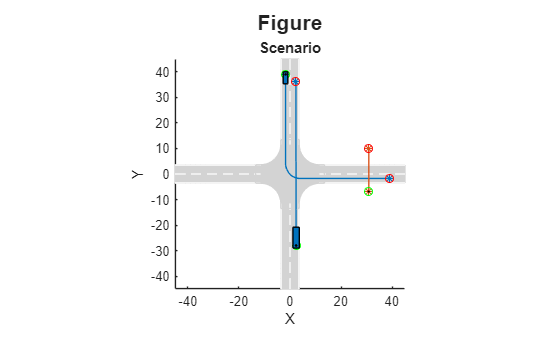
scenarioDescriptorPlotObj =
  ScenarioDescriptorPlot with properties:

       SimulationTime: 0
    MaxSimulationTime: 8.0500

       NumDescriptors: 1
        FigureHandles: [1×1 Figure]

            Waypoints: "StartEnd"
             CropType: "None"
               XLimit: []
               YLimit: []
               ZLimit: []
                Title: "Figure"
        SubPlotTitles: "Scenario"
             GridSize: []
Configure the scenario descriptor plot object to change the title.
configure(scenarioDescriptorPlotObj,Title="Collision Scenario")If you know your scenario contains a collision, you can directly plot the first frame in which a collision occurs. Seek and plot the first collision instance from the loaded scenario.
seek(scenarioDescriptorPlotObj,"Collision")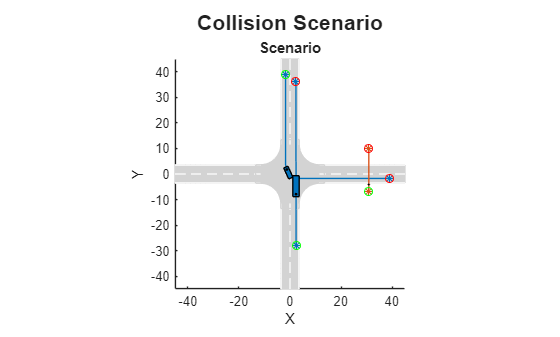
Rather than specifically plotting the collision instance, you can simulate the scenario, and stop when a collision occurs.
Note: The input scenario contains two collision instances, and the play function stops the simulation at the first collision instance.
play(scenarioDescriptorPlotObj,StopAtEvent="Collision")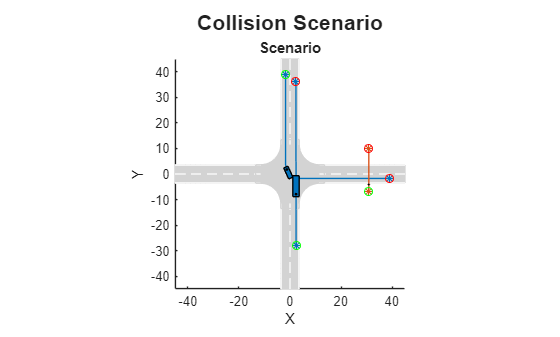
Input Arguments
Limitations
Version History
Introduced in R2026a
See Also
ScenarioDescriptorPlot | plot | configure | play | close | getScenarioDescriptor | getScenario | drivingScenario

