Git in MATLAB
Utilizzare il controllo della sorgente Git in MATLAB per gestire file, rami e collaborare con altre persone.
Funzioni
Strumenti
| Branch Manager | View Git repository history and manage local and remote Git branches and repositories (Da R2025a) |
Argomenti
- Source Control Integration in MATLAB
Use MATLAB built-in integrations with Git and Subversion® (SVN). (Da R2025a)
- Set Up Git Source Control
Set up Git source control for use in MATLAB, including registering your binary files to avoid file corruption and setting up SSH Authentication to prevent frequent login prompts. (Da R2025a)
- Tracking del lavoro a livello locale con Git in MATLAB
Utilizzare il controllo della sorgente Git in MATLAB per eseguire il tracking dei file a livello locale.
- PASSAGGIO 1: Create Local Git Repository in MATLAB
- PASSAGGIO 2: Review and Commit Modified Files to Git
- PASSAGGIO 3: Share Git Repository to Remote
- Collaborazione utilizzando Git in MATLAB
Utilizzare il controllo della sorgente Git in MATLAB per gestire file e collaborare con altre persone.
- PASSAGGIO 1: Clonazione dei un repository Git in MATLAB
- PASSAGGIO 2: Create, Manage, and Merge Git Branches
- PASSAGGIO 3: Resolve Git Conflicts
- PASSAGGIO 4: Push to Git Remote
- Annotate Lines in MATLAB Editor Using Git History
Annotate files to view line-by-line Git revision history. (Da R2025a)
- Work with Git Submodules in MATLAB
Manage and use external code repositories into your main Git repository to streamline code organization and collaboration. (Da R2025a)
- Configure Source Control Settings
Disable a source control system, specify default source control folders, and configure Git settings. (Da R2025a)
- Customize External Source Control to Use MATLAB for Diff and Merge
Use the MATLAB Comparison Tool for diff and merge from external source control tools.
Informazioni complementari
Esempi in primo piano

Create Local Git Repository in MATLAB
You are creating utilities to standardize the developing process in your team. You made good progress and want to use Git™ source control to track your changes to the files locally.
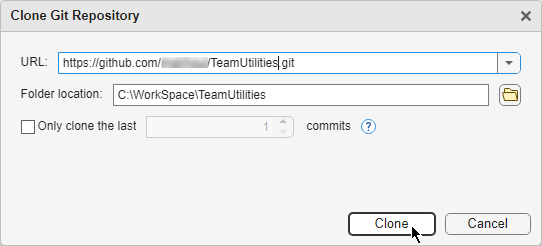
Clonazione dei un repository Git in MATLAB
Eseguire una clonazione per creare una copia locale di un repository Git.
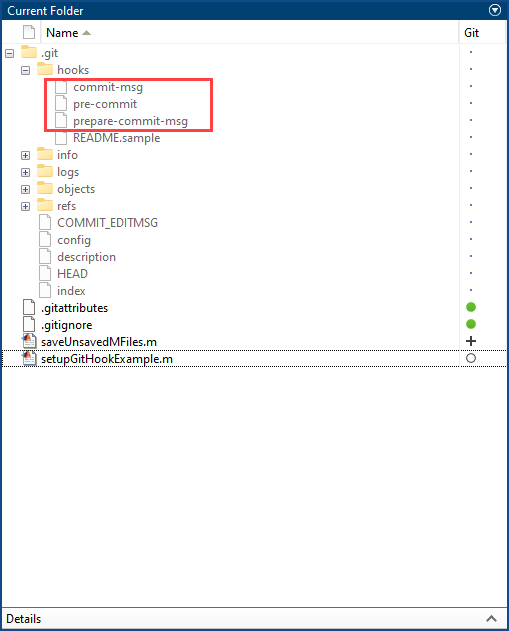
Use Git Hooks in MATLAB
Use Git™ hooks in MATLAB® to standardize your commit workflows. Git hooks are custom scripts that can be triggered by operations such as committing, merging, and pushing commits.
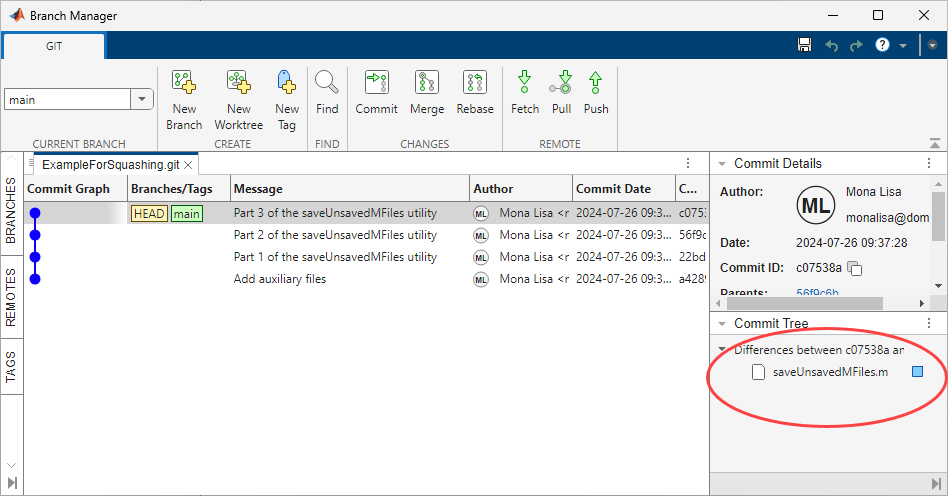
Squash Git Commits in MATLAB
Combine multiple Git™ commits into a single commit in MATLAB®.
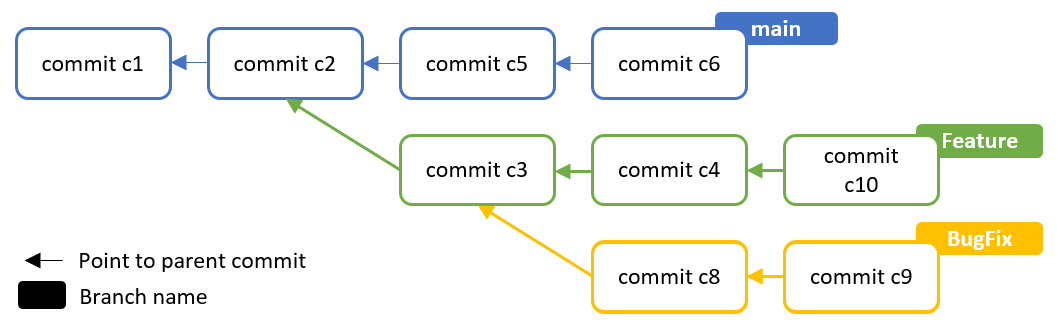
Rebase Git Branch in MATLAB
Create a linear commit history using Git™ rebase in MATLAB®.

Merge Git Branches and Resolve Conflicts Programmatically
Create branch, merge, and resolve conflicts programmatically.

