CompressedImage
R2026b(To be removed) Create compressed image message
CompressedImage object will be removed in a future release. Use message structure format
when you create ROS messages using the rosmessage function, by specifying the Dataformat
name-value argument as "struct". You can use rosReadImage and rosWriteImage functions to read and write compressed image data from ROS
messages respectively. For more information, see ROS Message Structure Functions.
Description
The CompressedImage object is an implementation of the
sensor_msgs/CompressedImage message type in ROS. The object
contains the compressed image and meta-information about the message. You can create
blank CompressedImage messages and populate them with data, or
subscribe to image messages over the ROS network. To convert the image to a MATLAB® image, use the readImage
function.
Only images that are sent through the ROS Image Transport package are supported for conversion to MATLAB images.
Creation
Description
msg = rosmessage('sensor_msgs/CompressedImage')
creates an empty CompressedImage object. To specify image
data, use the msg.Data property. You can also get these
image messages off the ROS network using rossubscriber.
Properties
Object Functions
readImage | (To be removed) Convert ROS image data into MATLAB image |
Examples
Read and write a sample ROS CompressedImage message by converting it.
Load sample ROS messages and inspect the image message. The imgcomp object is a sample ROS CompressedImage message object.
exampleHelperROSLoadMessages
imgcomp
imgcomp =
  ROS CompressedImage message with properties:

    MessageType: 'sensor_msgs/CompressedImage'
         Header: [1×1 Header]
         Format: 'bgr8; jpeg compressed bgr8'
           Data: [30376×1 uint8]

  Use showdetails to show the contents of the message
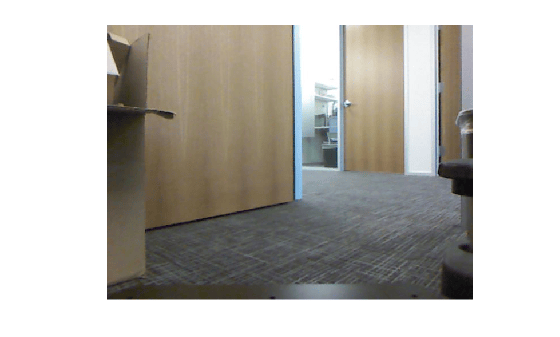
Create a MATLAB image from the CompressedImage message using readImage and display it.
I = readImage(imgcomp);
imshow(I)
compImg = rosmessage('sensor_msgs/CompressedImage')compImg =
ROS CompressedImage message with properties:
MessageType: 'sensor_msgs/CompressedImage'
Header: [1×1 Header]
Format: ''
Data: [0×1 uint8]
Use showdetails to show the contents of the message

