Acceleration
R2026bTo speed up your code while prototyping, you can:
Leverage multiple cores or workers by using the
parforfunction.Run your code on a GPU. Typically, you transfer data to the GPU by using the
gpuArray(Parallel Computing Toolbox) function and then retrieve the output data from the GPU by using thegather(Parallel Computing Toolbox) function. For a list of Communications Toolbox™ features, see Functions and System Objects Supporting GPU Arrays.Run your simulation on a cloud or in a cluster with multiple workers. For more information, see MathWorks Cloud Center (Parallel Computing Toolbox).
Functions
backgroundPool | Environment for running code in the background |
gather | Transfer distributed array, Composite object, or
gpuArray object to local workspace |
gpuArray | Array stored on GPU |
parfor | Parallel for-loop |
Topics
- Background Data Generation
Generate simulation input data in the background while running your simulation loop on parameterized conditions rather than generating the data in advance and recalling the stored data and run time. (Since R2026a)
- Simulation Acceleration Using Parallel Computing Toolbox
Ways to accelerate the simulation of communications algorithms in MATLAB.
- Accelerate Simulation Using GPUs
Speed up your communications system simulation using GPUs.
Featured Examples
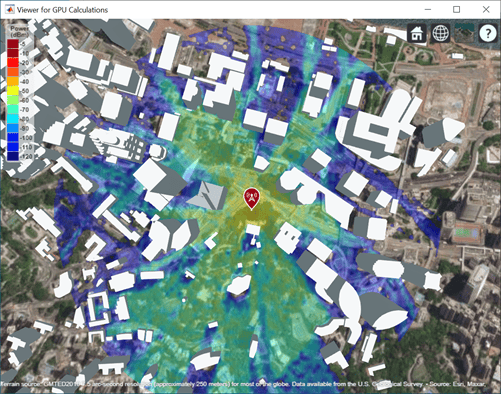
Accelerate Ray Tracing Analysis Using GPU
Perform accelerated ray tracing analysis using a GPU.
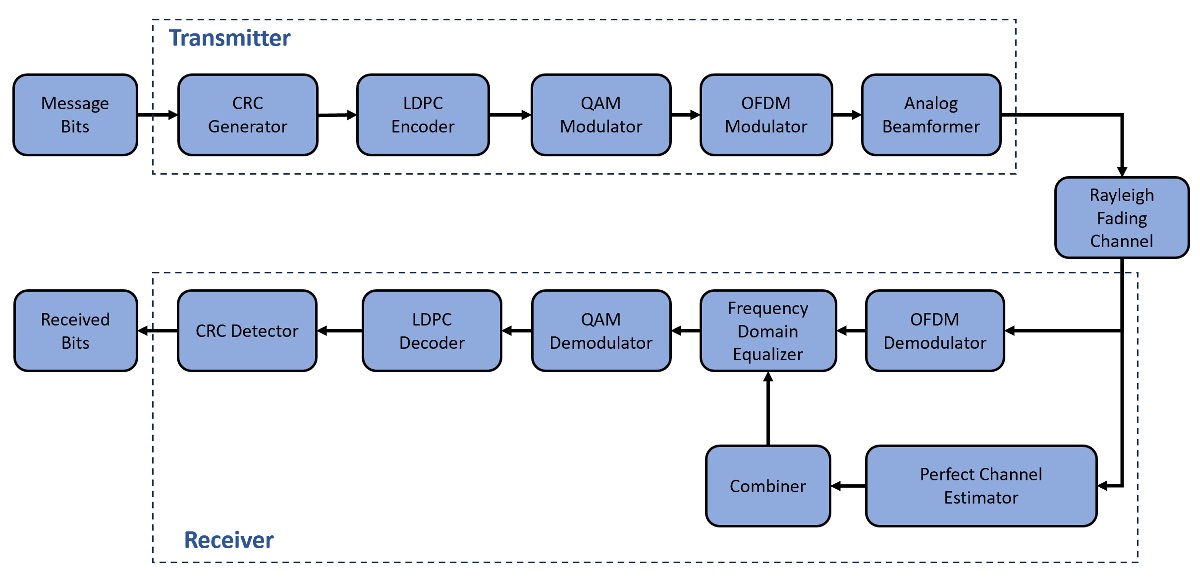
Accelerate MIMO-OFDM Link Simulation Using GPU
Accelerate a MIMO-OFDM link simulation with LDPC channel coding by using a GPU.
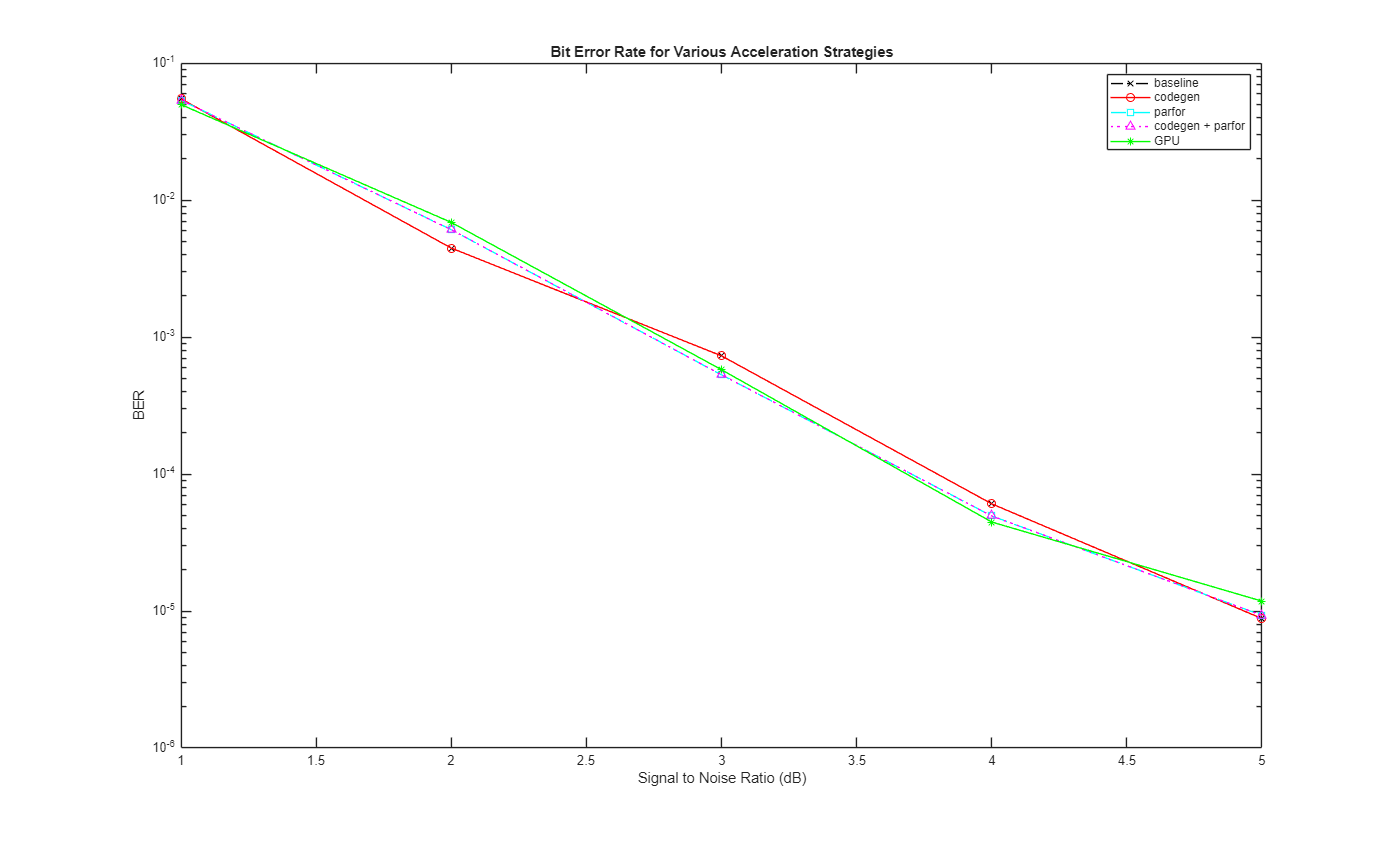
Accelerate SISO Single-Carrier Link Simulation Using GPU
Compare four techniques to accelerate SISO single-carrier link bit error rate (BER) simulations.
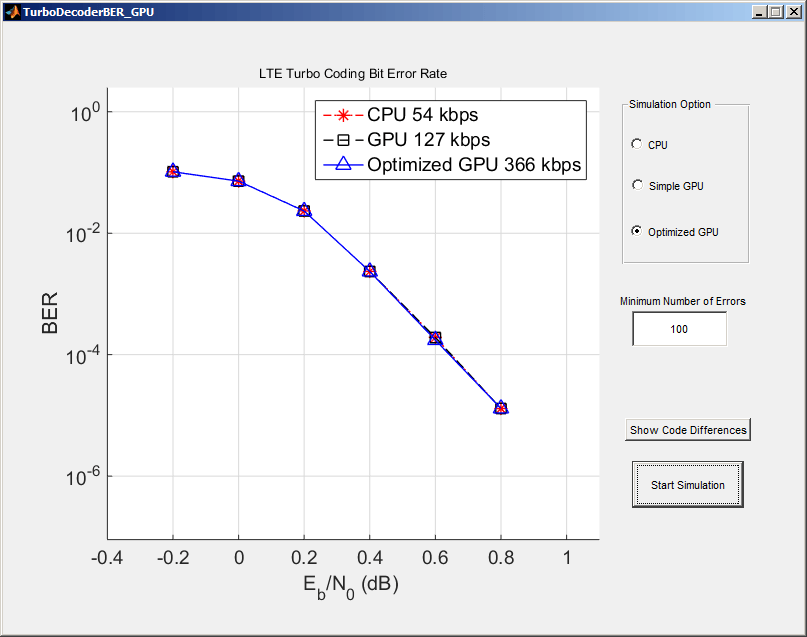
Using GPUs to Accelerate Turbo Coding Bit Error Rate Simulations
Use GPUs to dramatically accelerate bit error rate simulations.
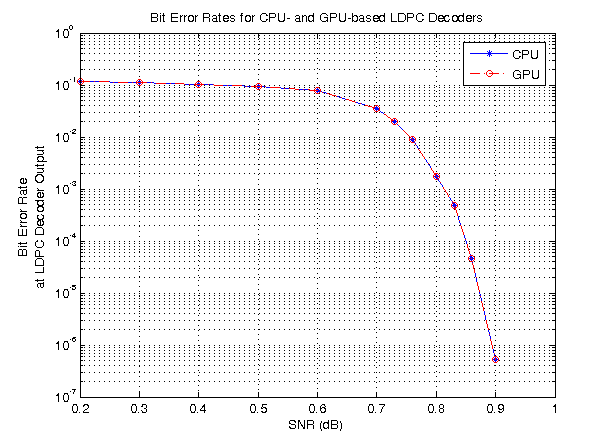
LDPC Link Simulation Using GPU Processing
Use the ldpcDecode function and gpuArray to increase the speed of a communications system simulation.
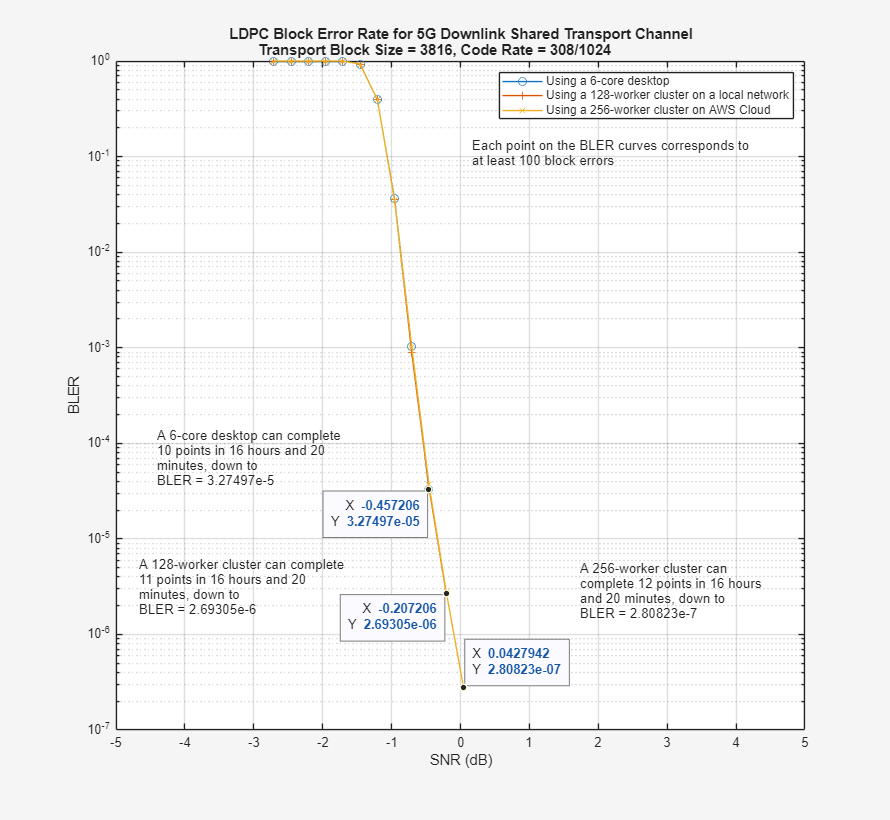
5G LDPC Block Error Rate Simulation Using the Cloud or a Cluster
Use the cloud or a cluster for block error rate (BLER) simulation of low-density parity-check (LDPC) coding for the 5G NR downlink shared transport channel (DL-SCH).

