Resume Training from Checkpoint Network
R2026bThis example shows how to save checkpoint networks while training a deep learning network and resume training from a previously saved network.
Load Sample Data
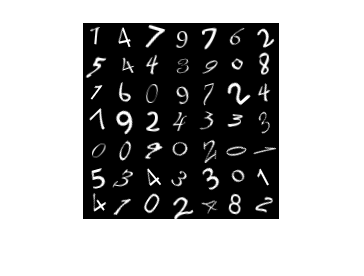
Load the sample data as a 4-D array. digitTrain4DArrayData loads the digit training set as 4-D array data. XTrain is a 28-by-28-by-1-by-5000 array, where 28 is the height and 28 is the width of the images. 1 is the number of channels and 5000 is the number of synthetic images of handwritten digits. YTrain is a categorical vector containing the labels for each observation.
[XTrain,YTrain] = digitTrain4DArrayData;
size(XTrain)
ans = 1×4

    28    28    1    5000
Display some of the images in XTrain.
figure
idx = randperm(size(XTrain,4),49);
I = imtile(XTrain(:,:,:,idx));
imshow(I)
Define Network Architecture
Define the neural network architecture.
layers = [
    imageInputLayer([28 28 1])

    convolution2dLayer(3,8,Padding="same")
    batchNormalizationLayer
    reluLayer
    maxPooling2dLayer(2,Stride=2)

    convolution2dLayer(3,16,Padding="same")
    batchNormalizationLayer
    reluLayer
    maxPooling2dLayer(2,Stride=2)

    convolution2dLayer(3,32,Padding="same")
    batchNormalizationLayer
    reluLayer
    averagePooling2dLayer(7)

    fullyConnectedLayer(10)
    softmaxLayer];
Specify Training Options and Train Network
Specify training options for stochastic gradient descent with momentum (SGDM) and specify the path for saving the checkpoint networks.
checkpointPath = pwd;
options = trainingOptions("sgdm", ...
    InitialLearnRate=0.1, ...
    MaxEpochs=20, ...
    Verbose=false, ...
    Plots="training-progress", ...
    Metrics="accuracy", ...
    Shuffle="every-epoch", ...
    CheckpointPath=checkpointPath);
Train the neural network using the trainnet function. The trainnet function saves one checkpoint network each epoch and automatically assigns unique names to the checkpoint files. For classification, use cross-entropy loss. By default, the trainnet function uses a GPU if one is available. Training on a GPU requires a Parallel Computing Toolbox™ license and a supported GPU device. For information on supported devices, see GPU Computing Requirements (Parallel Computing Toolbox). Otherwise, the trainnet function uses the CPU. To select the execution environment manually, use the ExecutionEnvironment training option.
net1 = trainnet(XTrain,YTrain,layers,"crossentropy",options);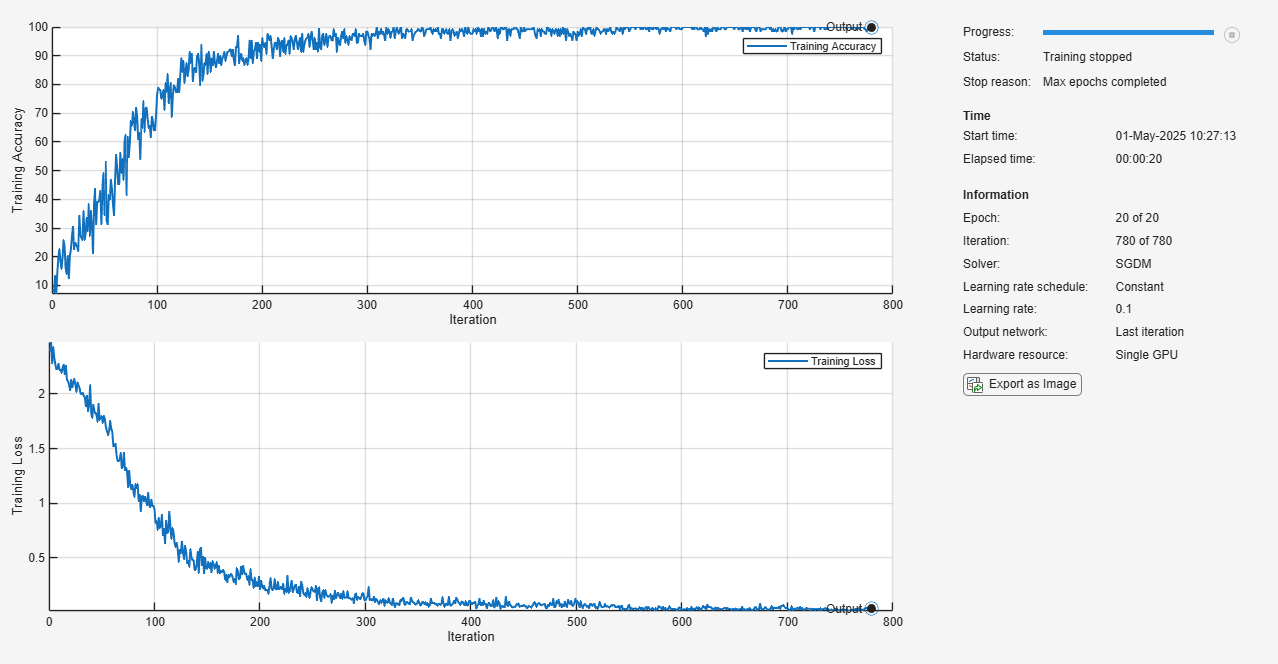
Load Checkpoint Network and Resume Training
Suppose that training was interrupted and did not complete. Rather than restarting the training from the beginning, you can load the last checkpoint network and resume training from that point. The trainnet function saves the checkpoint files with file names on the form net_checkpoint__195__2025_05_01__10_24_32.mat, where 195 is the iteration number, 2025_05_01 is the date, and 10_24_32 is the time trainnet saved the network. The checkpoint network has the variable name net.
Load the checkpoint network into the workspace.
load("net_checkpoint__195__2025_05_01__10_24_32.mat","net")
Specify the training options and reduce the maximum number of epochs. You can also adjust other training options, such as the initial learning rate.
options = trainingOptions("sgdm", ...
    InitialLearnRate=0.1, ...
    MaxEpochs=15, ...
    Verbose=false, ...
    Plots="training-progress", ...
    Metrics="accuracy", ...
    Shuffle="every-epoch", ...
    CheckpointPath=checkpointPath);
Resume training using the layers of the checkpoint network you loaded with the new training options.
net2 = trainnet(XTrain,YTrain,net,"crossentropy",options);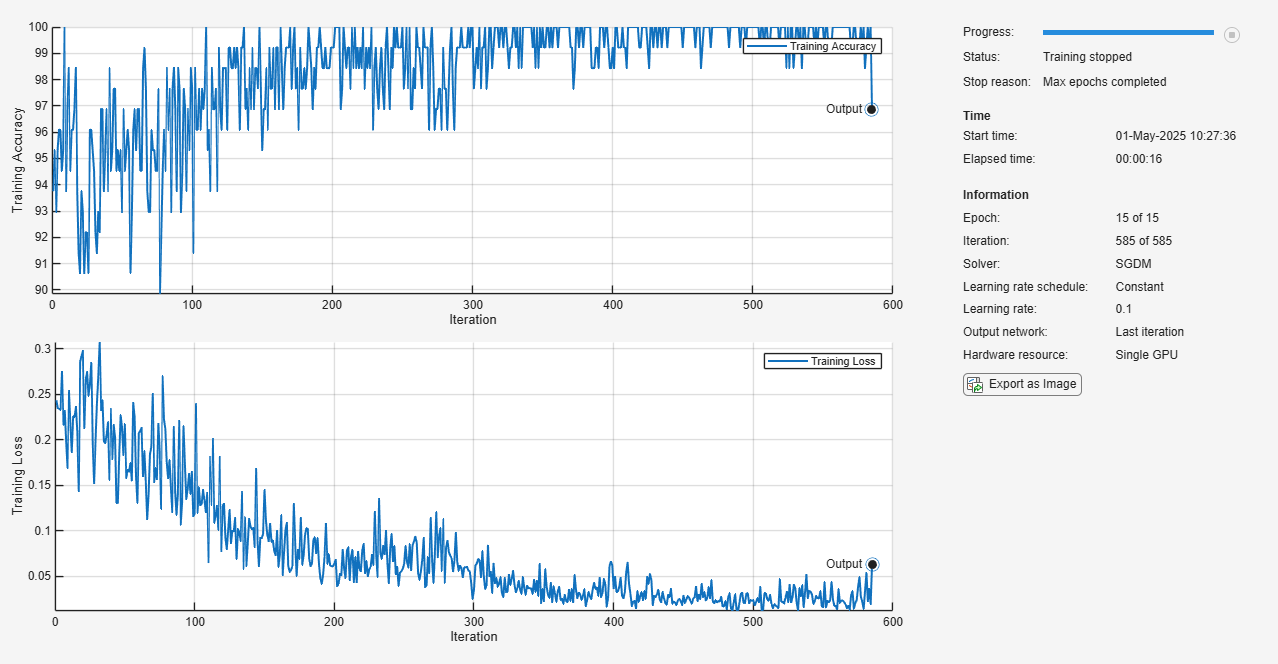
See Also
trainnet | trainingOptions | dlnetwork

