AXI Manager Read
R2026bRead memory locations on FPGA board from Simulink
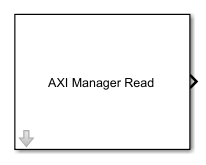
AXI Manager Read block
To add a block to a model, double-click the canvas and start typing the block name. Then, select the block from the list.
Libraries:
SoC Blockset for AMD /
Common /
Host I/O
HDL Coder /
Host IO
Description
The AXI Manager Read block communicates with the AXI manager IP when it is running on an FPGA board. The block forwards read commands to the IP to access memory-mapped locations on the FPGA board.
Note
The AXI Master Read block has been renamed to AXI Manager Read block. For more information, see Version History.
Before using this block, you must create an AXI manager IP and integrate it in your FPGA design. For more information, see Set Up AXI Manager.
Ports
Output
Data read from the FPGA board, returned as a scalar or vector. The output is of
size 1-by-N, where N is the
Output vector size parameter value. The Output data
type parameter sets the data type of this output. The read data from the
FPGA is of type uint32, int32,
uint64, or int64 depending on the data width
of the AXI manager IP on your FPGA. The block converts the data type to the value
specified by the Output data type parameter.
Data Types: uint8 | int8 | uint16 | int16 | half | uint32 | int32 | single | uint64 | int64 | double | fixed point
Parameters
Main
Specify the starting address for the read operation as a nonnegative integer or
hexadecimal value. The hexadecimal addresses must include the 0x
prefix. The block supports the address width of 32, 40, and 64 bits. The block
converts the address data type to uint32 or
uint64 according to the AXI manager IP address width. The address
must refer to an AXI subordinate memory location controlled by the AXI manager IP on
your FPGA board.
Memory Mapping Guidelines
If the AXI manager IP data width is 32 bits, the memory is 4 bytes aligned, and each address is a 4-byte increment (
0x0,0x4,0x8). For example the address0x1returns an error.If the AXI manager IP data width is 64 bits, the memory is 8 bytes aligned, and each address is an 8-byte increment (
0x0,0x8,0x10). For example, specifying the address0x1or0x4are both invalid and return an error.If the AXI manager IP data width is 32 bits and the Burst type parameter is set to
Increment, the block increments the address by 4 bytes.If the AXI manager IP data width is 64 bits and the Burst type parameter is set to
Increment, the block increments the address by 8 bytes.If the AXI manager IP data width is 32 bits and the Output data type parameter is set to
half, the block reads the lower 2 bytes and ignores the higher 2 bytes.If the AXI manager IP data width is 64 bits and the Output data type parameter is set to
half, the block reads the lower 2 bytes and ignores the higher 6 bytes.Do not use a 64-bit AXI manager IP for accessing 32-bit registers.
Example: 262144 (integer)
Example: 0xa4 (hexadecimal)
In Increment mode, the AXI manager reads a vector of
data from contiguous memory spaces starting with the specified address. In
Fixed mode, the AXI manager reads all data from the same address.
Note
The Fixed burst type is not supported for the
PCI Express® interface. Use the Increment burst type
instead.
The block converts the data read out of the FPGA to the specified data type.
Specify the number of memory locations for the block to read. By default, the
block reads from a contiguous address block, incrementing the address for each
operation. To turn off address increment mode and read repeatedly from the same
location, set the Burst type parameter to
Fixed.
When you specify a large operation size, such as reading a block of double data rate (DDR) memory, the block automatically breaks the operation into multiple bursts, using the maximum supported burst size. The maximum supported burst size is 256 words.
Specify the simulation sample time for the block. When you specify
-1 (default), the block inherits the sample time from other
blocks in the system.
To enable reading data from a set of registers with strobe synchronization, select this parameter. Enable this parameter when your FPGA design includes strobe synchronization generated by HDL Coder™. For more information about strobe synchronization, see the "Vector Data Read/Write with Strobe Synchronization" section in IP Core User Guide.
Set the absolute address for the strobe generated with HDL Coder as a nonnegative integer or hexadecimal value. The hexadecimal addresses
must include the 0x prefix. The absolute address is the sum of the
base address and the strobe offset provided by the IP core report.
Example: If the base address is 0x41000000 and offset is
0x110, the absolute address is
0x41000110.
Dependencies
To enable this parameter, select Vector register data with strobe synchronization.
Interface
Specify the interface type for communicating between the host and the FPGA.
Note
AXI manager supports the PS Ethernet and USB Ethernet interfaces for only the AMD® Zynq® devices.
AXI Manager Interface Configuration
To view these parameters, open the AXI Manager Interface Configuration dialog box by clicking Configure global parameters. The visible parameters depend on the Type parameter value.
Global parameters apply to the entire Simulink® model.
Specify the manufacturer of your FPGA board. The AXI manager IP varies depending on the FPGA board type.
Dependencies
To enable this parameter, click Configure global parameters.
Select the data width, in bits, of the AXI manager IP on the FPGA.
For PCI Express, PS Ethernet, or USB Ethernet, set this value to
32. For JTAG or PL Ethernet, set this value to
32 or 64.
Dependencies
To enable this parameter, click Configure global parameters.
Specify the type of JTAG cable used for communication with the FPGA board. Use this parameter when more than one JTAG cable is connected to the host computer.
auto— The block automatically detects the JTAG cable type, in this order:The block first searches for a Digilent® cable.
If the block does not find a Digilent cable, it searches for an FTDI cable.
If the block does not find an FTDI cable, it searches for a Platform Cable USB II.
If the block does not find a Platform Cable USB II, it returns an error. To resolve this error, connect a Digilent cable, an FTDI cable, or a Platform Cable USB II.
If the block finds two cables of the same type, it returns an error. To resolve this error, specify the desired cable name by using the Cable name parameter.
If the block finds two cables of different types, it prioritizes a Digilent cable over an FTDI cable and a Platform Cable USB II. It prioritizes an FTDI cable over a Platform Cable USB II.
FTDI— The block uses an FTDI cable for communication with the FPGA board.PLUSBII— The block uses a Platform Cable USB II for communication with the FPGA board.
For more details, see Select from Multiple JTAG Cables for AMD Boards.
Dependencies
To enable this parameter, set Type to
JTAG and Vendor to
AMD.
Specify this parameter if more than one JTAG cable of the same type are connected to the host computer. If more than one JTAG cable is connected to the host computer, and you do not specify this parameter, the block returns an error. The error message contains the names of the available JTAG cables. For more details, for Intel® boards, see Select from Multiple JTAG Cables for Intel Boards. For AMD boards, see Select from Multiple JTAG Cables for AMD Boards.
Dependencies
To enable this parameter, set Type to JTAG.
Specify the JTAG clock frequency in MHz. The JTAG frequency depends on the type of cable and the maximum clock frequency supported by the FPGA board. Check the board documentation for the supported frequency range.
Dependencies
To enable this parameter, set Type to JTAG.
Specify this parameter value as a nonnegative integer if more than one FPGA or
Zynq device is on the JTAG chain. Otherwise, select auto
(default) for automatic detection of chain position.
Dependencies
To enable this parameter, set Type to
JTAG and Vendor to
AMD.
Specify this parameter value as a nonnegative integer if more than one FPGA or Zynq device is on the JTAG chain.
Dependencies
To enable this parameter, set Type to
JTAG and Vendor to
AMD.
Specify this parameter value as a nonnegative integer if more than one FPGA or Zynq device is on the JTAG chain.
Dependencies
To enable this parameter, set Type to
JTAG and Vendor to
AMD.
Specify the IP address of the Ethernet port or USB Ethernet gadget on the FPGA board.
The target IP address must be a set of four numbers consisting of integers in the range [0,
255] that are separated by dots. The default IP address for the PL Ethernet or PS Ethernet
interface is 192.168.0.2. The default IP address for the USB Ethernet
interface is 192.168.1.2.
Example: 192.168.0.10
Dependencies
To enable this parameter, set Type to PL
Ethernet, PS Ethernet, or USB
Ethernet.
Specify the user datagram protocol (UDP) port number of the target FPGA as an integer from 255 to 65,535.
Dependencies
To enable this parameter, set Type to PL
Ethernet.
Version History
Introduced in R2019bThe AXI Manager Read block supports the AMD Platform Cable USB II. To use this interface, on the
Interface tab, set Type to
JTAG. Then, open the AXI Manager Interface Configuration dialog
box by clicking Configure global parameters. In the dialog box, set
Cable type to PLUSBII.
For more information about hardware and software requirements for this cable, see Supported EDA Tools and Hardware.
The AXI Manager Read block supports the USB Ethernet interface for an
AMD
Zynq board. To use this interface, on the Interface tab, set
Type to USB Ethernet.
The PL Ethernet or PS Ethernet interface replaces the Ethernet interface. To select the
Ethernet interface, on the Interface tab, set Type
to PL Ethernet or PS Ethernet
depending on your hardware board. The Ethernet interface type is
removed.
The UDP interface is renamed to the Ethernet interface. To select the Ethernet
interface, on the Interface tab, set Type to
Ethernet. The UDP interface type is
removed.
The block reads half data from the memory locations on the FPGA
board. The address for the read operation must refer to an AXI subordinate memory location
controlled by the AXI manager IP on your FPGA board.
If the AXI manager IP data width is 32 bits, the memory is 4 bytes aligned, and addresses have 4-byte increments (
0x0,0x4,0x8). In this case, the block reads the lower 2 bytes and ignores the higher 2 bytes.If the AXI manager IP data width is 64 bits, the memory is 8 bytes aligned, and addresses have 8-byte increments (
0x0,0x8,0x10). In this case, the block reads the lower 2 bytes and ignores the higher 6 bytes.
The AXI Master Read block has been renamed to the AXI Manager Read block. In the software and documentation, the terms "manager" and "subordinate" replace "master" and "slave," respectively.
In R2022a, you cannot use a Simulink model that contains the AXI Master Read block. Recreate your model in R2022a by using the AXI Manager Read block.
MATLAB Command
You clicked a link that corresponds to this MATLAB command:
Run the command by entering it in the MATLAB Command Window. Web browsers do not support MATLAB commands.


Seleziona un sito web
Seleziona un sito web per visualizzare contenuto tradotto dove disponibile e vedere eventi e offerte locali. In base alla tua area geografica, ti consigliamo di selezionare: .
Puoi anche selezionare un sito web dal seguente elenco:
Come ottenere le migliori prestazioni del sito
Per ottenere le migliori prestazioni del sito, seleziona il sito cinese (in cinese o in inglese). I siti MathWorks per gli altri paesi non sono ottimizzati per essere visitati dalla tua area geografica.
Americhe
- América Latina (Español)
- Canada (English)
- United States (English)
Europa
- Belgium (English)
- Denmark (English)
- Deutschland (Deutsch)
- España (Español)
- Finland (English)
- France (Français)
- Ireland (English)
- Italia (Italiano)
- Luxembourg (English)
- Netherlands (English)
- Norway (English)
- Österreich (Deutsch)
- Portugal (English)
- Sweden (English)
- Switzerland
- United Kingdom (English)