createMask
R2026bCreate volumetric mask from dicomContours object
Description
BW = createMask(rtContours,roiIndex,spatial)BW, a voxel representation of the specified
ROI roiIndex from the dicomContours object
rtContours. The roiIndex argument specifies
which contour in rtContours to create a mask from.
spatial specifies the location, resolution, and orientation of the
3-D data in world coordinates.
Examples
Read the metadata of a DICOM-RT structure set file [1].
info = dicominfo("RTSTRUCT-VS-SEG-001.dcm");Construct a dicomContours object from the metadata.
rtContours = dicomContours(info);
Display all of the ROI information as a table.
rtContours.ROIs
ans = 4×5 table
    1         'TV'    13×1 cell    13×1 cell      [255;0;0]
    2    'Cochlea'     5×1 cell     5×1 cell    [255;0;255]
    3    'Vol2016'    12×1 cell    12×1 cell    [255;0;255]
    4     '*Skull'    79×1 cell    79×1 cell      [255;0;0]
The createMask function requires an imref3d object that defines the spatial referencing for the new mask.
A common approach is to match the spatial referencing of the scan on which the contour was drawn so you can overlay the mask on the scan volume. This requires the patient position, voxel spacing, and volume size in pixels, which you can get from the scan metadata by using the dicominfo function.
This example specifies values based on the published data set, with spacing in millimeters [1].
imagePositionPatient = [-105.00000002155, -125.02819822065, -77.834300994873];
pixelSpacing = 0.546875;
sliceSpacing = 1.5;
numRows = 384;
numCols = 384;
numSlices = 80;
Calculate the edge-to-edge limits for the mask, in millimeters. The imagePositionPatient metadata specifies the center of the first voxel, so you calculate the minimum edge by subtracting half the pixel size from the patient position value.
xWorldMin = imagePositionPatient(1) - pixelSpacing/2;
xWorldMax = xWorldMin + (numCols * pixelSpacing);
xWorldLimits = [xWorldMin xWorldMax];

yWorldMin = imagePositionPatient(2) - pixelSpacing/2;
yWorldMax = yWorldMin + (numRows * pixelSpacing);
yWorldLimits = [yWorldMin yWorldMax];

zWorldMin = imagePositionPatient(3) - sliceSpacing/2;
zWorldMax = zWorldMin + (numSlices * sliceSpacing);
zWorldLimits = [zWorldMin zWorldMax];
Construct the imref3d object.
R = imref3d([numRows, numCols, numSlices], xWorldLimits, yWorldLimits, zWorldLimits);
Create a 3-D logical mask of the first contour. Specify the third argument as the imref3d object R.
contourIndex = 1;
rtMask = createMask(rtContours,contourIndex,R);
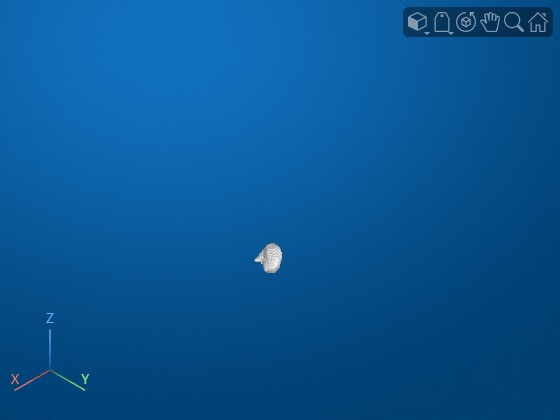
Display the mask as a volumetric image. The mask shows the contoured region of interest TV as a 3-D volume. To overlay a mask on the scan, you can call volshow and specify the input data as the scan volume and the OverlayData name-value argument as the mask.
volshow(rtMask,Transformation=R);
References
[1] Shapey, J., Kujawa, A., Dorent, R., Wang, G., Bisdas, S., Dimitriadis, A., Grishchuck, D., Paddick, I., Kitchen, N., Bradford, R., Saeed, S., Ourselin, S., & Vercauteren, T. (2021). Segmentation of Vestibular Schwannoma from Magnetic Resonance Imaging: An Open Annotated Dataset and Baseline Algorithm (version 2) [Data set]. The Cancer Imaging Archive. https://doi.org/10.7937/TCIA.9YTJ-5Q73. Licensed under the CC-BY-4.0 License available at https://creativecommons.org/licenses/by/4.0/.

