Simulink.BlockDiagram.routeLine
R2026bRoute existing lines of model
Description
Simulink.BlockDiagram.routeLine(
improves the layout of the specified signal lines. The new layout avoids overlaps with other
signal lines, blocks, and annotations.lines)
Simulink.BlockDiagram.routeLine(
performs all signal line layout updates that the "DeferredLines")LineUpdate model
parameter defers while a script runs. For this command to route lines, all of these
conditions must apply:
The value of the
LineUpdatemodel parameter is"deferred".The script that contains this command changes the signal line layout before using this command.
If the script saves models, the script changes the signal line layout after using the
save_systemfunction and before using this command.
Examples
Suppose you have a loaded model named myModel. The
model contains a Subsystem block named mySubsystem.
Improve the layout of the signal lines in the top level of the subsystem.
Get the handle of the Subsystem block.
hBlock = get_param("myModel/mySubsystem","Handle");
Get the line handles. To do so, use the find_system function
with these input arguments.
hBlock— Tells the function to search the subsystemFindAll="on"— By default, the function only searches for models and blocks. Setting this value to"on"extends the search to include signal lines and annotations.SearchDepth=1— Limits the search to the top level of the subsystemType="Line"— Limits the search to signal lines
hLines = find_system(hBlock,FindAll="on",SearchDepth=1,Type="Line")
Improve the layout of the signal lines in the top level of the subsystem.
Simulink.BlockDiagram.routeLine(hLines);
Using a MATLAB® script, modify the signal lines in the model named ex_route_deferred_lines without updating the signal line routing. When the script finishes, update the signal line routing.
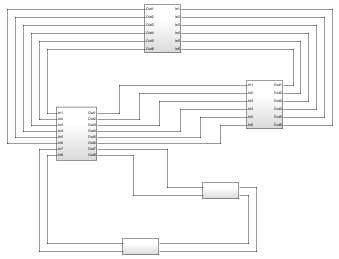
Set the LineUpdate parameter to "deferred".
set_param(0,LineUpdate="deferred");
Run the MATLAB script. The script loads the model, modifies the signal lines, and saves an image of the resulting block diagram.
 mdl = "ex_route_deferred_lines";
 load_system(mdl);
 set_param([mdl+"/Subsystem2"],Position=[765 -370  855 -330]);
 set_param([mdl+"/Subsystem3"],Position=[300  215  390  335]);
 set_param([mdl+"/Subsystem4"],Position=[270 -135  360  -95]);
 print("-s","deferred_lines_unrouted","-dpng");
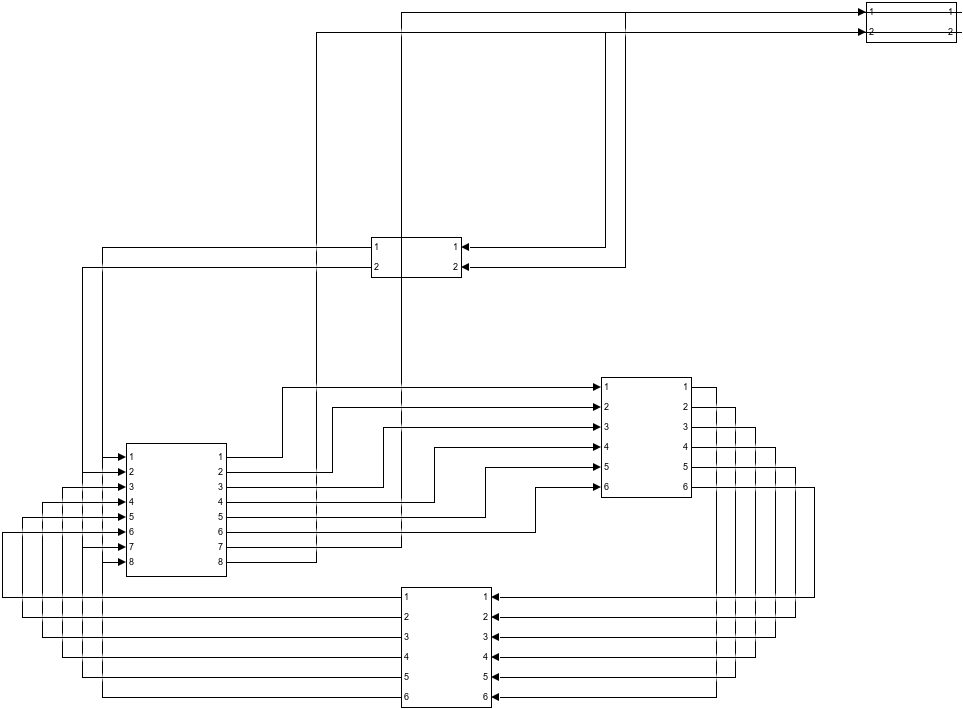
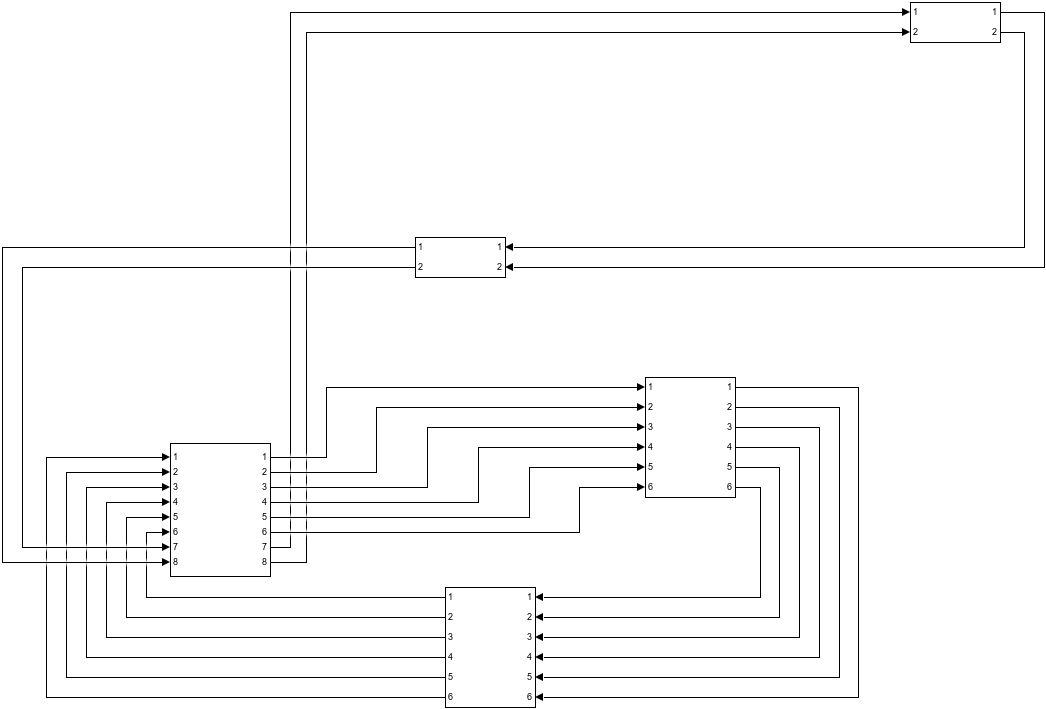
Update the signal line routing and save an image of the resulting block diagram.
 Simulink.BlockDiagram.routeLine("DeferredLines");
 print("-s","deferred_lines_routed","-dpng");
Close the model.
bdclose(mdl);
Input Arguments
Limitations
Line routing can require additional empty space on the Simulink® canvas. If the canvas does not have the required empty space, the
Simulink.BlockDiagram.routeLinefunction might not improve the signal line layout.For large models with many signal lines, running the
Simulink.BlockDiagram.routeLinefunction can take several minutes.
Version History
Introduced in R2019a

