Calibrate Multi-Sensor Intrinsics Using MUN-FRL Dataset
R2026bThis example shows how to calibrate the intrinsic parameters for the sensors in the MUN-FRL multi-sensor platform [1]. You calibrate two cameras using the Camera Calibrator app and specify IMU noise parameters from the sensor datasheet. The estimated intrinsic parameters are used in subsequent extrinsic calibration examples.
Download Calibration Data
Download the camera calibration images from the MUN-FRL calibration dataset. Each zip file contains checkerboard images captured from diverse viewpoints for one camera. You can either manually download the images or use the helperDownloadMUNFRLCameraCalibData helper function to download the files programmatically.
frontCamFolder = helperDownloadMUNFRLCameraCalibData("front");Downloading 38 front-facing camera calibration images... Download complete.
downCamFolder = helperDownloadMUNFRLCameraCalibData("down");Downloading 38 down-facing camera calibration images... Download complete.
Camera Intrinsics Calibration
Camera intrinsics calibration estimates parameters such as focal length, principal point, and lens distortion coefficients. These parameters define how 3-D points in the camera coordinate frame project onto pixels in the image. You estimate intrinsic parameters from multiple images of a calibration pattern captured at different viewpoints.
Calibrate the Front-Facing Camera
Open the Camera Calibrator app and load the calibration images for the front-facing camera.
cameraCalibrator
Then in the app, click Add Images and select the images in the frontFacingCamera folder and set the square-size of the checkerboard to 70 mm. The folder contains 38 color images. Click Calibrate to estimate the camera intrinsic parameters.
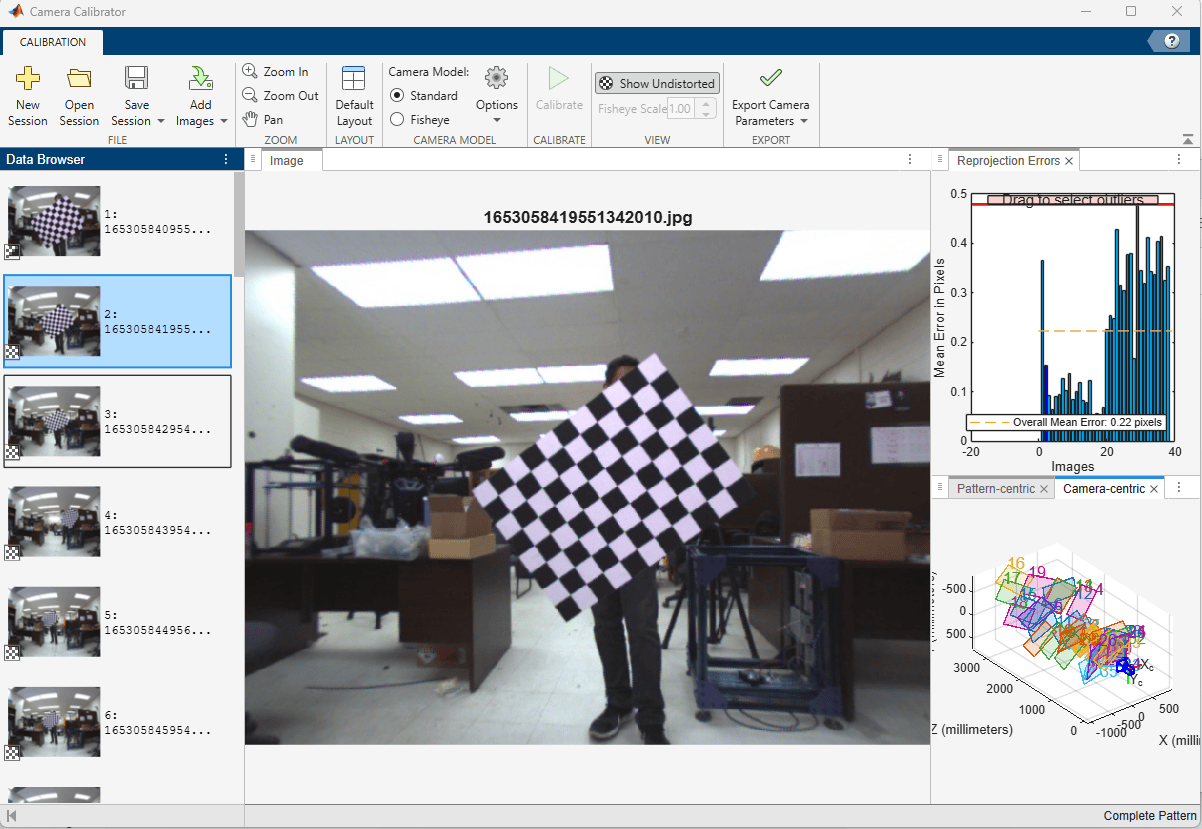
After calibration, the app displays the reprojection errors for each image. Images with high reprojection error may indicate poor pattern detection or motion blur. Examine the reprojection errors. A mean reprojection error below 1 pixel generally indicates a good calibration. Remove images with high reprojection error and re-calibrate if needed. In this example, the reprojection errors of all images are below 1 pixel.
Export the calibration results to the workspace. The app exports a cameraParameters object. Extract the cameraIntrinsics object and save it for use in subsequent calibration steps.
intrinsicsFront = cameraParams.Intrinsics;
save("intrinsicsFront.mat", "intrinsicsFront")
Calibrate the Down-Facing Camera
Click New Session and repeat the same calibration process for the down-facing camera using images in the downFacingCamera folder and the same checkerboard setting.
After the initial calibration, remove the images that have reprojection error larger than 1.5 pixel and re-calibrate. The overall mean reprojection error should reduce to close to 0.34 pixel.
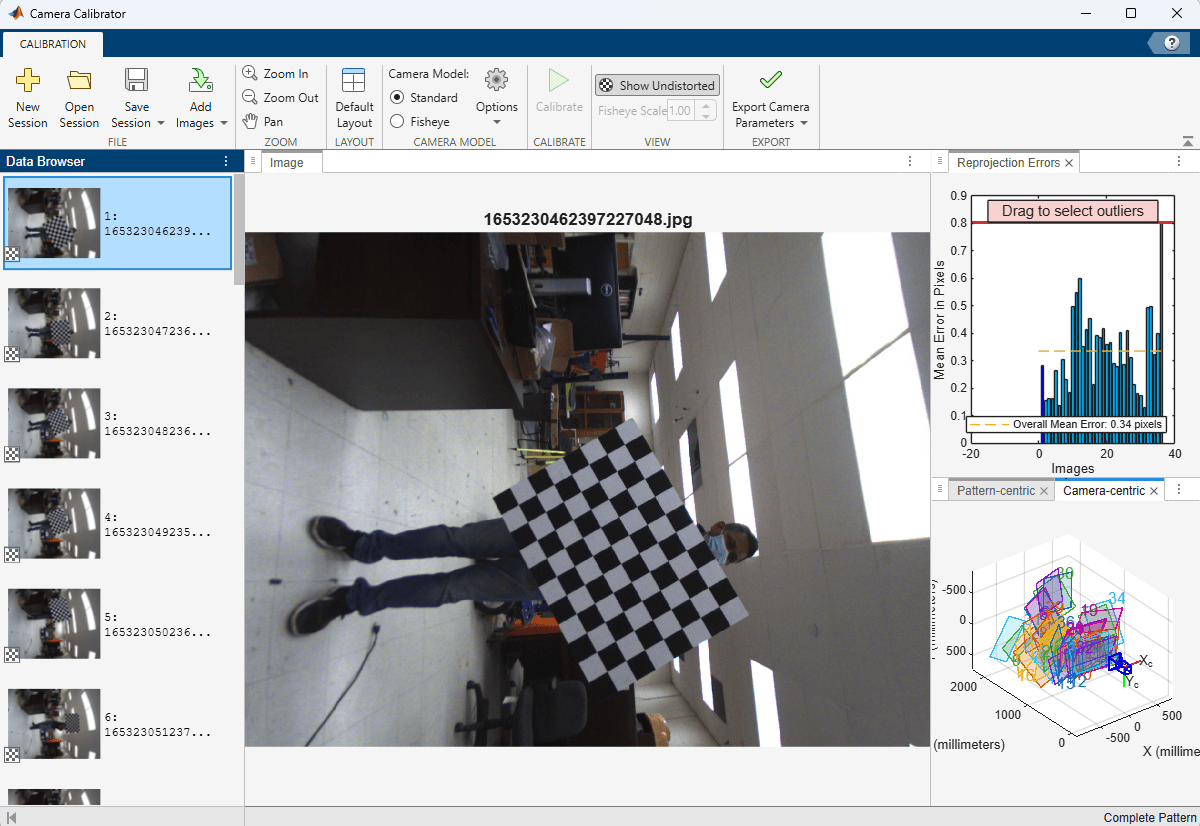
After calibration, export and save the calibration results.
intrinsicsDown = cameraParams.Intrinsics;
save("intrinsicsDown.mat", "intrinsicsDown")
IMU Intrinsics Calibration
IMU intrinsics describe the noise characteristics of the accelerometer and gyroscope. These parameters include measurement noise density and bias random walk, which characterize the short-term noise and long-term drift of the sensor. IMU noise parameters are typically obtained from the sensor datasheet or estimated using Allan variance analysis on long-duration static IMU recordings. For more information, see Inertial Sensor Noise Analysis Using Allan Variance (Navigation Toolbox).
For the Xsens MTi-30 IMU in the MUN-FRL platform, the noise parameters from the dataset calibration page are:
Accelerometer noise density: 0.08 (standard deviation)
Gyroscope noise density: 0.004 (standard deviation)
Accelerometer bias random walk: 0.00004 (standard deviation)
Gyroscope bias random walk: 0.0001 (standard deviation)
Sample rate: 400 Hz
Store these parameters in a factorIMUParameters (Navigation Toolbox) object for use in camera-IMU extrinsic calibration. factorIMUParameters expects noise values as variance (squared standard deviation), not standard deviation. The ReferenceFrame must match the IMU's output convention: "NED" assumes gravity is [0 0 +9.81] m/s² (Z-down), while "ENU" assumes [0 0 -9.81] m/s² (Z-up).
imuParams = factorIMUParameters(AccelerometerNoise=0.08^2*eye(3), GyroscopeNoise=0.004^2*eye(3), ...
    AccelerometerBiasNoise=0.00004^2*eye(3), GyroscopeBiasNoise=0.0001^2*eye(3), ...
    ReferenceFrame="NED", SampleRate=400);

save("imuIntrinsics.mat", "imuParams");
In the next examples, Calibrate Lidar-Camera Extrinsics Using MUN-FRL Dataset and Calibrate Camera-IMU Extrinsics Using MUN-FRL Dataset, you use these intrinsic parameters to estimate the extrinsics between sensor pairs.
References
[1] Thalagala, Ravindu G., Oscar De Silva, Awantha Jayasiri, Arthur Gubbels, George KI Mann, and Raymond G. Gosine. "MUN-FRL: A visual-inertial-LiDAR dataset for aerial autonomous navigation and mapping." The International Journal of Robotics Research 43, no. 12 (2024): 1853-1866.
See Also
Topics
- Calibrate a Multi-Sensor System Using MUN-FRL Dataset
- Calibrate Lidar-Camera Extrinsics Using MUN-FRL Dataset
- Calibrate Camera-IMU Extrinsics Using MUN-FRL Dataset
- Create Multi-Sensor System from Pairwise Calibrations Using MUN-FRL Dataset
- Validate Calibration by Building a Colorized 3-D Map Using MUN-FRL Dataset

