Saving GUI plot to bitmap file without displaying Matlab figure
Mostra commenti meno recenti
Hi all. I have a question. I'm creating code for my company in Matlab (simulation tool), which generates data that can be visualized by e.g. contourf. This data should not be accessible to the end user. Since Matlab figures allow access to all data through the 'get' command, I have to go around making bitmap file directly instead of a figure file.
There is a twist, however, as I am using two GUI's. The main GUI opens a second GUI where the figures are plotted on according to the layout made with GUIDE. So in principle, I want the figure of the secondary GUI to be plotted directly as a bitmap. What would be the easiest way of doing this?
6 Commenti

Walter Roberson
il 10 Ott 2011
Using "print" or "getframe" without having the figure displayed is fairly tricky, and the documented mechanisms tend to fail on some platform or another. Using the file exchange contribution export_fig might _help_, but I do not know if anyone has solved the problem completely.

Tobias Elmøe
il 11 Ott 2011
Robert Cumming
il 11 Ott 2011
why do you need to show the UI Contols? Does the plot (and title/legend/labels not provide enough information?)
Tobias Elmøe
il 11 Ott 2011
Robert Cumming
il 12 Ott 2011
a possible solution then is to move the GUI off the screen and then toggle the visibility on then off on consecitive lines - its not elegent but it works...
Note: you only need to do this once at the start - any updates to uicontrols will be captured...
Tobias Elmøe
il 18 Ott 2011
Risposte (4)
Robert Cumming
il 11 Ott 2011
I have a similar application in it I create postscript files using
print ( GUIHANDLE, '-dpsc', 'TEMP_PS_FILE.ps', '-append', '-loose' )
(Note: this can be done with figure hidden), then I convery this PS file to a PDF file using
On PC: ps2pdf
On LINUX: use LINUX ghostscript.
The reason I picked PS was for vector graphics -> therefore you dont get "fuzzy" pictures or end up with really big files. Ofcourse the actual data iremains invisible to the end user.
FYI: I run this as a compiled exe with no GUI shown to the user. It is controlled/customised by the user through a control file (it runs in batch)

Grzegorz Knor
il 10 Ott 2011
e.g.:
h = figure('Visible','off');
plot(1:10)
print(h,'-dbmp','example')
close(h)

Malcolm Lidierth
il 11 Ott 2011
0 voti
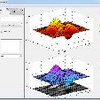
You could draw the figure using Java. The FEX has several examples using JFreeChart. The pic below shows one using a standard MATLAB example and the Project Waterloo Graphics Library - but that is not yet ready for distro I am afraid.

2 Commenti
karan
il 24 Nov 2011
how did u upload an image at matlab answers????
Walter Roberson
il 24 Nov 2011
http://www.mathworks.com/matlabcentral/answers/7924-where-can-i-upload-images-and-files-for-use-on-matlab-answers

Daniel Shub
il 18 Ott 2011
0 voti
"Since Matlab figures allow access to all data through the 'get' command, I have to go around making bitmap file directly instead of a figure file."
You could of course either compile your entire application or just compile the portion of the application that generates the bitmap.
I would bet that you could still extract the data from figures with visibility turned off that are only displayed for 1 line. Off the top of my head I would think that overloading the print command would make this pretty easy.
Categorie
Scopri di più su Creating, Deleting, and Querying Graphics Objects in Centro assistenza e File Exchange
Prodotti
il 10 Ott 2011
Community Treasure Hunt
Find the treasures in MATLAB Central and discover how the community can help you!
Start Hunting!
Translated by 

