Risultati per

Software‑defined vehicles are becoming reality—and this #3 ranked session shows how. In this keynote, Daniel Scurtu (NXP) demonstrates how MathWorks and NXP are working together to accelerate system‑level embedded development.
🔋 Using a vehicle electrification demo that runs across multiple NXP processors, you’ll see:
- Model‑Based Design workflows from concept to deployment
- Intelligent battery management and motor control
- Automatic code generation and hardware deployment
- ☁️ Real‑time cloud analytics and over‑the‑air updates
🛠️ Featuring MATLAB and Simulink products alongside NXP tools like Model-based Design Toolbox (MBDT), S32 Design Studio IDE, and Real-Time Drivers (RTD), this session highlights an end‑to‑end approach that reduces complexity and speeds the transition to software‑defined vehicles.

What’s New in MATLAB and Simulink in 2025
If you missed this session live, this is one of those “everyone’s talking about it” updates you’ll want to catch up on. 👀
This session is packed with the kinds of enhancements that quietly (and not so quietly) change how you work every day.
Here’s why it earned a spot in our Top 4:
- A redesigned MATLAB desktop with customizable sidebars and light/dark themes—built to adapt to how you work
- New side panels for coding and development tasks, plus more control over organizing and customizing figures
- MATLAB Copilot, a generative AI assistant optimized for MATLAB to help you explore ideas, learn techniques, and boost productivity directly in the desktop
- Simulink workflow improvements like a redesigned Simulink scope, more detailed info in quick insert, and automatic signal line straightening
- Enhanced Python integration across MATLAB and Simulink
- New AI deployment options optimized for Qualcomm and Infineon hardware targets
If staying current with MATLAB and Simulink is part of your role—or your edge—this session is a must‑watch. Missing it means missing context for features that will shape how you work in 2026 and beyond.
💬 Discussion topic:
Which single update from this release do you think will most improve your day‑to‑day workflow, and why?

🤖 What does it take to make robotic motion feel… human?
In this session, Tetsushi Sotowa shares how NSK is combining advanced control techniques with deep learning to enable human‑like grasping in electric grippers
You’ll see a real‑world case study featuring:
- Bilateral and force control systems developed in‑house
- MATLAB and Simulink–based control workflows
- Deep learning integration using Deep Learning Toolbox
- A practical path from mechatronics research to intelligent actuation
The result: an AI‑enhanced actuator capable of more natural, responsive grasping—bringing robotics one step closer to human motion.
👉 Interested in AI‑driven robotics and advanced control? Check out the session now from MATLAB EXPO 2025.
🚀 Unlock Smarter Control Design with AI
What if AI could help you design better controllers—faster and with confidence?
In this session, Naren Srivaths Raman and Arkadiy Turevskiy (MathWorks) show how control engineers are using MATLAB and Simulink to integrate AI into real-world control design and implementation.
You’ll see how AI is being applied to:
🧠 Advanced plant modeling using nonlinear system identification and reduced order modeling
📡 Virtual sensors and anomaly detection to estimate hard-to-measure signals
🎯 Datadriven control design, including nonlinear MPC with neural statespace models and reinforcement learning
⚡ Productivity gains with generative AI, powered by MATLAB Copilot

In a recent blog post, @Guy Rouleau writes about the new Simulink Copilot Beta. Sign ups are on the Copilot Beta page below. Let him know what you think.
Guy's Blog Post - https://blogs.mathworks.com/simulink/2025/12/01/a-copilot-for-simulink/
Simulink Copilot Beta - https://www.mathworks.com/products/simulink-copilot.html
Get ready to roll up your sleeves at MATLAB EXPO 2025 – our global online event is back, and this year we’re offering 10 hands-on workshops designed to spark innovation and deepen your skills with MATLAB Online and Simulink Online.
Whether you're exploring AI, modeling batteries, or building carbon trackers, these live workshops are your chance to:
- Work directly in MATLAB and Simulink Online
- Solve real-world challenges with guidance from MathWorks experts
- Connect with peers across industries
- Ask questions and get live feedback
Join the Experience to learn more about each workshop below!
Which workshop are you most excited to attend?!
Day 1:
- Beyond the Labels: Leveraging AI Techniques for Enlightened Product Choices
- A Hands-On Introduction to Reinforcement Learning with MATLAB and Simulink
- Curriculum Development with MATLAB Copilot and Generative AI
- Simscape Battery Workshop
- Generating Tests for your MATLAB code
Day 2:
- Hands-On AI for Smart Appliances: From Sensor Data to Embedded Code
- A Hands-On Introduction to Reduced Order Modeling with MATLAB and Simulink
- Introduction to Research Software and Development with Simulink
- Hack Your Carbon Impact: Build and Publish an Emissions Tracker with MATLAB
- How to Simulate Scalable Cellular and Connectivity Networks: A Hands-On Session
We look forward to Accelerating the Pace of Engineering and Science together!


Hey everyone,
I’m currently working with MATLAB R2025b and using the MQTT blocks from the Industrial Communication Toolbox inside Simulink. I’ve run into an issue that’s driving me a bit crazy, and I’m not sure if it’s a bug or if I’m missing something obvious.
Here’s what’s happening:
- I open the MQTT Configure block.
- I fill out all the required fields — Broker address, Port, Client ID, Username, and Password.
- When I click Test Connection, it says “Connection established successfully.” So far so good.
- Then I click Apply, close the dialog, set the topic name, and try to run the simulation.
- At this point, I get the following error:Caused by: Invalid value for 'ClientID', 'Username' or 'Password'.
- When I reopen the MQTT config block, I notice that the Password field is empty again — even though I definitely entered it before and the connection test worked earlier.
It seems like Simulink is somehow not saving the password after hitting Apply, which leads to the authentication error during simulation.
Has anyone else faced this? Is this a bug in R2025b, or do I need to configure something differently to make the password persist?
Would really appreciate any insights, workarounds, or confirmations from anyone who has used MQTT in Simulink recently.
Thanks in advance!

Hello to all!
I would like to share with the Matlab and Simulink community this video about Neural Networks in Simulink.
This is a series of videos that use a multilayer perceptron implemented in Simulink as a case study. Why Simulink? Because it's a visual and intuitive modeling tool, you can see the forward propagation of this network and better understand the flow. The objective of this series is to show the implementation using Simulink for both simulation and Arduino, as well as its training using Matlab and Matlab with Deep Learning Toolbox, and a video of training with Python.
The video is in Spanish, but the Simulink model is available in English for the entire community; subtitles are also available.
The files are located in the first comment of each video. We hope you find it interesting and enjoyable. Best regards!
Here I share the link to the first video.

Hello,
I've successfully tested the Processor-in-the-Loop (PIL) workflow in Simulink using a TI F28069M LaunchPad, following the standard examples provided by MathWorks. The PIL block, code generation, and communication all worked without issues.
Now, I’d like to run a similar PIL setup using the Infineon TLE9879 EVALKIT (based on an ARM Cortex-M0), which is not officially supported by Simulink as a target.
I’m wondering if it’s possible to configure PIL manually or via custom workflows. For example:
- Can I create a custom PIL target using Embedded Coder?
- Would I need to port rtiostream manually for communication over UART?
- Could I somehow integrate with Keil µVision (which I use for TLE9879) to build and run the generated code?
- Is there a workaround to simulate PIL behavior using a non-supported board?
My setup:
- Simulink R2024b
- Infineon TLE9879 EVALKIT
- Keil µVision 5 + Infineon Config Wizard
- UART and JTAG interfaces available
The main purpose is to validate control algorithms and measure execution time, not to implement a full HIL system.
Has anyone attempted PIL with a custom or unsupported microcontroller before? Any tips or resources would be greatly appreciated. Thanks in advance!

Hello Everyone,
I'm running an IoT project at my university using a free . Basically, my system uploads the sensor data to 4 different fields of a ThingSpeak channel and I'm reading from or writing to the channel through Simulink. I have a few questions regarding this topic:
- I'm trying to upload to the server every 3 seconds (which seemed to be providing the best results so far). Since the channel only accepts data transmit every 15 seconds, what is the optimized upload interval rate to match the interval rate of the channel? Because otherwise I have realized that my interval rate can go up to 1min sometimes for some reason.
- Is reading from/writing to the channel through simulink while the system is uploading data to the channel slow down th whole process? What is your overall suggestion in this case?
I'm excited to hear your suggestions and experiences!
Regards,
Ege

Hi Everyone. I am facing a problem while connecting the FMU to the buses. I have one FMU which expects 9 inputs and I did clarify the same while using bus creator. But in the end i am getting this error which i am trying to solve for couple of hours but didn't get any solution. So if any knows about the same please help me. I would give details as well if you need any other information. 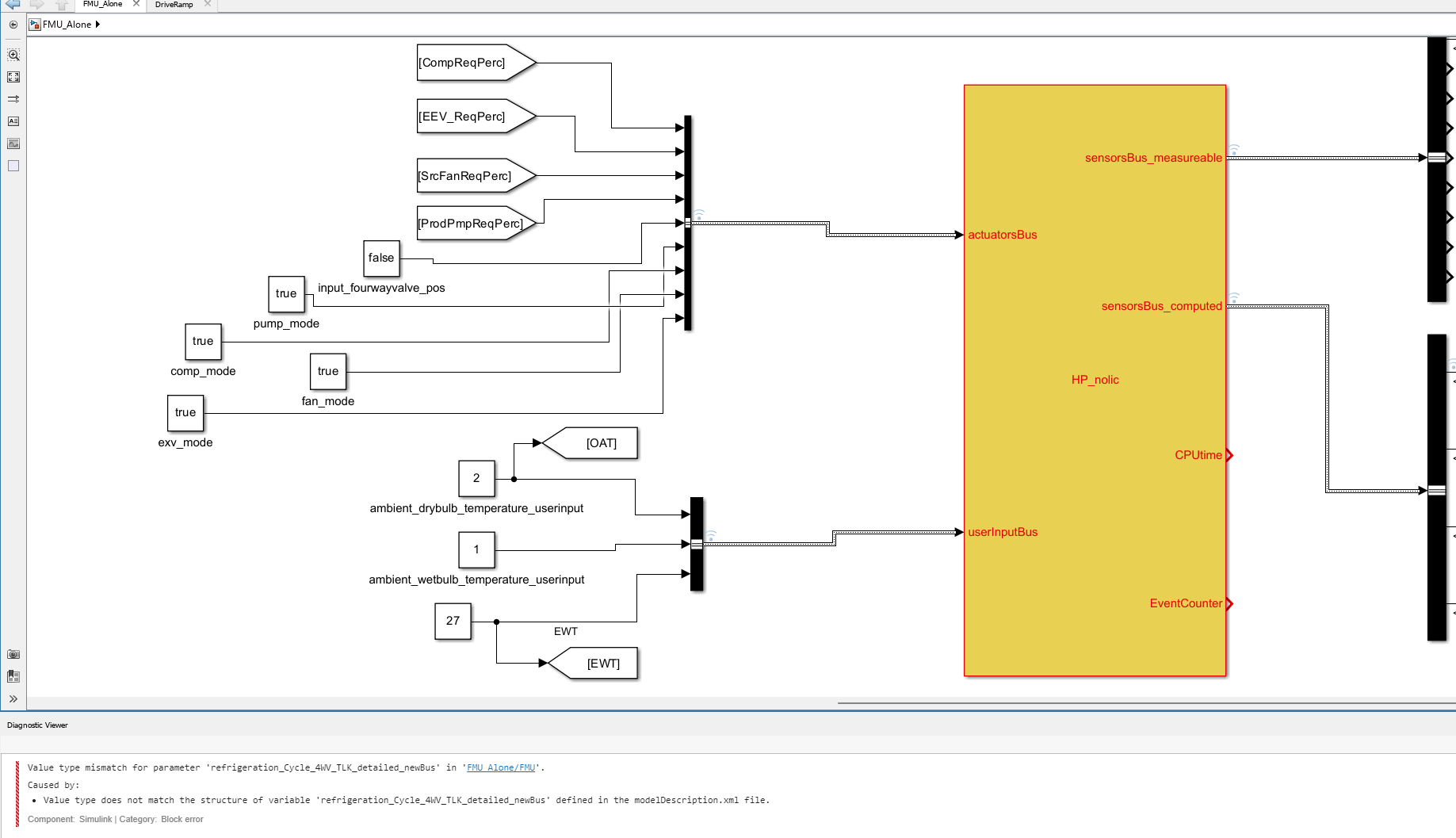

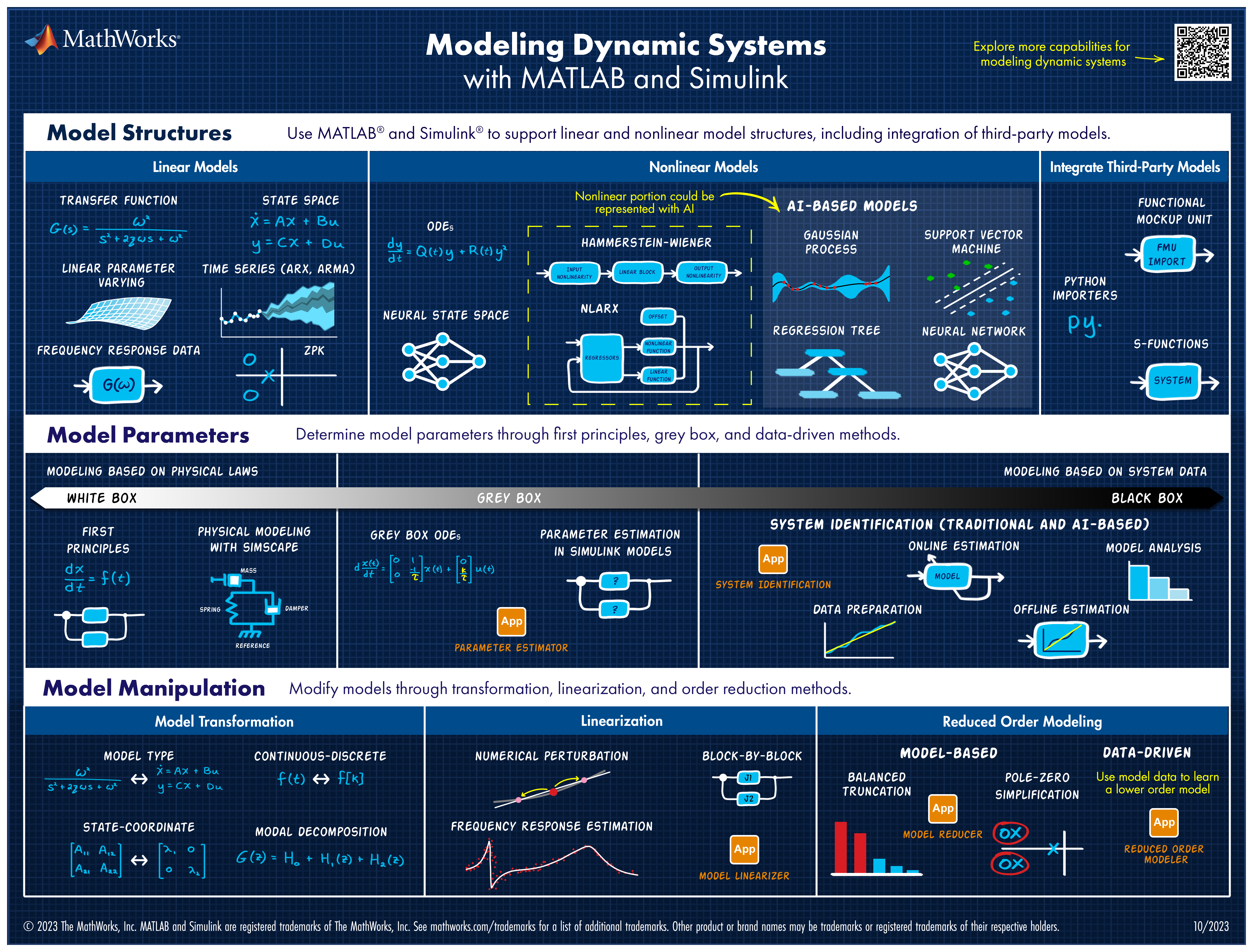
Explore all the capabilities for Modeling Dynamic Systems while keeping them handy with this Cheat Sheet - Download Now.
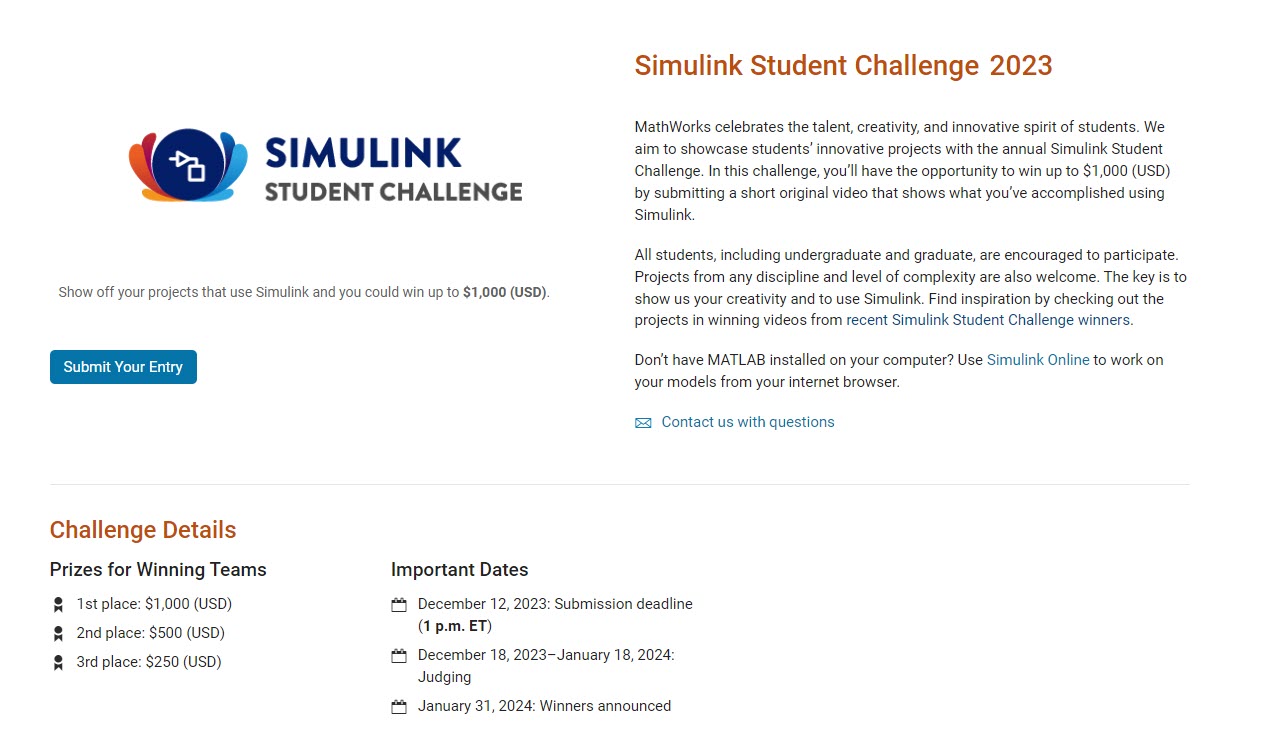
Exciting news for students! 🚀Simulink Student Challenge 2023 is live! Unleash your engineering skills and compete for exciting rewards. Submission deadline is December 12th, 2023!

Hi
I am a beginner in MATLAB. I am trying to stimulate RF energy harvesting. Is it possble to stimulate this using simulink? Kindly help me. Thank You.

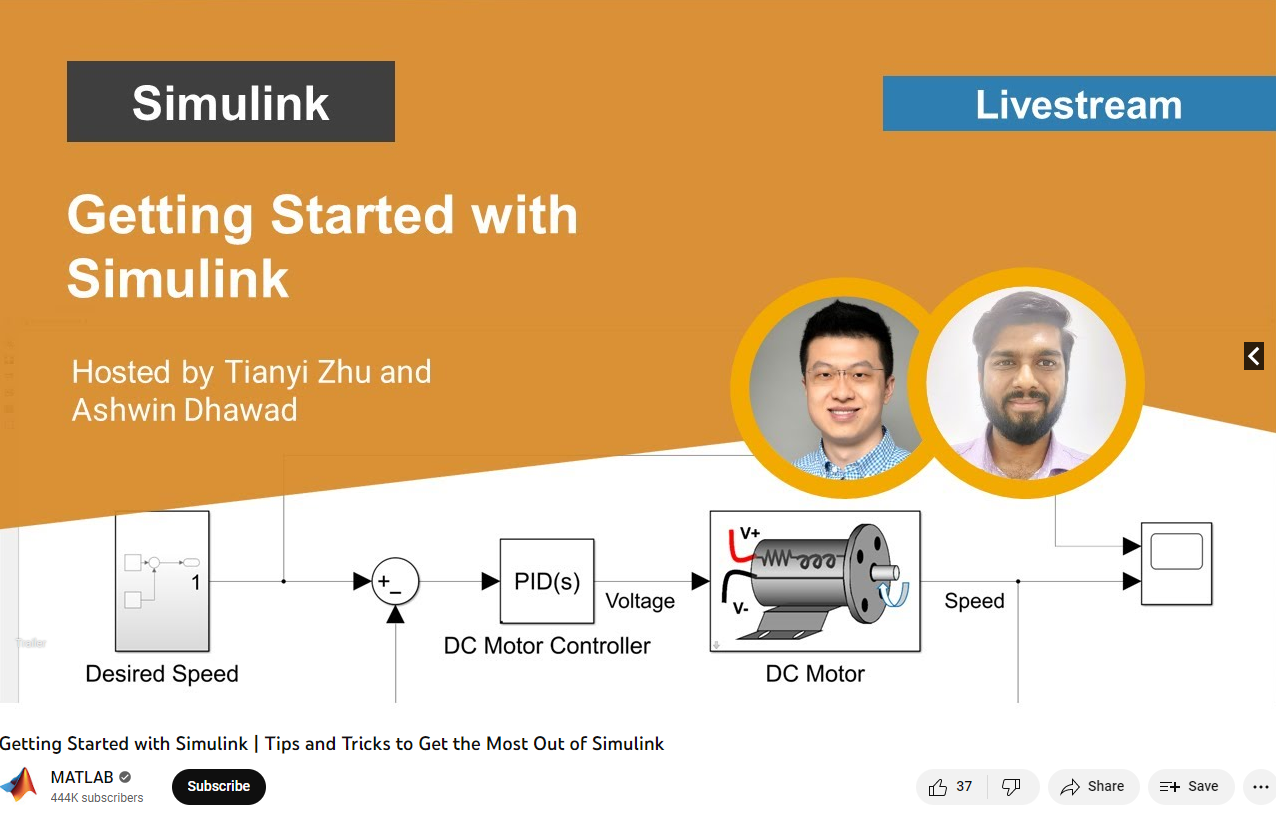
Getting Started with Simulink | Tips and Tricks to Get the Most Out of Simulink
Watch live as Tianyi Zhu and Ashwin Dhawad walk through how you can get started with Simulink by modeling, simulating, and tuning a PID controller for a DC Motor. This session isn’t just for beginners; they will show you the latest and greatest tips and tricks to help you get the most out of Simulink.

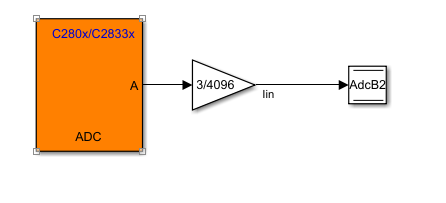
I am using simulink to generate a simple ADC sampling code. I configured ADC module in software mode, which updates the sampled value according to the sample time configured in the module. I set the sample time to 1e-4, 1e-5, 1e-6 respectively. But it seems that the sampling speed did not reach the value I set. I suspect it has something to do with the read and write operations, but I am not sure if that's the reason.
I also tried to do it using PWM event to trigger the start of conversion of ADC. Same problem happened. Because I connect a potentiometer and turn its knob slowly, the Graph on CCS is correct while when I turn it very quickly, the graph is not able to keep up with my movements. So the sampling rate is surely not enough. I wonder what I should do to successfully configure this model, thanks in advance!

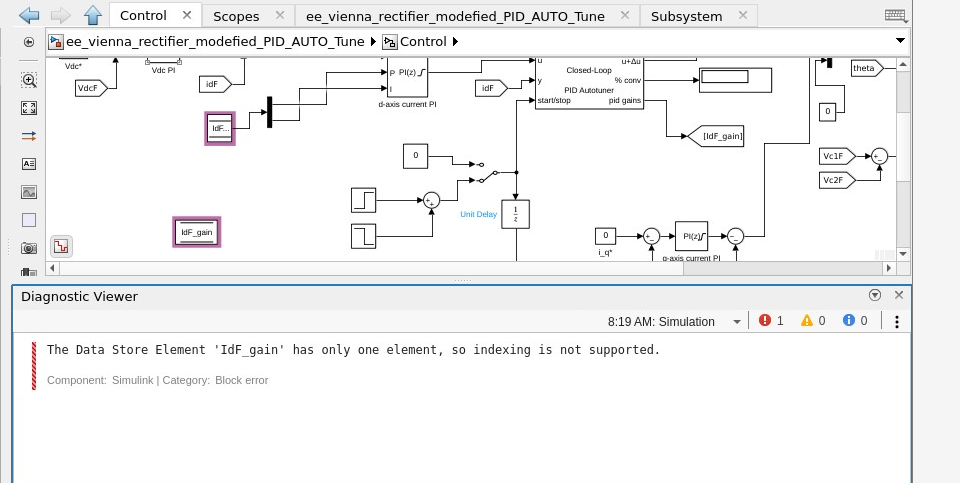
I am facing an issue in data store memory block using store memory Read and write Block in matlab simulink. I have attached the screen short in which the posed error has been depicted.

Hi, I want to collect the simulation data by using NASA HL-20 model, then the data will transmit to ThingSpeak. However, I don't have the block for ThingSpeak Channel at the Simulink Library Browser. Is it because the block has its own version of simulink (meaning I have to update my version) or is there any else that I don't know? Besides, can you suggest which methods are suitable for me to successfully transfer the simulation data to ThingSpeak?

Simple app created using Simulink support package for Android device. App created but data is not getting logged on thingspeak channel the error msg on app log is as attached.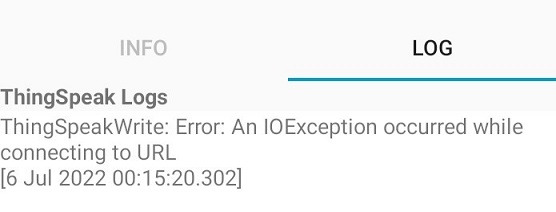

I am trying to simulate a 3 phase induction motor on Simulink by using its dynamic model. This is the information in its datasheet:

It also has 4 poles and J = 0.0117 kgm², star connection. After calculate parameters, I get these values:
Lm = 0.176 H; Rr=Rs = 0.613Ω; Llr=Lls = 0.00669 H.
Also in the datasheet, they said that the output torque = 705 Nm at speed 35 rpm, but the model cannot reach that value. The simulation motor run backward if applied torque greater than 70 Nm ( at about 1200 rpm). But in reality, this motor can withstand 705 Nm, I have seen it run.
Can someone help me with this problem? Thank you

