Train Neural Network with Weight Tying
R2026bThis example shows how to train a neural network with weight tying by passing learnable parameters between layers.
Weight tying, also known as weight sharing or learnable parameter sharing, is a technique that allows different layers in a neural network to use the same set of learnable parameters. Because the neural network stores only one copy of the learnable parameters, weight tying can reduce the memory footprint of the neural network. Use weight tying for layers that learn similar features, for example, in language models [1] and autoencoders [2].
This example shows how to create and train a neural network with weight tying by passing the shared learnables between layers by using the InputLearnables and OutputLearnables layer properties (introduced in R2025b). In previous releases, you can create a neural network with weight tying by using nested layers. For an example, see Weight Tying Using Nested Layer.
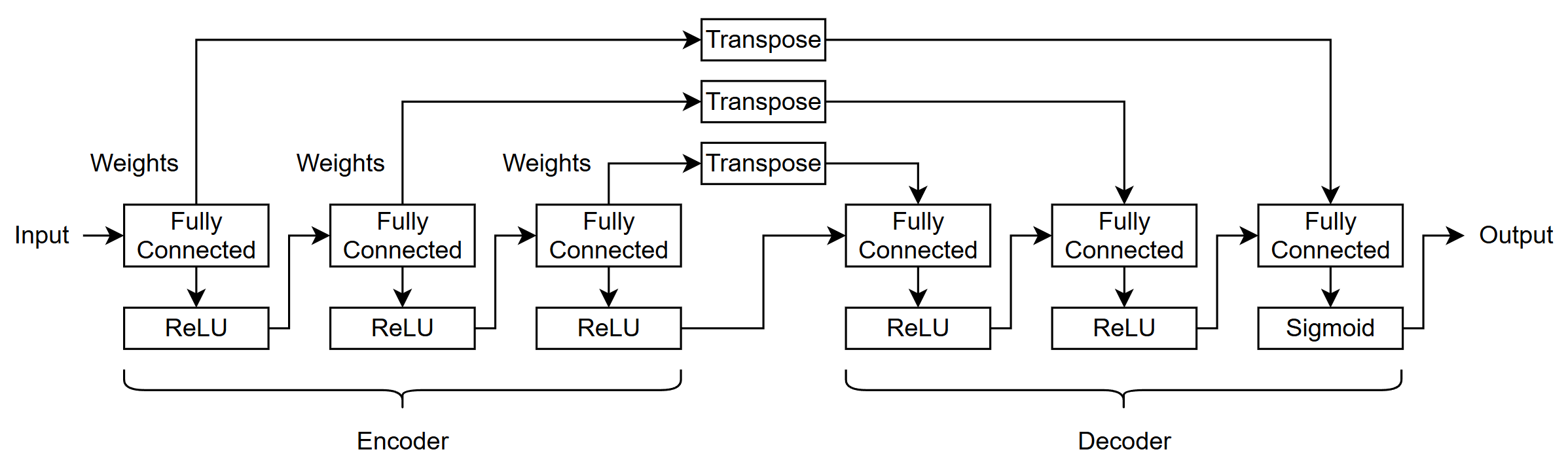
This example trains an autoencoder for image data that uses fully connected layers that share weights. This diagram shows the neural network architecture.
Load Data
Load the training and test data from the MAT files DigitsDataTrain.mat and DigitsDataTest.mat, respectively. The training and test data sets each contain 5000 synthetic images of handwritten digits.
load DigitsDataTrain.mat
load DigitsDataTest.mat
View the size of the images in the training data.
inputSize = size(XTrain, [1 2 3])
inputSize = 1×3

    28    28    1
Define Neural Network Architecture
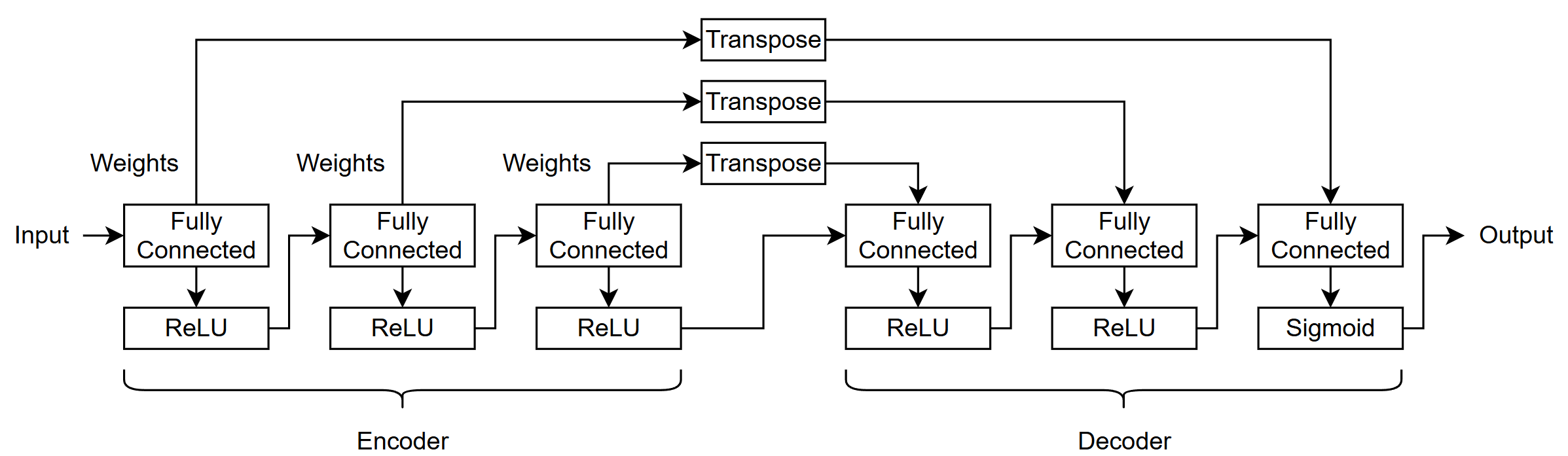
Autoencoders consist of two parts: The encoder that downsamples the input image into a latent representation, and the decoder that reconstructs the image from the latent representation. This diagram shows the neural network architecture used in this example.
Specify the output sizes of the fully connected layers as 784, 392, and 196, respectively.
encoderSizes = [784 392 196];
To help build the neural network programmatically, specify names for the layers.
nameIn = "in";
nameFCEnc = "fc_enc";
nameReLUEnc = "relu_enc";
nameFCDec = "fc_dec";
nameReLUDec = "relu_dec";
nameTranspose = "transpose";
nameReshape = "reshape";
nameReformat = "reformat";
Specify the number of fully connected blocks and the sizes of the decoder layers.
numBlocks = numel(encoderSizes);
decoderSizes = [fliplr(encoderSizes(1:end-1)) prod(inputSize)];
Create an empty neural network and add the input layer.
net = dlnetwork;

layer = imageInputLayer(inputSize, ...
    Normalization="none", ...
    Name=nameIn);

net = addLayers(net,layer);
Add the encoder layers. For each block, add a fully connected layer and a ReLU layer and connect them to the previous layers in the network. To share the fully connected layer weights with the decoder layers, set the OutputLearnables property of the fully connected layers to "Weights".
namePrev = nameIn;

for i = 1:numBlocks
    sz = encoderSizes(i);
    nameFC = nameFCEnc + i;
    nameActivation = nameReLUEnc + i;

    layers = [
        fullyConnectedLayer(sz,OutputLearnables="Weights",Name=nameFC)
        reluLayer(Name=nameActivation)];

    net = addLayers(net,layers);
    net = connectLayers(net,namePrev,nameFC);

    namePrev = nameActivation;
end
Add the first numBlocks-1 decoder layers. For each block, add a fully connected layer and a ReLU layer and connect them to the previous layers in the network. To use the weights from the encoder fully connected layers, set the InputLearnables property of the fully connected layers to "Weights".
for i = 1:numBlocks-1
    sz = decoderSizes(i);
    nameFC = nameFCDec + i;
    nameActivation = nameReLUDec + i;

    layers = [
        fullyConnectedLayer(sz,InputLearnables="Weights",Name=nameFC)
        reluLayer(Name=nameActivation)];

    net = addLayers(net,layers);
    net = connectLayers(net,namePrev,nameFC+"/in");

    namePrev = nameActivation;
end
Add the last decoder fully connected, sigmoid, and reshape layers and connect them to the previous layers. To use the weights from the first encoder fully connected layer, set the InputLearnables property of the fully connected layer to "Weights". The fully connected layer output does not have spatial dimensions. To reshape the output of the fully connected layer to have spatial dimensions, use a reshape layer that operates over spatial and channel dimensions.
sz = decoderSizes(numBlocks);
nameFC = nameFCDec + numBlocks;

layers = [
    fullyConnectedLayer(sz,InputLearnables="Weights",Name=nameFC)
    sigmoidLayer
    reshapeLayer(inputSize,OperationDimension="spatial-channel",Name=nameReshape)];

net = addLayers(net,layers);
net = connectLayers(net,namePrev,nameFC+"/in");
To transpose the shared learnables, add and connect permute layers to the weights inputs of the encoder fully connected layers and the weights outputs of the decoder fully connected layers.
for i = 1:numBlocks
    nameFC = nameFCEnc + i;
    nameFcn = nameTranspose + i;

    layer = permuteLayer([2 1],Name=nameFcn);
    net = addLayers(net,layer);
    nameS = nameFC + "/Weights";
    net = connectLayers(net,nameS,nameFcn);

    nameFC = nameFCDec + (numBlocks-i+1);
    nameD = nameFC + "/Weights";
    net = connectLayers(net,nameFcn,nameD);
end
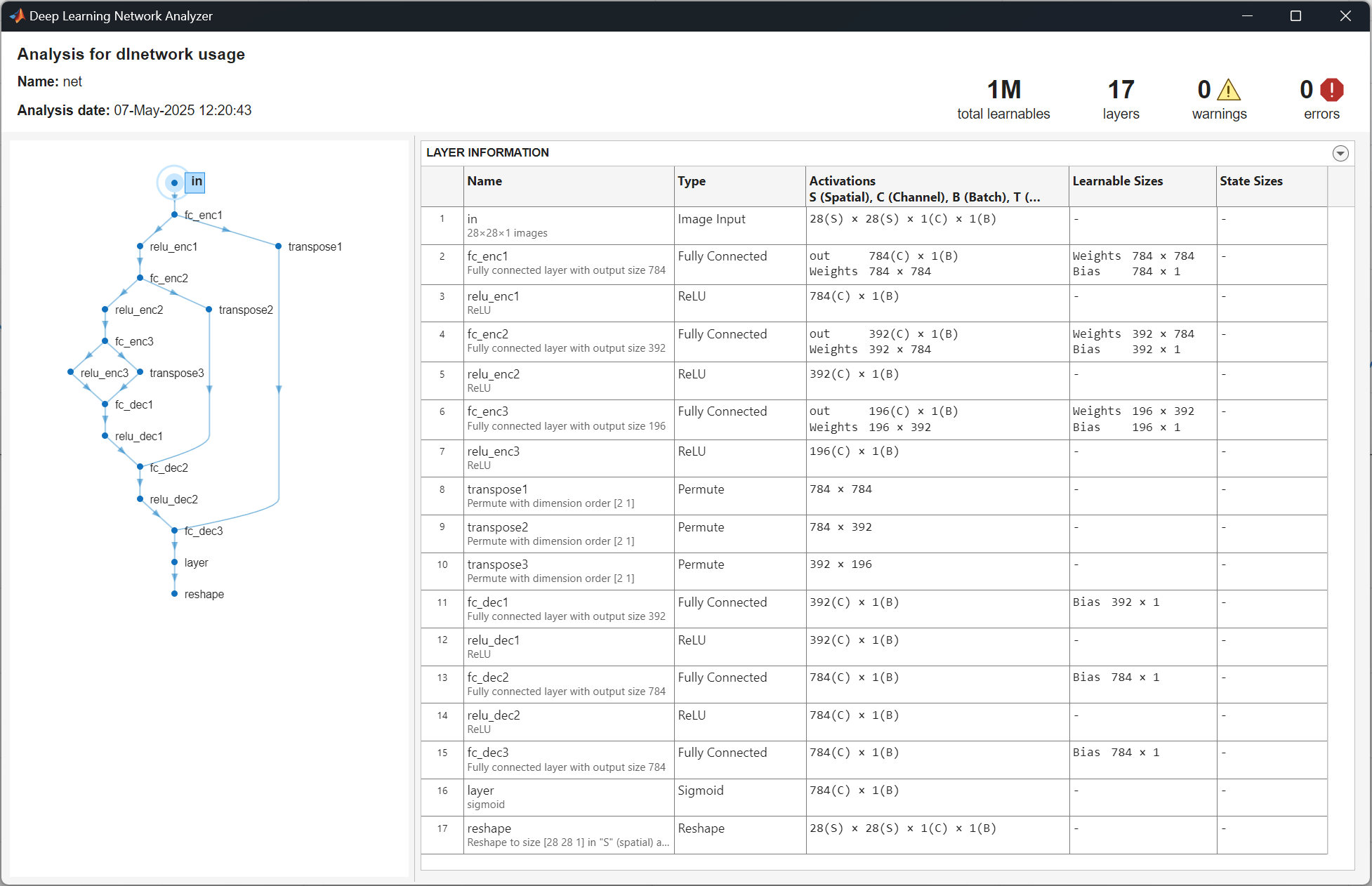
Analyze the neural network architecture by using the analyzeNetwork function. The decoder fully connected layers have learnable parameters for the bias only.
analyzeNetwork(net)
Specify Training Options
Specify the training options. Choosing training options requires empirical analysis. To explore different training option configurations by running experiments, you can use the Experiment Manager app. For this example:
Train using the Adam optimizer.
Display the training progress in a plot and monitor the root mean squared error (RMSE) metric.
Disable the verbose output.
options = trainingOptions("adam", ...
    Plots="training-progress", ...
    Metrics="rmse", ...
    Verbose=false);
Train Network
Train the neural network by using the trainnet function. For image reconstruction, use binary cross-entropy loss. By default, the trainnet function uses a GPU if one is available. Using a GPU requires a Parallel Computing Toolbox™ license and a supported GPU device. For information on supported devices, see GPU Computing Requirements (Parallel Computing Toolbox). Otherwise, the function uses the CPU. To specify the execution environment, use the ExecutionEnvironment training option.
net = trainnet(XTrain,XTrain,net,"binary-crossentropy",options);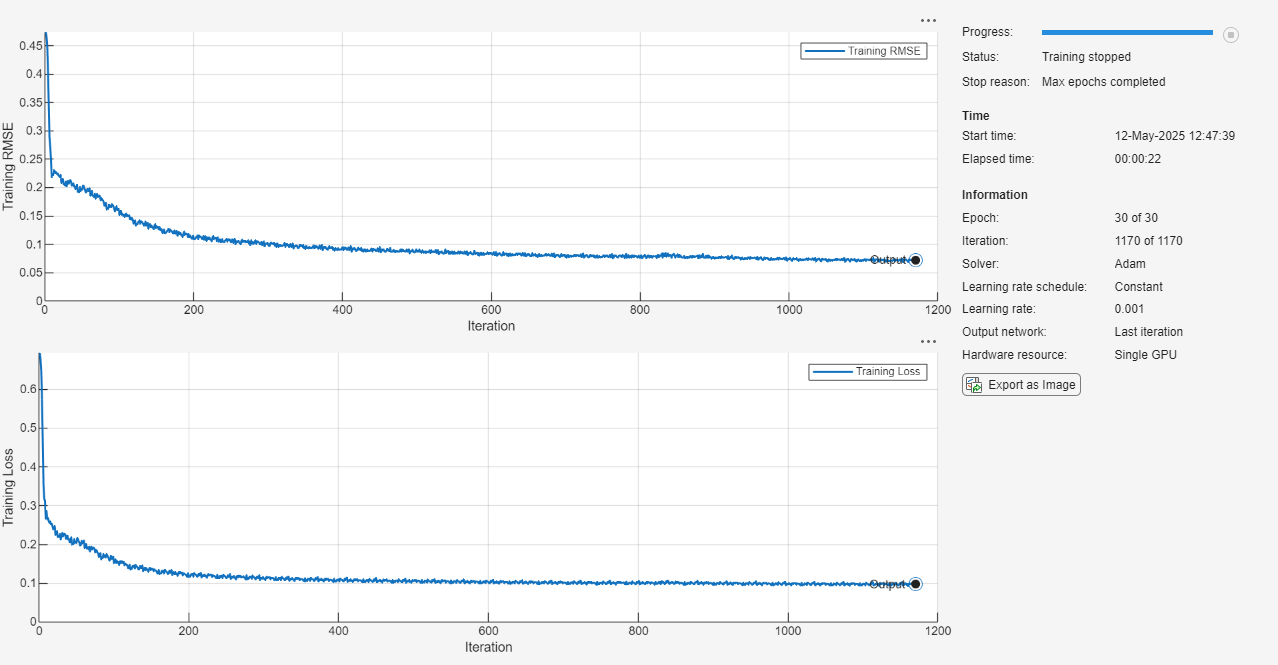
Test Network
Make predictions with the trained weight-tying autoencoder using the minibatchpredict function.
YTest = minibatchpredict(net,XTest);
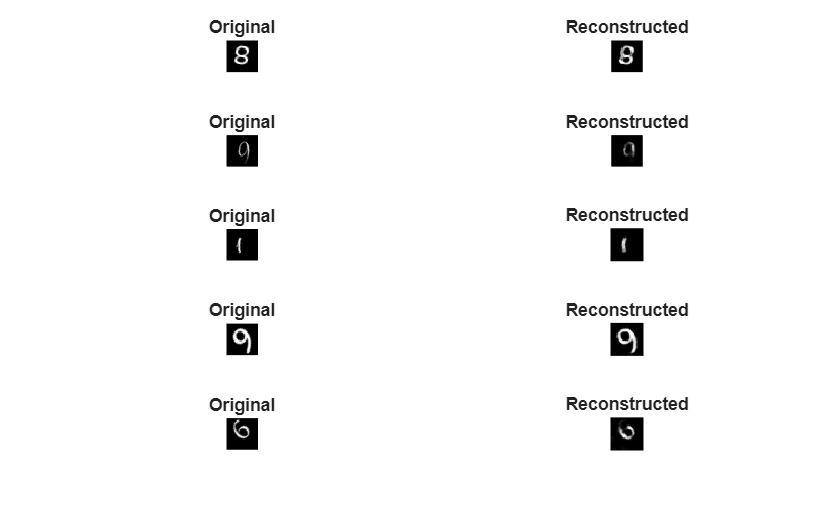
Calculate the RMSE between the reconstructed images and the test images by using the rmse function.
err = rmse(XTest,YTest,"all")err = single
0.0776
Randomly select and visualize samples of the original test images and their reconstructed versions.
numSamples = 5;

idx = randperm(size(XTest,4),numSamples);
layout = tiledlayout(numSamples,2);

for n = 1:numSamples
    nexttile
    imshow(XTest(:,:,:,idx(n)))
    title("Original")
    nexttile
    imshow(YTest(:,:,:,idx(n)))
    title("Reconstructed")
end
References
Ofir Press, and Lior Wolf. “Using the Output Embedding to Improve Language Models.” In Proceedings of the 15th Conference of the European Chapter of the Association for Computational Linguistics, Valencia, Spain, April 2017.
Hinton, G.E., and Salakhutdinov, R.R. "Reducing the dimensionality of data with neural networks." Science 313(5786), 504–507 (2006).
See Also
fullyConnectedLayer | trainnet | trainingOptions | dlnetwork | minibatchpredict

