Modeling
R2026bPrepare Simulink® models for hardware connection, add blocks to support hardware protocols, and explore the reference examples featuring various applications.
Blocks
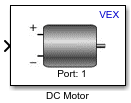 | DC Motor | Represent connected DC motor and set motor speed |
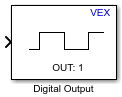 | Digital Output | Represent one pin as digital output and set logical value |
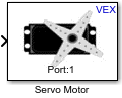 | Servo Motor | Represent connected servo motor and set angular position value |
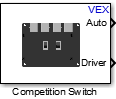 | Competition Switch | Read switch positions of VEXnet Competition Switch and provide logical values for Autonomous and Driver modes |
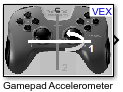 | Gamepad Accelerometer | Read analog value from VEX gamepad accelerometer |
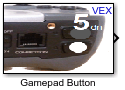 | Gamepad Button | Represent one button on VEX gamepad and read logical value |
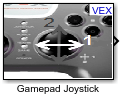 | Gamepad Joystick | Represent one control axis on x-yanalog VEX gamepad joystick and read values |
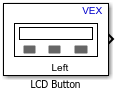 | LCD Button | Read logical state of selected push button on LCD Display Module |
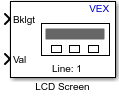 | LCD Screen | Display text and numerical value on specified line of LCD screen |
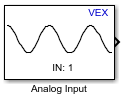 | Analog Input | Read the value of a sensor attached to an analog input pin |
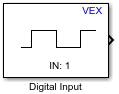 | Digital Input | Read the digital value of an input pin |
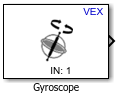 | Gyroscope | Measure yaw rotation in degrees |
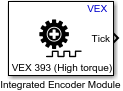 | Integrated Encoder Module | Measure the rotation of a motor in ticks |
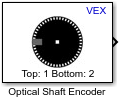 | Optical Shaft Encoder | Measure the rotation of a motor in ticks |
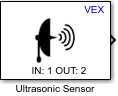 | Ultrasonic Sensor | Measure the distance to an object: 0.02 to 2.0 meters (m) |
 | Arcade Module | Get the right and left wheel speed values of a robot in an Arcade configuration |
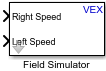 | Field Simulator | View the simulation speed values of a two-wheel robot |
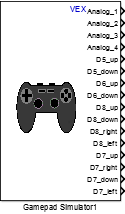 | Gamepad Simulator | Get the simulation value of a VEX gamepad using Logitech F310 or XBOX Controller |
 | Gear Transmission | Set a scalar value (1 to 4) based on input values |
 | Latch | Latch the logical value based on the change in the input signal |
 | Real Time | Slow down simulation time close to real time |
Topics
- Open Block Library for ARM Cortex-Based VEX Microcontroller
Open Block Library for ARM® Cortex®-based VEX® Microcontroller.
- Model Configuration Parameters for ARM Cortex-based VEX Microcontroller
Parameter and configuration options for creating and running applications on the target hardware.
- Getting Started with VEX Microcontroller Support Package
This example shows you how to use Simulink® Coder™ Support Package for ARM® Cortex®-based VEX® Microcontroller to run a Simulink model on a VEX microcontroller.
- Tank Robot Control Using VEXnet Gamepad
This example shows you how to use Simulink® Coder™ Support Package for ARM® Cortex®-based VEX® Microcontroller to control 2-wheeled tank robot using a VEX wireless controller.
- Parameter Tuning and Signal Logging with Serial Communication
This example shows how to perform parameter tuning and data logging with a Simulink® model running on ARM® Cortex®-based VEX® Microcontroller targets.
- Autonomous Mode and Driver Mode with the VEX Microcontroller
This example shows how to use Simulink® Coder™ Support Package for ARM® Cortex®-based VEX® Microcontroller to implement both Autonomous mode and Driver mode in the same Simulink model.
- Obstacle Detection Using Ultrasonic Sensor with the VEX Microcontroller
This example shows you how to use Simulink® Coder™ Support Package for ARM® Cortex®-based VEX® Microcontroller to interface the VEX ultrasonic sensor to the VEX Microcontroller and use the sensor data to control a 4-wheeled robot.
- Servo Control Using a Gamepad Button
This example shows you how to use Simulink® Coder™ Support Package for ARM® Cortex®-based VEX® Microcontroller to control a servo motor using a digital button on the VEXnet Joystick.
- Line Follower with Arm and Claw Position Control Using Line Tracker, Potentiometer and Encoder
This example shows you how to use Simulink® Coder™ Support Package for ARM® Cortex®-based VEX® Microcontroller to create a line follower robot with a robotic arm and claw control using the VEX Clawbot.
- Turn Robot Using LCD Button Press and Display Gyroscope Reading on LCD Screen
This example shows you how to use Simulink® Coder™ Support Package for ARM® Cortex®-based VEX® Microcontroller to create an application in which a 4-wheeled robot turns by a degree of angle chosen by the user from the options displayed on an LCD screen.
- Square Path Navigation Using Encoder with the VEX Microcontroller
This example shows you how to use Simulink® Coder™ Support Package for ARM® Cortex®-based VEX® Microcontroller to interface VEX Integrated Encoder Module to the VEX Microcontroller and use the sensor data to control a 4-wheeled robot.

