Stringa
R2026bBlocchi per la composizione, l'analisi e la conversione di segnali stringa, come String Constant e String To ASCII
Utilizzare i blocchi della libreria String per lavorare con dati testuali nel modello come segnali con valori stringa. È possibile comporre stringhe formattate, analizzare il contenuto delle stringhe, confrontare stringhe e convertire tra stringhe e tipi numerici.
Per aggiungere blocchi da questa libreria al modello, vedere Add Blocks to Models.
Blocchi
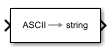 | ASCII to String | Uint8 vector signal to string signal |
 | Compose String | Compose output string signal based on specified format and input signals |
 | Scan String | Scan input string and convert to signals per specified format |
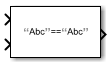 | String Compare | Compare two input strings |
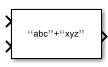 | String Concatenate | Concatenate input strings to form one output string |
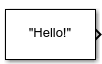 | String Constant | Output specified string |
 | String Contains | Determine if string contains, starts with, or ends with pattern |
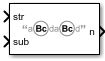 | String Count | Count occurrences of pattern in string |
 | String Find | Return index of first occurrence of pattern string |
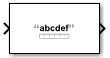 | String Length | Output number of characters in input string |
 | String to ASCII | Convert string signal to uint8 vector |
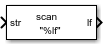 | String to Double | Convert string signal to double signal |
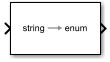 | String to Enum | Input string signal to enumerated signal |
 | String to Single | Convert string signal to single signal |
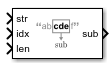 | Substring | Extract substring from input string signal |
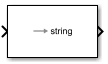 | To String | Convert input signal to string signal |
Strumenti
| Library Browser | Find and add blocks to model |
Argomenti
- Add Blocks to Models
Use the Library Browser and quick insert menu to insert blocks.
- Simulink Strings
Use strings in models.

